
Case:
Failure phenomenon: The hard disk can recognize but cannot start the system. Customers take measures: Customers have not restarted the computer and have not worked and have been found to repair the maintenance company for maintenance.However, after the data security tips are lost, the data is lost, and it is still possible to return to the problem that you should pay attention to the data after the data is lost: 1. Protect the scene, do not write new data on the fault disk or partition; 2. Try to seek as much as possibleProfessionals or institutions help you recover data, unless you know how to restore the technology according to your own; 3. You can call for free consultation: 4006-759388, engineers will give you professional advice;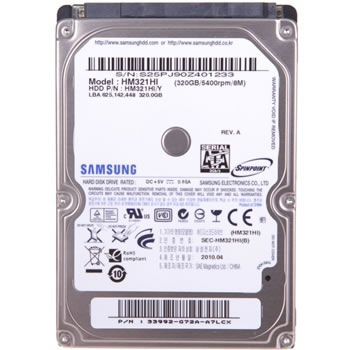
Solution:
After receiving the session sent by the client, I carefully asked all the reasons. I have been repaired elsewhere. It will definitely not work well. First, check what the hard disk is now.Everything is normal, but the scanning is all red pieces of red. At the beginning, they thought it was a bad path, and it was red bad blocks in the future.Through a series of testing, the target was finally locked on the firmware. First, the firmware was problematic. After the test, the firmware was not a problem.It may have been brushed, and let’s confirm whether the firmware has been brushed.Fix the data through firmware repair.