
Rescuezilla is a free, open-source disk backup and recovery tool, often described as the “Swiss Army knife” of system recovery. Its core design goal is to provide an intuitive, easy-to-use graphical interface that makes backup and restore operations accessible to ordinary users.
Its most notable feature is full compatibility with the industry-standard tool Clonezilla. Rescuezilla can create its own backups and also recognize and restore images generated by Clonezilla, and vice versa, offering users great flexibility.
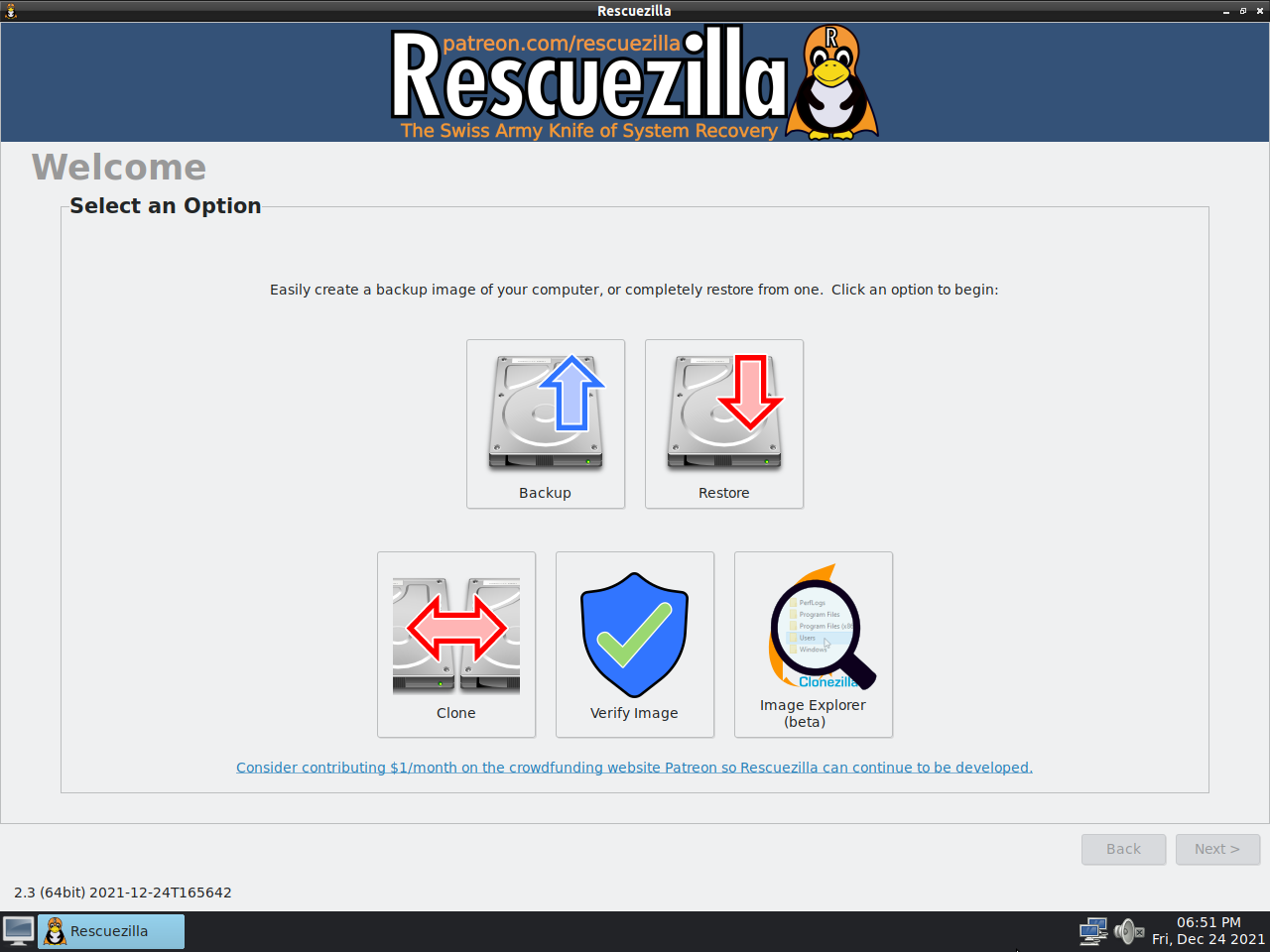
Core Functions
- Disk Backup & Restore: Creates full image backups of entire hard drives or individual partitions, and restores them when needed.
- Disk Cloning: Supports direct cloning from one hard drive to another for system migration or upgrades.
- Broad Compatibility: In addition to Clonezilla images, supports VirtualBox (VDI), VMWare (VMDK), Hyper-V (VHDx), Qemu (QCOW2), and other virtual disk formats.
- Portable System: Runs directly from a bootable USB flash drive or CD, independent of the operating system installed on the computer. This is crucial for recovering systems that fail to boot.
- Additional Tools: Includes partition editor (GParted), file manager, web browser, and other utilities for performing more operations within the recovery environment.
Comparison with Clonezilla
The core difference between Rescuezilla and Clonezilla lies in their design philosophy and target users. Clonezilla is known for its powerful features and extreme control, but primarily operates through text menus, which can be unfriendly to beginners. Rescuezilla wraps a graphical interface around Clonezilla’s powerful underlying functions, sacrificing some highly specialized options in exchange for a “one-click” experience.
| Feature | Rescuezilla | Clonezilla |
|---|---|---|
| User Interface | Graphical (GUI), point-and-click, beginner-friendly | Text-based menus, keyboard-driven, steep learning curve |
| Operation Style | Guided workflow, streamlined options | Highly customizable, abundant options |
| Advanced Functions | Primarily basic functions like backup, restore, clone | Rich advanced functions like multicast cloning, unattended mode |
| Compatibility | Fully interoperable with Clonezilla images | Can restore some other image formats, but compatibility is not as broad as Rescuezilla |
| Target Users | Home users, Linux beginners, those seeking an easy backup solution | IT professionals, system administrators, users needing advanced features |
How to Get and Use
The typical workflow for using Rescuezilla involves creating a bootable USB flash drive. Users need to download the latest ISO image from the official website, then use tools like Rufus or Etcher to write it to a USB drive. After that, set the computer to boot from the USB drive to enter Rescuezilla’s graphical interface, and follow the prompts to perform backup or restore operations.
Important Notes
- No Partition Shrinking: Currently, Rescuezilla cannot automatically restore a backup to a hard drive smaller than the original, unless the target disk has sufficient capacity.
- Open Source & Free: As an open-source project, Rescuezilla is free to use and is continuously developed on GitHub.
- Project History: Rescuezilla is an active fork of the discontinued Redo Backup and Recovery project, with significant rewriting and improvements.
Official Website: https://rescuezilla.com/