
Disk First Aid is a macOS built-in utility (accessible via Disk Utility) that verifies and repairs disk errors, including file system corruption and directory structure issues.
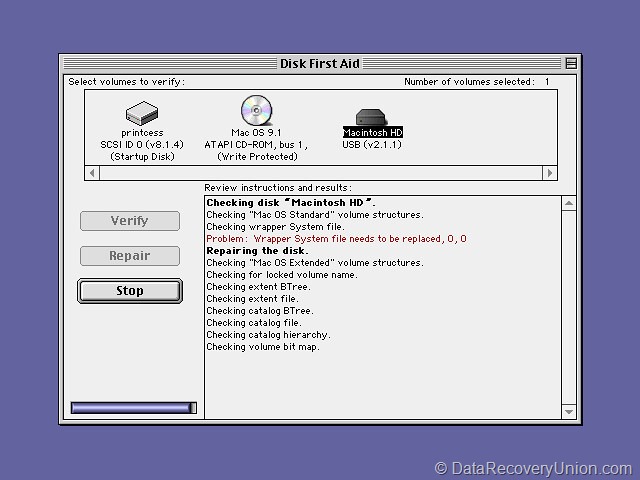
How It Works
- Verify only: Checks for errors and reports them without making changes.
- Repair: If errors are found, you can run Repair to fix them (available for most disk types except the startup disk when booted normally).
Common Operations
| Operation | Function | Availability |
|---|---|---|
| Verify Disk | Scans for file system inconsistencies, corrupt metadata, or directory damage. | Available for all mounted and unmounted volumes. |
| Repair Disk | Attempts to fix all detected errors; may rebuild directory structures or recover orphaned files. | Available for non-startup volumes; for startup disk, must boot into Recovery Mode or use Terminal fsck. |
| Verify/Repair Permissions | (Older macOS) Checks and restores correct file permissions for system files. | Deprecated in recent macOS versions (now handled automatically). |
How to Run Disk First Aid
Via Disk Utility (GUI)
- Open Finder → Go → Utilities → open Disk Utility.
- Select the volume or container from the sidebar.
- Click First Aid at the top toolbar.
- Click Run to verify; if errors appear, click Repair (if available).
For Startup Disk (if repairs needed)
- Restart Mac and hold Command + R to enter Recovery Mode.
- Open Disk Utility from the Recovery menu.
- Select the startup volume and run First Aid (repair is now allowed).
Via Terminal (advanced)
- Open Terminal and type
diskutil verifyVolume /(for startup) ordiskutil repairVolume /Volumes/DriveName. - Alternatively, use
fsck -fyin single-user mode (rarely needed).
Important Notes
- Backup first: Always back up important data before running repairs, especially if disk errors indicate hardware failure.
- Time: Verification/repair can take minutes to hours depending on disk size and error count.
- Interruption: Do not force quit Disk Utility or restart during repair; it may worsen corruption.
- Hardware vs. software: Disk First Aid only fixes logical (software) issues; if it fails repeatedly, the disk may have physical damage and need replacement.