
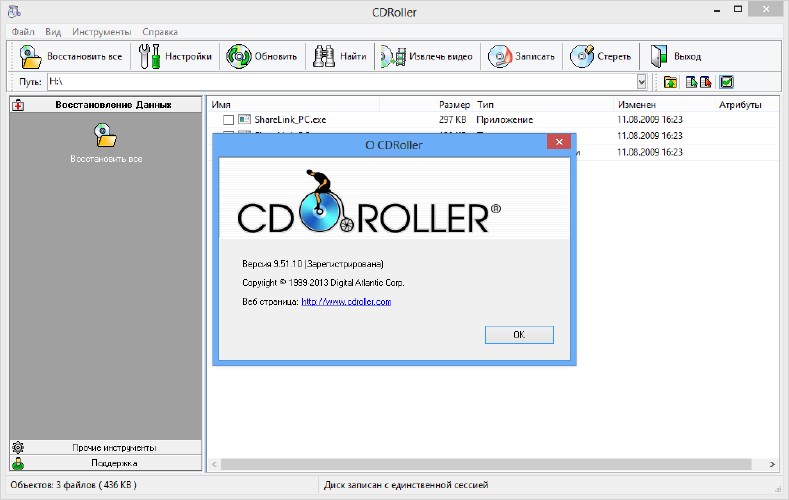
CDRoller is a powerful data recovery software focused on retrieving data from damaged, scratched, or defective optical discs (CD, DVD, Blu-ray), with additional support for hard drives, USB drives, and memory cards. It is known for its advanced read-error handling and broad file system compatibility.
Core Functions
| Function | Description |
|---|---|
| Optical Disc Recovery | Recovers files from scratched, damaged, or defective CD/DVD/Blu-ray discs. |
| Multiple File System Support | Supports ISO 9660, UDF (including 2.50/2.60), FAT, NTFS, exFAT, and ReFS. |
| Advanced Error Handling | Uses sophisticated algorithms to read data multiple times to recover as much information as possible. |
| File System Repair & Reconstruction | Rebuilds damaged file systems to access recoverable data even when the file system is corrupted. |
| Session & Track Extraction | Extracts individual sessions or tracks from multi-session or mixed-mode discs. |
| ISO Image Creation | Can create ISO image files from discs for future recovery or backup purposes. |
| Raw Data Recovery | Allows raw sector-by-sector extraction, useful for severely damaged media. |
How to Use CDRoller
Basic Workflow
- Insert the damaged disc into the optical drive.
- Launch CDRoller; the software will automatically detect the disc and attempt to read the file system.
- If the file system is corrupted, click “Find Lost Data” to perform a deep scan for recoverable files.
- Browse the list of recoverable files (preview available for many file types).
- Select files and click Recover to save them to another drive (avoid saving back to the same damaged disc).
Additional Options
- Session Selection: For multi-session discs, choose which session to scan.
- Read Retries: Configure the number of read retries for difficult sectors (more retries may recover more data but will take longer).
- Skip Bad Sectors: Option to skip unreadable sectors and continue.
Important Notes
- CDRoller is a commercial product with a free trial that allows you to preview recoverable files but not save them.
- It is particularly useful for recovering photos, videos, and documents from DVD-VR and AVCHD discs.
- Windows-based, but runs well on Linux/macOS via Wine.
- Always recover data to a different drive to avoid overwriting the source.
- Success depends on physical damage extent; the software cannot repair physical scratches but can work around them using advanced read logic.
Official Website: www.cdroller.com