
Hetman Partition Recovery is a comprehensive data recovery software designed to recover lost information from damaged, formatted, or inaccessible storage media. It is a flagship product that integrates multiple recovery tools for scenarios ranging from accidental deletion to severe disk failure.
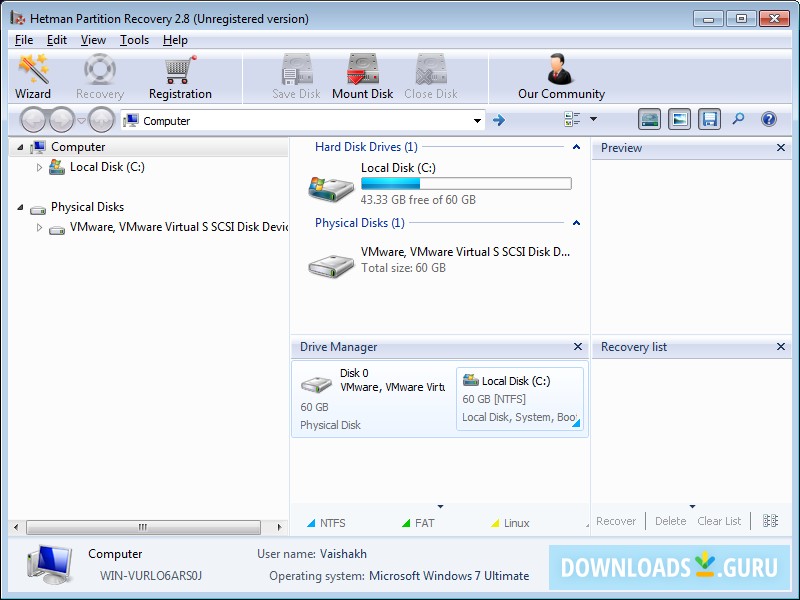
Key Features
| Feature | Description |
|---|---|
| File System Support | Supports NTFS/ReFS/FAT/exFAT (Windows), APFS/HFS+ (macOS), Ext2/3/4, ReiserFS, XFS, UFS, ZFS, Btrfs (Linux/Unix). |
| Recovery Scenarios | Handles accidental deletion, formatting, partition loss/corruption, virus attacks, system crashes, and disk errors. |
| Disk Analysis Types | Quick Scan (reads file system metadata) and Full Analysis (comprehensive raw data scan for lost signatures). |
| Preview & Filtering | Previews files (images, documents, videos) before recovery; filters results by type, date, and size. |
| RAID Support | Supports recovery of RAID arrays (0, 1, 5, 6, 10) and virtual disk images. |
| Wizard Interface | Guides users through the process with a step-by-step wizard. |
Basic Workflow
- Download and install Hetman Partition Recovery.
- Select the logical drive or physical disk to scan.
- Choose analysis type: Quick Scan (fast) or Full Analysis (deep).
- Preview recoverable files and select items to restore.
- Save recovered files to a different storage device.
Important Notes
- Commercial software; free trial allows preview but no file saving.
- Always save recovered data to a different drive to avoid overwriting.
- Works on Windows only.
Official website: hetmanrecovery.com