
Software: Getway Raid Recovery 2.0;
RAID Type: RAID 5 with 3 drives, 1 drive defect;
Factory Type: IBM
Malfunction Description: Sudden RAID damaged, all in the state of “DDD”, RAID corrupted by replacing the hard disk order off-line or push-pull, all the files lost.
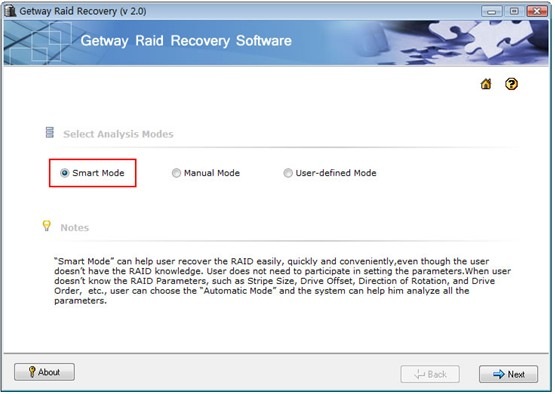
Step 1: Analyze Mode Selection
Select the “Smart Mode”, and then click the “Next” button.
(Once you get a RAID recovery case, we usually suggest you firstly select “Smart Mode“, It is the most convenient and efficient Mode: Fast, Intelligent. Certainly, if you clearly know the RAID details, you can recover the data by directly using either the Manual Mode or User-defined Mode.)
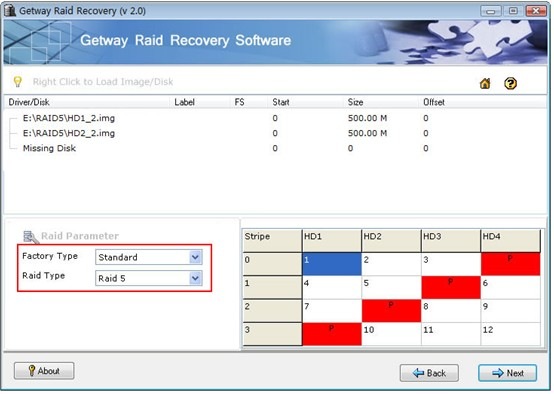
Step 2: Load Image & Set Raid Parameters
The default set is Factory Type as “Standard” and the Raid Type as ” Raid 5″ (you can select the right Factor Type and the Raid Type according to your RAID Array), and then click the “Next” button to rebuild and recover the RAID Array.
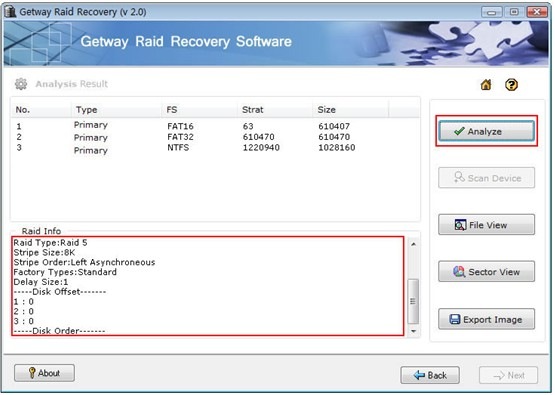
Step 3: Analyze & Export Image
A) Analyze:
Click the “Analyze” button after your finish the parameter setup. Getway RAID Recovery software will display the parameters and the right disk order of your RAID Array, and also you can view the reconstructed partition information.
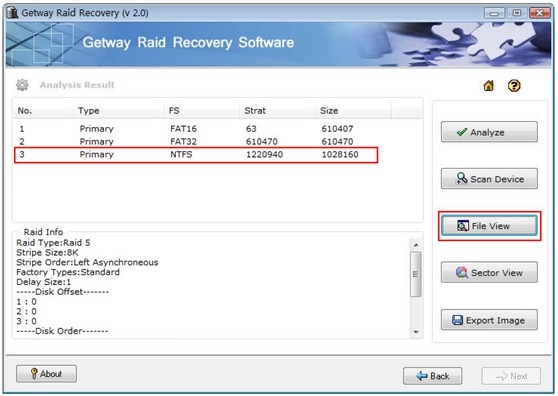
B) File View:
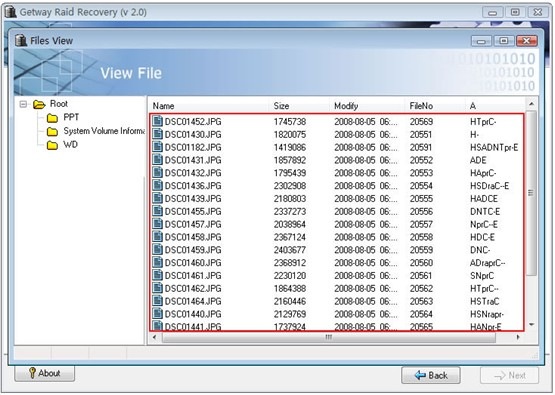
Select one partition and click “File View” button, a file browser will be popped up. You can view the folders and the files from the browser after successfully analyze. You will know the analysis was successful or not by this step.
C) Export Image:
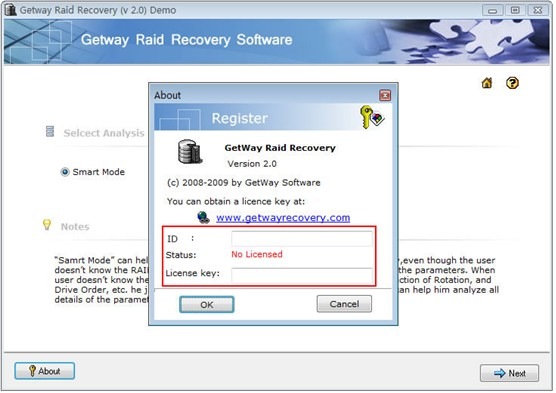
After you verify the authenticity of the data, and also you sure you want to get the data back, you can purchase a License Key and activate the software. The detailed operations are as follow: after you get the License key, please click the “About” button and input the ID and License Key to activate the software.
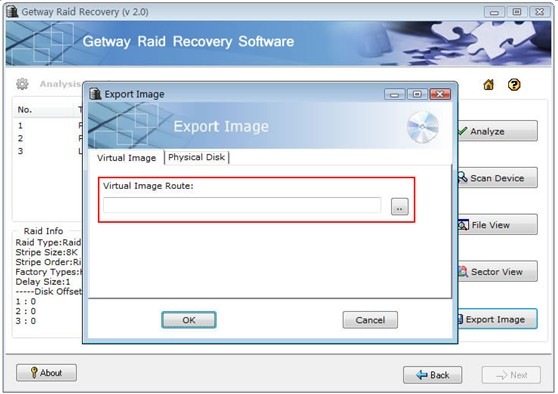
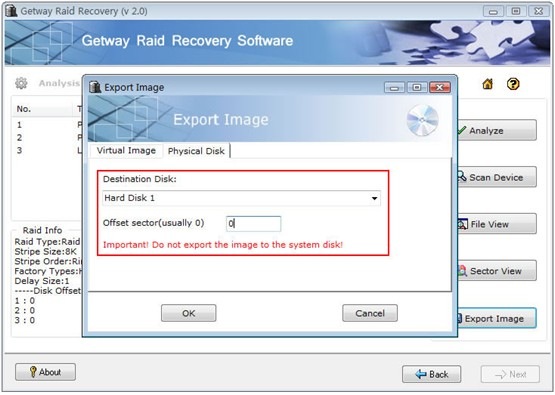
Then you can export the partition as the image files or export the image to other hard disk.
Attention: Please don’t export the image to your system disk, otherwise it will cover the data which on your system disk.
Rebuild RAID:
Verify the authenticity of the image files, and then reload the image files to the new RAID Array. RAID Recovery is successful.