
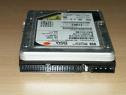
 Installing a SATA Drive as a Storage Unit
- Physically install the drive into the Mac.
- Connect the drive to the motherboard or SATA add-on controller card.
- Connect the hard drive to the power source.
- Double-click on the Mac OS main hard drive on the Desktop.
- Select Applications.
- Select Utilities.
- Select Disk Utility.
- Select the Erase tab.
- Verify that the correct hard drive is illuminated in the left column.
- Select Mac OS Extended partition.
- Click Erase. (Note: This will erase all data from the drive.)
- Allow time for the drive to format.
- Verify the drive is mounted on the Desktop.
If this SATA drive will be the bootable drive and this is a new installation, you may follow the simplified steps:
- Physically install the drive into the Mac.
- Connect the drive to the motherboard or SATA add-on controller card.
- Connect the hard drive to the power source.
- Insert the Mac OS X install CD into the CD-ROM.
- Power on the computer while holding down the “C” key to boot from CD.
- Select Installer.
- Select Open Disk Utility.
- Highlight the drive.
- Select Erase.
- Choose Volume format of Mac OS Extended Partition.
- Click Erase. (Note: This will erase all data from the drive.)
- Click on Disk Utility and select Quit Disk Utility.
- Highlight Preferred Language and continue with the installation of the Mac OS operating system.
Note: If an error appears stating that the operating system cannot be installed on this volume, simply power down the Mac, connect the hard drive’s data cable to the other SATA port, and restart the process.