
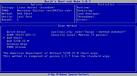
 How do I perform a Low Level Format on a SCSI disc drive?
- Download and install SeaTools_enterprise software. Use SCSIMax for Maxtor or Quantum SCSI drives.
- Click START | PROGRAMS | SEATOOLS ENTERPRISE to run the program. It will scan any SCSI device(s) installed in the system.
- Highlight the drive you would like to format.
- Click VIEW | ADVANCED. This will take you to the “Advanced Menu” of the software.
- Click ADVANCED | FORMAT. This will bring you to another screen. Click the “Format” tab.
- Click the “Format Now” button. You will be prompted to make sure you would like to continue.
WARNING: All data will be lost!
- If you are sure, click “Yes” to continue. If you are not sure, click “No” to exit the utility.
- The selected drive will now format and bring your drive back to factory settings.
The advantage to using our low-level routine as opposed to others (such as from SCSI BIOS utilities) is that once you start the routine it can be disrupted at any time. With BIOS utilities, disrupting could damage the drive and render it inoperable. This can also occur from an unexpected power outage.