
Problem:
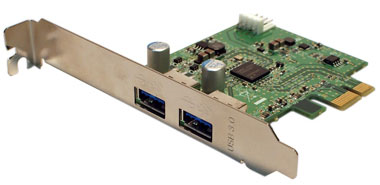 I installed a USB 3.0 Host Bus Adapter (HBA) card, but it doesn’t show up in Windows, or in the Device Manager.
Cause:
Unknown at this time, but it is likely that the PCI express slot configuration information is not updated unless the system has had it’s power completely removed from the AC source. Even if the system is “shut down”, many components in the system might still be powered and could cause unexpected behavior or damage to the card or system. The best way to ensure that the power is completely off is to unplug the computer from the wall outlet.
Solution:
The PCI express card should not be installed in the system while power is still applied. However, you can shut down the system and unplug it from AC power for 30 seconds, then reconnect the power and restart the system. It should now show up.