To identify your seagate hard disk drive, retrieve the model number, serial number and firmware revision without removing your drive. There are 3 methods:
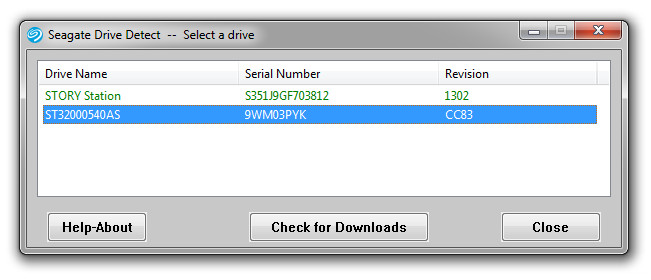
- Seagate DriveDetect.exe method (recommended)Click here to download Drive DetectWhen running Drive Detect you will see a screen like this. Look for the drives that are attached:

In the example above the Drive Name is the same as the Model: ST31500341AS, the serial number is 9VS00J20 and the firmware revision is SD1A.
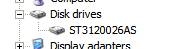
- Device Manager Method : Use Microsoft Windows Device Manager to see the model numbers of your disk drive.
- Choose Start | Run | type: devmgmt.msc
- Click Ok.
- Expand the Disk Drive branch to see the model numbers:

- Seatools for Windows Method:Download SeaTools for Windows which displays all of the required information.