
What initial folders are automatically created on the Maxtor Shared Storage Drive?
When you install the Shared Storage Drive and create a name and a password to access your personal folder, a set of folders is automatically created to help you organize your files.
Your Personal folder includes:
- Private folders that only you have access to.
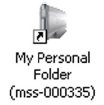
Note:To access your Personal folder on the Shared Storage Drive, Double-click the desktop icon for your Shared Storage Drive, that was created when you installed the drive.
- A shortcut to the “Public” folder where you can share files with other users of the Shared Storage Drive.
The Public folder includes:
- A set of folders in which users can share their files.
- The “Printers and Faxes” folder, where you can install printers as well as printer/fax machines to be available to all users of the Shared Storage Drive.

