Articles

Install OS on SSD and HDD for Storage

Building a new system here. My question is simple,: I think, it’s just that I have never used Sata controllers. It’s been that long since I’ve built a system. I am using a Gigabyte X58-UD3R mobo. I have an OCZ agility 2 SSD and a Spinpoint F3 1TB HDD. My plan is to install the OS on the SSD and the HDD for storage. What is the best way to configure these 2 storage devices? (which ports and will this be raid 0 or not raid at all) I also have an external hot swap dock on my case, can and how would this be connected?

Install the OS with just the SSD installed.  After completed install shut down and then install your HDD.

Install OS on SSD and HDD for Storage Read More »

32MB VS 16MB Cache

I’m building a new rig, and need to know if theres really any noticeable, real-world performance difference between a 500GB hard drive with 16MB cache or a 500GB drive with 32MB cache. both would be running on Sata III 6GB/S.  16MB vs. 32MB cache – any difference?

16mbVs32mb

Of all the factors that affect a drive’s performance, cache is by far the least important. The most important factors are the spin rate (RPM) of the drive and the platter density. More spins per second = more data per second, and higher platter density means more data per spin = more data per second.

Cache is important, but once you get beyond a certain amount it doesn’t really give you any better performance. Since cache memory is cheap, all the manufacturers include enough of it to optimize the performance of the drive. As a result, differences between one drive and another don’t really make a noticeable real-world difference.

In fact, the most common reason for different cache sizes is because the platter density is different and so the drive needs more cache to hold “x” tracks worth of data. In this scenario the drive with more cache will perform better, but it’s because of the higher platter density, not because of the extra cache.

32MB VS 16MB Cache Read More »

Removing HDD Partition Without Reformatting

I have Windows 7 Ultimate 64 bit and Im gonna get an extra hard disk, question is can I delete my partition on the old hard disk without reformatting so that I can make that whole drive for programs and the new hard disk for storage?

There are programs that are supposed to be able to do this like partition magic. What you want to do is format the new data drive and backup all your important files to it. Once you have your back up safe, go ahead and run your partition program. They *SHOULD* work, but in case it doesn’t you have your files safe. I don’t know of any free ones, try a google search.

Removing HDD Partition Without Reformatting Read More »

External Hard Drive Speed

I am going to be housing large data sets on an external hard drive. From it I will be doing a lot of reading/writing as I process data from my laptop via a USB 3.0 port.

what should I get to make this run fast when using it. Will there be a bottleneck caused by using a USB cable that will make other factors relevant to speed inconsequential?

USB3 has a higher transfer rate than any mechanical HDD so there is no bottleneck from it.

Other choices would be an external HDD with eSATA and if there are multiple devices that may need access to the data sets, NAS with Gigabit would be recommended as well, I’ve found that Synology makes great performing NAS Devices with single to 8 HDD units. They are expensive but worth every penny and perform better than most other NAS boxes out there.

But in terms of USB3, Your HDD will be the bottle neck on this so if performance is really a critical piece to your puzzle, find a USB3 enclosure and throw in an SSD for the max performance.

External Hard Drive Speed Read More »

Disk Read Error: Press Alt Ctrl Del to Restart

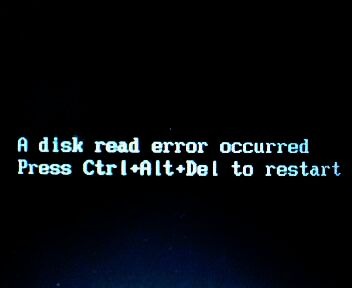
I’ve been trying to fix my brother’s computer for several months now. This problem comes and goes as it pleases. Right when we think it’s fixed, it comes right back. At first the computer was freezing and locking up and becoming completely unresponsive, then when restarted would pop up with an error message before the loading screen saying “A Disk Read Error Has Occured Press alt, ctrl, del to restart“. And when you restart it goes back to the same error message.

I have made sure everything is plugged in and connected well on the inside, I have replaced the hard drive, tested each stick of ram, and reformatted several times. This happens on XP and Vista. We cannot figure it out and it’s frustrating because right when we think it’s fixed it comes back after a couple of weeks. The only thing on the computer is a game or two, updates, and some misc programs. We’ve tried using Windows start up repair on the Vista disc and it says it can’t repair it automatically and asks to send an error report.

Disk-Read-Error

You replaced the HDD already, that leads me to believe the problem resides with the mobo connection, the cable itself or the controller on the mobo. Try replacing the cable(s) to that HDD to begin with, make sure both the data and the power cables are well secured in place both on the mobo and at HDD’s end. You could try to switch to a different power connector from the PSU, as well (if that particular “line” from the PSU is defective, switching it could solve the problem).

Disk Read Error: Press Alt Ctrl Del to Restart Read More »

120G SATA III SSD or 1TB WD SATA III Caviar Black HDD

Since I now am returning my 1tb SATA III Seagate Barracuda I am stuck in a dilemma. I’m trying to decide between A. OCZ Vertex 3 or going with 1tb WD Caviar Black.

My pc will mainly be used to game with the possibility of overclocking. I want a drive I can put my games and OS unless there is a better configuration I’m just not thinking about. The SSD feels kind of limiting in size, but maybe the speed is worth the compromise? Money is an object and I’m at max only looking to spend $250, but lower than that is very welcomed. Thanks in advance.

1. OCZ 120GB Vertex 3 SATA 6Gb/s 2.5-Inch Performance Solid State Drive (SSD) with Max 550MB/s Read and  Max 4KB Write 85K IOPS

NAND Flash Components: 2Xnm Multi-Level Cell (MLC) NAND Flash Memory, Interface: SATA III 6.0Gbp/s, Form Factor: 2.5″ slim design form factor;

Life Expectancy: 2 million hours Mean Time Before Failure (MTBF), ECC Recovery: Up to 16 bytes correctable per 512-byte sector;

Max Read: up to 550MB/s, Max Write: up to 500 MB/s, 4KB Random Write: I/O Per Second (IOPS): 60,000 IOPS, Seek time: 0.1 ms, Controller: SandForce 2281;

2. Western Digital Caviar Black 1 TB SATA III 7200 RPM 64 MB Cache Internal Desktop Hard Drive

WD Caviar Black high performance 3.5- Inch SATA hard drive combines 7200 RPM, 64 MB cache, and SATA 6 Gb/s interface for the ultimate in power computing;

High performance electronics architecture features dual processors and bigger, faster caches for maximum read and write speeds;

StableTrac The motor shaft is secured at both ends to reduce system-induced vibration and stabilize platters for accurate tracking, during read and write operations. 5 year limited warranty;

If everything you want to store on the machine will fit in 120 GB, then get the SSD. If you need more storage, you will need either the hard drive or, if you can afford it or have a decent HDD lying around, the SSD with the OS installed on it and your data and music files and so forth on the HDD. If you go this route, ensure that no HDD is attached to the motherboard when you install the OS on the SSD.

In either case, you need one more drive: an external drive to back up anything that you still want to have tomorrow. This is one of the best investments that you can make; ask anyone who has had a hard drive fail.

120G SATA III SSD or 1TB WD SATA III Caviar Black HDD Read More »

SATA Hard Drive Detected As IDE

Hello, I have a problem with my Western Digital Caviar Blue 500GB SATA 3.0 hard drive.  When i Run Speccy it detects my hard drive as an IDE.. and because of this the S.M.A.R.T. Function is not detected but when i go through my Bios setup, it says [Enabled].. How Can This be? did i do something wrong? Do i need to reinstall my OS?

My MOther Board is a GIGABYTE GA-M68MT-S2P
My other PC specs are:
4GB DDR3 PC1333 ram
AMD Athlon II X4 640
Sapphire 6770 1GB DDR5..

oh and i have one dvd drive i think its Lite on Lightscribe.. it is also sata. Please..i really cant solve this problem.

You should be able to change it to ACHI mode in BIOS without reinstalling. This error might occur but here is the fix: http://support.microsoft.com/kb/922976

SATA Hard Drive Detected As IDE Read More »

ADATA or Toshiba External Hard Drives?

Should i buy a 500GB external hard drive from ADATA or from Toshiba? Which brand is more reliable? The ADATA is USB 3, so will it work for my USB 2 ports?

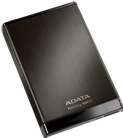
Adata ANH13-500GU3-CBK 2.5 inch 500 GB External Hard Disk

adata500gbexternalharddriveBrand: Adata
Capacity: 500 GB
Connectivity: USB 3.0 (Backward compatible with USB 2.0)
Dimensions: 16 x 77.8 x 118.8 mm
Features: Stylish design with brushed aluminum surface. Software (Download from Website)
Form Factor: Portable
Model: NH13
OS Supported: Windows 2000, Windows XP, Windows Vista, Windows 7, Mac OS X 10.6 or later, Linux Kernal 2.6.31 or later
Part Number: ANH13-500GU3-CBK
In The Box: USB 3.0 cable, Quick Install Guide
Size: 2.5 inch
Software: OStoGO, HDDtoGo, Norton Internet Security 2012 (60-day trial)
Transfer Speed: 109 Mbps
Warranty: 3 Years
Weight: 165 g

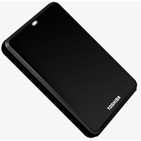
Toshiba 500 GB/Go USB 2.0 Hard Drive

toshiba500gbexternalharddrive Capacity: 500 GB
Interface : USB 2.0 or eSATA port
Rotational Speed: Up to 5,400 RPM
Password protected backup encryption
Cache Buffer: 8MB
System Requirements: Windows 7, Vista or XP OS, One USB 2.0 port
Dimension : 6.6″ x 6.8″ x 1.34″
Bi-directional synchronization
Full system backup (including operating system) and recovery

ADATA is better, faster file transfer, USB 3 is taking over USB 2 but it’s just ganna take awhile..

ADATA or Toshiba External Hard Drives? Read More »

Hard Drive Not Recognized

I’m converting an old PC(old Gateway about 10 or 11 years old) to a network storage device. It has an IDE motherboard and will not recognize the new SATA hard drive I’m trying to install using a converter. What changes need to be made in the BIOS?

A ten to eleven year old computer will almost certainly have a limit of less than 137GIG in the BIOS and if you are unlucky it may be only 32Gig. Rather than buying a converter that may be problematic get a PCI to SATA card which costs about the same and are very cheap.

Hard Drive Not Recognized Read More »

IDE Cables Bad?

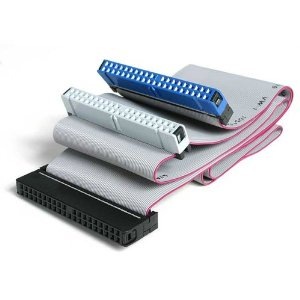
I have a ton of IDE cables and I can not get ANY drive set as slave to work on them except for 1! Are they ALL bad? I mean really! Some are the standard 18 in flat IDE cables. Some are 24in flat cables. 2 are 36in round IDE cables. None of these work. The only one that works is a 18in round IDE cable.

None of my drives will work set as a slave on the slave plug on the IDE cable. I can set one as slave and put it on the Master position and it works but not slave. Does this mean they are all bad?

IDE Cables Bad?

As far as I know there are no BIOS settings to create this so the cables must be bad, the one working confirming the others.

IDE Cables Bad? Read More »

Scroll to Top