
Clonezilla is a free and open-source disk imaging and cloning tool. It is a powerful solution for system deployment, bare-metal backup, and disaster recovery.
Key Versions
- Clonezilla Live: A single-machine version that runs from a bootable CD, DVD, or USB drive. Ideal for backing up and restoring an individual computer.
- Clonezilla Server Edition (SE): Designed for massive, simultaneous deployment. Integrates with a DRBL server to clone dozens of computers at once via network multicast.
Core Features
| Feature | Description |
|---|---|
| Extensive File System Support | Supports ext2/3/4, xfs, btrfs (Linux), NTFS, FAT/exFAT (Windows), and HFS+/APFS (macOS). Uses sector-to-sector copy for unsupported systems. |
| Efficient Cloning | Saves and restores only used data blocks, increasing efficiency and saving storage space. |
| Boot Loader & Partition Support | Supports both MBR and GPT partition tables and can reinstall boot loaders like GRUB. |
| Network Deployment | Supports PXE network boot and multicast for restoring images to multiple computers simultaneously. |
| Security & Automation | Supports AES-256 encryption for images and an unattended mode for automation. |
Important Limitations
- Destination partition or disk must be equal to or larger than the source.
- Clonezilla images cannot be mounted or browsed for single-file recovery.
- Source partition must be unmounted; online cloning is not supported.
- No support for incremental or differential backups.
Basic Workflow
- Download Clonezilla Live ISO and create a bootable USB drive.
- Boot the computer from the USB drive and start Clonezilla.
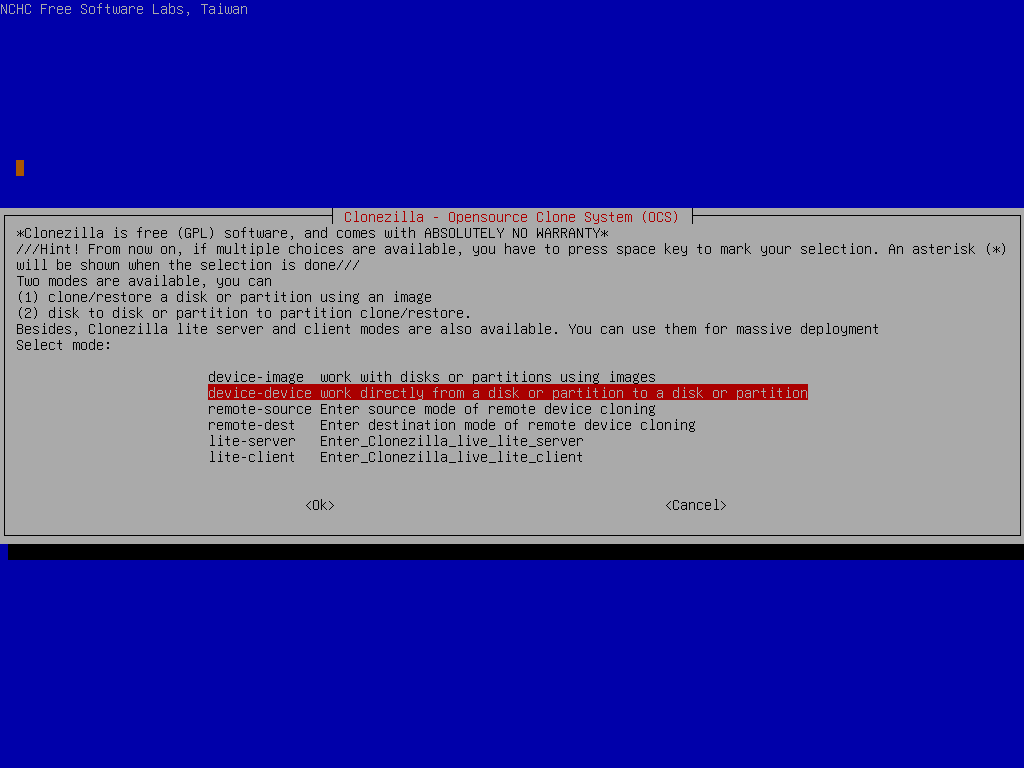
- Select
device-devicefor direct disk cloning ordevice-imagefor creating/restoring an image file. - Choose the source and destination disks.
- Confirm the operation and wait for the process to complete.
Official Website: https://clonezilla.org

