
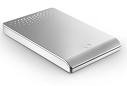
 The following procedure will install the FreeAgent Mobile Recovery software to your FreeAgent Go drive. The FreeAgent Mobile Recovery is offered so that you can reload software to your Freeagent drive in the event that the original software becomes lost or corrupted. The procedure will return the software to its original, default state; it is recommended that you backup any/all critical data before continuing.
Procedure:
- Download/extract the mobile-recovery-efigs.zip to your Windows Desktop
- Double-click setup-mobile-recovery x.x.xx EFIGS.exe.
Note: The “x” will be denoted by the current revision number - You may see an Open File – Security Warning generated by your operating system; click Run to continue.
Windows Vista Users – If prompted with an User Account Control window, click Continue. Otherwise, proceed to the next step. - The Choose Setup Language window opens. Select your Language from the drop-down menu (e.g., English) and click OK. At this point, the FreeAgent Go Tools Setup prepares the InstallShield Wizard.
- From the Welcome to The InstallShield Wizard window, click Next.
- The Choose Destination Location window opens.
If needed, click Change to choose a different location; select the Drive Letter associated with your FreeAgent Go drive and click OK. - Click Next to continue.
- The Ready to Install the Program window opens. Click Install. At this point, the FreeAgent Go Tools installs to your FreeAgent Go Drive. When finished a Configuring Ceedo window opens…this may take awhile to complete.
- When finished, the InstallShield Wizard Complete window opens. Click Finish to close the program. Your FreeAgent Go’s software has been returned to its default original state. Please Safely Remove the drive from your computer and reconnect it to launch the AutoPlay Window.
Flash Video: Installing Mobile Recovery Software