
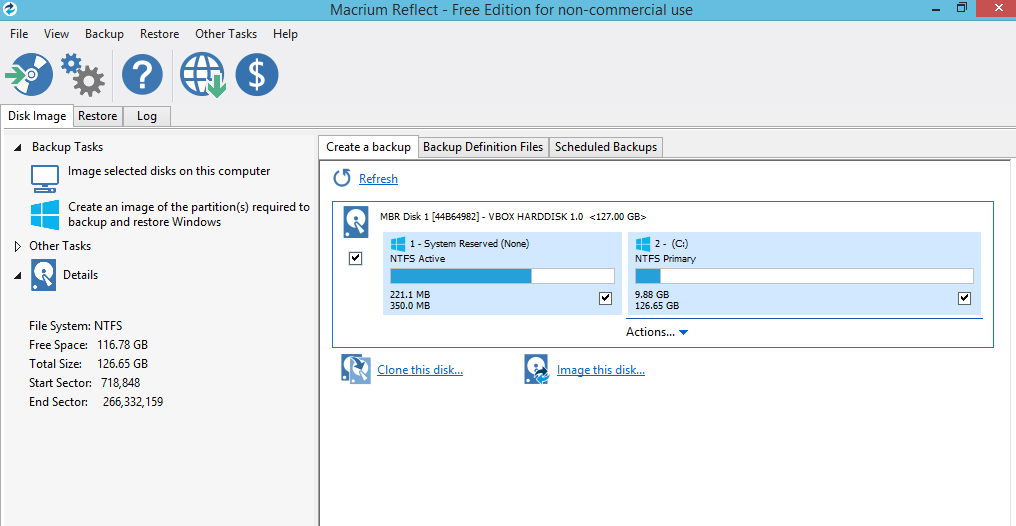
Macrium Reflect Free is a widely acclaimed disk imaging and backup software for Windows, known for offering professional-grade features for personal use at no cost. It is a powerful tool for creating precise disk images, allowing users to back up their entire system, partitions, or files to a single compressed archive file. This makes it invaluable for upgrading to a new drive or recovering a system after a crash.
Core Functions & Features
Macrium Reflect Free provides a robust set of features essential for reliable data protection:
1. Backup
The software offers versatile backup options to suit different needs:
- Disk and Partition Backup: Creates an exact image of an entire hard disk or selected partitions.
- File and Folder Backup: Backs up specific files and folders, allowing for granular data protection.
- Differential Backups: Supports creating differential images, which store only changes made since the last full backup. This provides a balance between backup speed and restore simplicity.
- Backup Scheduling: Includes a built-in scheduler to automate backup tasks, ensuring data is regularly protected without manual intervention.
2. Recovery & Restoration
The primary goal of any backup is reliable restoration, and Macrium Reflect Free excels at this:
- Mount Images as Virtual Drives: Enables you to mount a backup image in Windows Explorer, allowing you to easily browse and recover individual files or folders using copy and paste.
- Recovery Environment: Provides a free, Linux-based recovery boot disk, compatible with BartPE, to restore images even when your system is unbootable.
3. Cloning & Migration
A key strength is its cloning capability for system upgrades:
- Disk and Partition Cloning: Allows for a precise copy of a partition or a full disk to a different hard drive. This is the primary method for migrating your OS from an old HDD to a faster SSD without reinstalling Windows.
Key Limitations
While the Free Edition is powerful, it has several limitations compared to the paid Home Edition. These are important to consider if you need more comprehensive protection:
| Feature | Macrium Reflect Free | Macrium Reflect Home Edition (Paid) |
|---|---|---|
| Backup Types | Full, Differential | Full, Differential, Incremental |
| File & Folder Backup | Yes | Yes (More flexible) |
| Encrypted Backups | No | Yes |
| Ransomware Protection | No | Yes |
| Rapid Delta Restore | No | Yes |
| Business License | No | Available |
How to Download and Activate
Getting started with Macrium Reflect Free is straightforward, but the activation process differs from traditional product keys.
- Download the installer: Visit the official Macrium Reflect website and download the latest installer. The installer includes both the Free and Trial versions.
- Install and select Free Edition: Run the installer. When prompted, choose the “Install Free Edition” option.
- Register with your email: Upon first launch, you will be prompted to enter a valid email address. This is not for a product key but for license verification.
- Verify your email: Check your inbox (and spam folder) for a verification link from Macrium. Click the link to bind the license to your email address.
- Complete registration: Once verified, the software will display your registered email, indicating that the Free Edition is successfully activated. The free license is registered to your email address, which acts as your license credential.
Note: Starting with Macrium Reflect v7, the Free Edition moved away from using a traditional product key. The email-based registration process is now the standard method for activating the free version. You can also choose to “convert” to a 30-day trial of premium features at any time.
Official Website: https://www.macrium.com/reflectfree