
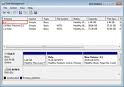
 Why is my new drive recognized in the system BIOS but has no drive letter assigned to it in Windows?
Before the operating system can recognize the drive and assign it a drive letter, you must partition and format the drive. New hard drives are rarely pre-partitioned by the manufacturer. There are three options to formatting and partitioning the drive:
- Disk Management is compatible Windows NT, 2000, and xp.
- FDISK is compatible with Windows 9x, Me. Please refer to Microsoft’s knowledge base article Q255867 for instructions on FDISK.
- Seagate’s MaxBlast and DiscWizard utilities are compatible with all Window operating systems. The MaxBlast and DiscWizard utilities are fast and easy ways to format a drive.

