
 Reason 3: Drive is not spinning up
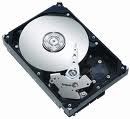
If the drive is not receiving power or receiving an incorrect level of power, it will not spin up. To check to see if this is the cause of the BIOS not detecting the hard drive, follow these steps:
- Power off the computer.
- Open the computer case and remove the data cable from the hard drive. This will stop any power saving commands from being sent.
- Turn on the system. Check to see if the hard drive is spinning. If you touch the side of the drive you should feel a slight vibration. If you do nothear or feel the hard drive spinning, the drive did not start.If you cannot determine whether the drive is spinning:
- Boot the computer and listen carefully.
- Shut the computer down.
- Disconnect the power cord from the computer itself.
- Disconnect the power cable from the hard drive in question.
- Reconnect the power cord to the computer itself.
- Boot the computer up to see if the drive sound was audible before. And,
- Then repeat, only reconnect the hard drive and listen for it to spin up.
- Switch power cables with a device like a CDROM or DVDROM drive, so that you are using a known-good power cable.
- Check the power supply on your computer to determine whether it is providing sufficient electrical power to operate the drives and devices you have in your computer.
- If the drive is still not spinning, connect it in another computer if possible.
- Connect the drive in a SATA-USB enclosure or something similar if possible.
- If the drive does not spin up after all of these steps, please visit the Warranty page to begin a warranty replacement order.