
Data recovery on vintage hard drives like the Seagate ST500LM012 starts with identifying the failure type – electronic, firmware, or mechanical. Each requires a different approach, and misdiagnosis can make things worse. Here’s a quick guide to help you assess your situation and decide on the next step.
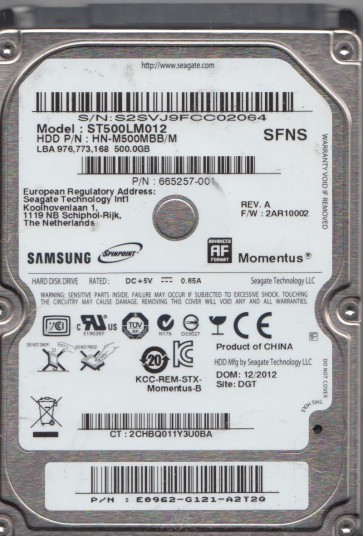
The Seagate ST500LM012 is a 2.5-inch, 500GB SATA hard disk drive (HDD) commonly found in laptops and external enclosures. It operates at 5400 RPM and typically uses Perpendicular Magnetic Recording (PMR) technology with an internal cache of 8MB or 16MB. This drive is known for its reliability in everyday use but can fail due to mechanical wear, electronic damage, or logical corruption. Its slim form factor means components are densely packed, making physical shock more damaging. Understanding the specific failure mode is critical before attempting any recovery.
Identifying Common Failure Types
1. Mechanical Failure (Head Crash/Stiction): The drive produces clicking, grinding, or whirring sounds. LEDs may blink but the drive often fails to spin up or spin down. Common causes include physical shock, overheating, or aging lubricant. The read/write heads may have contacted the platters or become stuck to the media. This is a hardware failure requiring cleanroom intervention.
2. Electronic Failure (PCB/Controller): The drive is electrically dead: no motor spin, no sounds, no detection in BIOS. Possible causes include a blown TVS diode (often due to external power surge), failed SATA connector, or a failed preamp driver chip on the main board. The drive¡¯s firmware may also be corrupted. A simple PCB swap may not work due to drive-specific adaptives stored on the drive¡¯s serial-flash (ROM).
3. Firmware Corruption (Bad Sector/Adaptive Failure): The drive spins up, is detected by the OS but shows a wrong capacity, hangs, or becomes extremely slow. SMART data may show very high ¡°Current Pending Sector Count¡± or ¡°Reallocated Sector Count¡±. This is often caused by weak or defective heads unable to read servo marks, or a corrupt critical firmware module (e.g., P-List, G-List, overlay). It can mimic a mechanical failure but often requires specialist tools to rebuild firmware tables.
4. Logical Failure (Deleted/Formatted/Partition Loss): The drive works normally (no unusual sounds, SMART OK) but the operating system cannot access data due to a deleted partition, accidental format, or file system corruption (e.g., NTFS/FAT32 boot sector damage). Data may still be recoverable with software unless overwritten.
Potential Recovery Paths
Professional Recovery Services (Recommended for Mechanical/Electronic/Firmware Issues): For clicking, grinding, or no-spin symptoms, immediate professional intervention is essential. Experts use a cleanroom (Class 100 or better) to replace heads, transplant the PCB, or reprogram firmware using tools like PC-3000, MRT, or DeepSpar. Cost: Typically $300-$1500+ depending on severity. For the ST500LM012, head replacement is common due to shock damage. Seek a provider certified by Seagate or with extensive experience in Seagate drives.
DIY Recovery – Software Based (Only for Logical Failure): If the drive is detected and operates quietly without errors, try data recovery software:
- R-Studio / UFS Explorer: Scan for deleted partitions or formats. Do not install software on the damaged drive.
- DMDE: A more affordable option for partition table repair.
- PhotoRec / TestDisk: Free, command-line based, good for file carving and partition reconstruction.
DIY Recovery – Hardware (Extreme Caution): If the drive has a failed PCB, you may attempt a donor PCB swap. You must locate the drive¡¯s unique ROM chip (typically an 8-pin SOIC on the PCB) and desolder it from the original drive, then resolder it onto the donor board. If the donor board has a different firmware version, the drive may not spin. This requires soldering skills and knowledge of ESD safety. For head swaps, do not attempt without cleanroom.
What Not to Do
- DO NOT open the drive¡¯s sealed cover. Exposing platters to normal air will cause irreversible data loss through dust particles.
- DO NOT apply power repeatedly to a clicking drive. Each spin-up can scrape the platters, damaging data further.
- DO NOT freeze the drive. This is an urban legend; condensation will short the PCB and damage bearings.
- DO NOT attempt a head replacement without a cleanroom. Micro-contamination will destroy the platters.
- DO NOT use chkdsk or fsck on a failing drive. These commands write data and can pile on new errors on top of damaged sectors.
- DO NOT ignore SMART warnings. A high Reallocated Sector Count indicates imminent failure; back up immediately if still operational.
- DO NOT use magnetic tapes or magnets near the drive. While modern drives are slightly resistant, strong magnets can corrupt firmware.
Summary
The Seagate ST500LM012 is a common laptop HDD that can fail mechanically, electronically, or logically. For clicking or no-spin, professional cleanroom recovery is mandatory. For firmware corruptions or bad sectors, specialist hardware tools are required. Logical failures (deletion, formatting) are the only safe DIY scenario using non-destructive software like R-Studio. Never attempt to open the drive, apply power repeatedly to a failing unit, or run repair utilities. Immediate action based on the specific symptom maximizes recovery chances. If in doubt, isolate the drive and consult a professional data recovery lab.