Articles

NTFS File System Frequently Asked Questions Part I

Q: Is the boot limitation for NTFS still 7.87GB?

A: No. NTFS volume size limit is 2TB.

Q: Where can I get a lot of details about the NTFS encryption and security ?

A: Security (NTFS) and Encryption (NTFS,NTFS5) are wide topics.

You can get a lot of information about it on Microsoft’s MSDN Web Site (http://msdn.microsoft.com)

Security Topics: File Security and Access Rights

Encryption Topics: File Encryption , Encryption, Sparseness, and Reparse Points

Q: How do you lock files from other machine users on NTFS file system ?

A: NTFS has built-in security feature. Owner of the object can assign certain rights to certain users to restrict access to the object.

If file or folder is located on NTFS, just go to its Properties in Windows Explorer and on the Security tab add users being able access the object, and then remove Everyone user from users list, or restrict its rights.

Q: For Windows 2000 Professional using NTFS — Must All partitions be NTFS or can a FAT32 partition be functional as well?

A: Windows 2000 Professional as long as other Windows 2000 and XP family operating systems have full support for FAT32 and FAT16 file systems, as long as CDFS, HPFS, etc.

Operating system communicates with file system via logical level Win32 API that, in turn, redirects function calls to physical level (file system drivers), so if proper file system driver is installed, operating system can access and work with file system properly.

Drivers for NTFS, NTFS5, FAT12, FAT16, FAT32, CDFS are always installed when you install Windows 2000 / XP.
Drivers for NTFS, FAT12, FAT16, CDFS are always installed when you install Windows NT, there is no built-in driver for FAT32 in Windows NT.

Q: How do you format a blank hard disk drive to NTFS or NTFS5 ?

A: There are no standard utilities to format HDD to NTFS from DOS.

However there are solutions:

  • Attach HDD to another machine having Windows NT installed if you want to format to NTFS, or to Windows 2000 / XP if you want to format it to NTFS5. Then format drive using Disk Manager utility that is included in OS.
  • You can start Windows NT / 2000 / XP installation using bootable CD-ROM. On first steps of installation you will be asked about target location and you will be suggested to format the partition to NTFS. Go this way, and after format is completed, just cancel the installation process.

Q: Is there any problem with my games if I installed it under NTFS filesystem?

A: NTFS file system itself cannot cause problems to any software including games, because NTFS is just a way of data storage.

Software in Windows accesses files via upper-level Win32 API. Win32 API, in turn, redirects function calls to the drivers for the particular file system (NTFS/FAT/CDFS, etc.). Thus software, generally speaking, is not aware of file system it is installed on.

What could cause problems with games is Operating System itself. As long as Windows NT / 2000 / XP are more secure operating systems, and do not support 16-bit device drivers and real mode, some of games that work well under MS-DOS, Windows 95 / 98/ ME might not work under Windows NT / 2000 / XP.

Q: When Data is written to the NTFS disk at what position does in start the write? EG Assuming a file has been deleted (and deleted from the recycle bin if applicable) would it first overwrite this file, or would it start at the next totally unused cluster?

A: It depends on many factors including file system fragmentation, free space, etc.

In most cases it would start with a next totally unused cluster.

Q: When deleting a file at work from a HDD what is the best way to ensure that the file cannot be recovered? ie that the data no longer exists on the drive, rather than just resetting the flag of the relevant file/cluster? Is there any way NTFS will do this? Registry hacks e.t.c?

A: There are no standard mechanisms for this.

Please use third party privacy software (such as Disk Wiper feature in ZDelete) to eliminate unused MFT entries and overwrite clusters containing deleted data.

NTFS File System Frequently Asked Questions Part I Read More »

NTFS File System Frequently Asked Questions Part II

Q: Is it possible to convert a FAT32 Hard Drive to NTFS without losing all data on the drive? I like to change from FAT32 to NTFS, my operating system is Windows XP PRO, how can I do that? Without the lost of my programs?

A: Standard Windows utility that is called CONVERT serves this purpose

Just go to the Command Prompt and execute the command:

	C:\> CONVERT  C:  /fs:ntfs

Where C: is a name of the drive you want to convert.

After machine re-boot conversion process will start and you’ll have your FAT32 converted to NTFS without of data loss.

Q: How does NTFS compared to FAT32 in Windows XP, and which is faster?

A: NTFS has much more built-in features than FAT, so generally it is a bit slower.

However it depends on many factors such as cluster size, average file size, etc.

For example, NTFS can keep small files inside MFT entry, so if the file size is less than cluster size, most likely it will be accessed much faster on NTFS than on FAT.

Generally speaking the performance of NTFS on large volumes is higher than performance of FAT32. NTFS performance on small volumes is lower than performance of FAT/FAT32.

Q: How can I copy files from a hard drive formatted to NTFS, to a FAT32 hard drive ?

A: You probably asking about Windows NT that does not support FAT32.

There are third party FAT32 drivers for NTFS, or you can use FREE NTFS Reader to copy files in DOS environment. Just make sure that your DOS supports FAT32. You can use Bootable Floppy Creator to prepare such a floppy containing DOS and NTFS Reader for DOS.

Q: Which version of NTFS is installed on my Windows XP system ?

A: The following versions are currently available:

  • NTFS v1.2 on Windows NT
  • NTFS v3.0 on Windows 2000
  • NTFS v3.1 on Windows XP
Q: When I use the following command “FORMAT” on a volume (Windows XP) what is really written on this volume ?

A: Clean Master File Table (MFT) containing some system records is created for the volume.

Q: I am using a 249 megabyte drive as a backup drive on my xp system. I have it formatted in NTFS and compressed, yet the size of the drive is still the same as before I compressed it. Why?

A: Actual disk size cannot be changed. By applying compressed attribute for the volume you just ordered operating system to try to compress any object that will be placed there.

If object that is placed onto the volume can be compressed, operating system compresses it and it takes less space on the drive than uncompressed one. Thus more free space is left on the drive for other data.

Q: The files I place on the compressed drive are only compressed from 1.15MB to 1.14 MB , is it normal this should be only 100kb of compression per MB?

A: Compression on NTFS uses modified LZ77 algorithm. It is very fast but not always effective.

If works pretty well for the files/documents containing a number of repeating sequences of symbols. Example of such files types: text files, RTF, BMP, HTML files, etc…

For other file types, such as binaries, GIF, JPG, ZIP files, etc. this compression algorithm is not useful so that these files might not be compressed at all.

Q: Could I read file from my pc running windows XP with NTFS5 file system, from a machine under windows 95 on the same network?

A: Surely you can do it, if you configure Networking properly, i.e. create Network Share on WinXP for the folder where file is located and assign proper access rights to the share.

After performing these procedures if you can lookup WinXP machine across the Network you’ll be able to see this network share from Windows 95 and access files inside.

Q: Which is better? NTFS or NTFS5?

A: As for advances in technologies the latest versions are usually better than previous ones.

In addition to all NTFS features, NTFS5 has support for Encryption, Disk Quotas, Sparse Files, Reparse Points, Volume Mount Points.

NTFS File System Frequently Asked Questions Part II Read More »

Which Backup Media Should You Use?

Using external hard drives for data backups

For small businesses, buying and using an external hard drive for data backups is the method I recommend. External hard drives are cheap compared to tape drive systems ; you can get one for several hundred dollars. They’re also easy to use; in many cases, all you have to do is plug the hard drive into your computer’s USB port. And while hard drives do fail, their failure rate is much lower than that of backup media such as CDs.

Using CD-Roms as data backups
Using CD-Roms as data backups is popular. Blank CDs are inexpensive, and copying data onto CDs is easy. However, this is the most unreliable method of all the data backup methods listed here. Who hasn’t had the experience of putting a CD into a drive only to find that the data is unreadable and the disk “doesn’t work”? CDs, like the floppy disks they’ve replaced, have a limited shelf life. I don’t recommend this method of data backup for any small business. If you are writing your data backup files onto CDs, make sure that you make (and keep) multiple copies over time.

Using tapes as data backups
Tape backups are ten thousand times as reliable as CD-Roms, but tape drives and their associated media are much more expensive than CD-Rom writers and CDs. A good tape drive can still cost over $1000, and individual tapes for the drive can cost up to $40 each. If you can afford the equipment, however, tape backup is far and away the best backup method.

Using Online backup services as data backups
There are many companies offering online backup services, but I can’t recommend this method. Besides the potential of bandwidth problems, there are just too many security issues that have yet to be dealt with. Firstly, the method is only as reliable as the company offering the online backup service, and Internet service companies have been coming and going faster than the common cold lately. Secondly, if your business data is sensitive, (and whose isn’t?), why would you want to put it on the ‘Net?

Which Backup Media Should You Use? Read More »

Best AntiVirus Software (7): Eset Nod32 Antivirus V.4.0

Eset Nod32 Antivirus V.4.0, 3 UserAntivirus protection is spelled “NOD32.” Built on the award-winning ThreatSense engine, ESET NOD32 Antivirus software proactively detects and eliminates more viruses, trojans, worms, adware, spyware, phishing, rootkits and other Internet threats than any program available. No matter what your system, there is no better antivirus protection. ESET NOD32 Antivirus was awarded the “BEST Antivirus Solution” in 2007 and 2008 by AV-Comparatives.

Eset Nod32 Antivirus V4.0 Features:

  • Smarter Scanner – Threats don’t always enter your network in ways you expect. ESET NOD32 Antivirus inspects SSL-encrypted communication channels like HTTPS and POP3S and intelligently scans compressed files to find hidden threats other products miss. Proactive protection begins at the earliest point in system startup to ensure your computer is always secure.
  • Clean and Safe Email – Email scanning for Microsoft Outlook, Outlook Express, Mozilla Thunderbird, Windows Live Mail, Windows Mail, and other POP3/IMAP mail clients, ensuring your email is free of viruses and other threats.
  • Removable Media Security – Threats can enter your PC from removable media such as USB thumb drives. For self-running media, ESET NOD32 Antivirus scans autorun.inf and associated files when the medium is inserted, in addition to scanning any file on any removable device when it is accessed, or during a full-scan of the media. Power users can adjust ESET NOD32 Antivirus to perform additional levels of scanning on removable media.
  • System Tools – ESET SysInspector and ESET SysRescue simplify diagnosing and cleaning of infected systems by allowing deep scans of system processes to find hidden threats, and creating bootable rescue CD/DVD or USB drives to help you repair an infected computer.
  • Self Defense – ESET NOD32 Antivirus has built-in technology to prevent malicious software from corrupting or disabling it, so you can rest assured your system is always protected.

By: Navarre
Platform
: Windows 2000 XP/Vista
Version
: 4.0/3 User
Official Price
: $69.99

Best AntiVirus Software (7): Eset Nod32 Antivirus V.4.0 Read More »

Best AntiVirus Software (8): Trend Micro Antivirus & Antispyware 2010

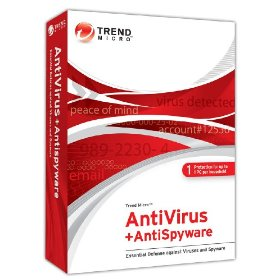
Trend Micro Antivirus & Antispyware 2010 Trend Micro AntiVirus & AntiSpyware is the essential security you need so you can email and share files with confidence. You can rest easy knowing you have ongoing, easy-to-use protection against the latest malicious viruses, worms, Trojan horse programs, and spyware.

Trend Micro AntiVirus & AntiSypware Features:

  • Trend Micro AntiVirus + AntiSpyware provides ongoing, easy-to-use protection against the latest malicious viruses, worms, Trojan horse programs, and spyware
  • Powerful anti-spyware technology guards your personal information and privacy against spyware, rootkits, and other malicious software
  • Improved security policies find and stop unwanted attempts to change your operating system and critical software
  • Automatic updates immunize you against new computer virus outbreaks for the full duration of your subscription
  • Get FREE phone, email, and online chat support with your annual subscription

By: Trene Micro, Inc.

Platform: Windows XP/Vista

Version: 2010

Official Price: $39.95

Amazon.com Price: $35.99 (You saved $3.96)

Buy Now: Trend Micro Antivirus + Antispyware 2010 on Amazon.com

Best AntiVirus Software (8): Trend Micro Antivirus & Antispyware 2010 Read More »

Best AntiVirus Software (9): Panda Antivirus Pro 2010

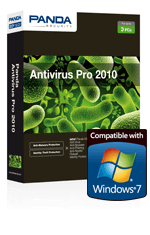
Panda Antivirus pro 2010 The new Panda Antivirus Pro 2010 is Panda’s easiest-to-use product with the most intuitive protection for your computer. Install it and forget about viruses, spyware, rootkits, hackers, online fraud and identity theft. Surf the Web with peace of mind.

Panda Antivirus Pro 2010 Features:

  • Panda Antivirus Pro 2010 automatically detects and eliminates viruses, spyware, Trojans, rootkits, bots and other malware before they infect your computer
  • Scans files in real-time and on-demand, with improved detection and disinfection rates
  • Panda USB Vaccine protects your USB drives from infection
  • Scans emails before they reach your inbox, regardless of your email program
  • Scans Internet traffic regardless of your browser type

By: Encore

Platform: Windows XP/Vista/7

Version: 3 User

Official Price: $49.99

Amazon.com Price: $38.49 (You saved $11.50)

Buy Now: Panda Antivirus Pro 2010 3 user on Amazon.com

Best AntiVirus Software (9): Panda Antivirus Pro 2010 Read More »

Best AntiVirus Software (10): AVG Anti-Virus & Anti-Spyware

AVG Anti-Virus & Anti-Spyware If you use your computer every day, you need protection that’s always there, constantly keeping you safe. With AVG Anti-Virus, you get hassle-free protection against today’s most sophisticated threats, online and offline. AVG Anti-Virus includes our unique LinkScanner® to prevent you from accidentally visiting harmful sites.

AVG’s new high-speed anti-virus/anti-spyware combo scanner is smarter than your average scanner. It keeps track of what’s already been scanned and found clean. Result: faster scanning that doesn’t get in your way. AVG Anti-Virus & Anti-Spyware is simply smarter security that doesn’t slow you down.

AVG Anti-Virus & Anti-Spyware Features:

  • AVG Anti-Virus & Anti-Spyware offers up-to-the-minute protection that won’t get in your way
  • LinkScanner gives you a vital extra layer of protection you won’t find in other anti-virus software
  • Surf and search the web with confidence, knowing you’re actively protected from visiting dangerous websites
  • Work and play online safely and without interruption while AVG scans and updates quietly in the background
  • Unlimited automatic updates and version upgrades for the life of your license

By: AVG Technologies Ltd

Platform: Windows 2000/XP/Vista/7

Version: 2 Year Subscription

Official Price: $39.99

Amazon.com Price: $29.99 (You saved $10)

Buy Now: Anti-Virus & Anti-Spyware – 2 Year Subscriptionon Amazon.com

Best AntiVirus Software (10): AVG Anti-Virus & Anti-Spyware Read More »

Disk Imaging Software: Acronis True Image Home 2010

Acronis True Image Home 2010 1. About Acronis True Image Home 2010

Acronis True Image is a disk imaging software, developed by Acronis, that creates backups and recovers PC systems.

Price: 14 day trial $49.99 to buy
Operating system: Windows XP/Vista;
Version: Home 2010

Publisher’s description:
Acronis True Image Home 2010 allows you to create an image of a disk while it is running Microsoft Windows or offline by booting from CD/DVD, USB flash drives, PXE, or other bootable media. As a disk imaging software, True Image Home 2010 can restore the previously captured image to another disk, replicating the structure and contents to the new disk, also allowing disk cloning and partition resizing, as well if the new disk is of different capacity.

2. Acronis True Image vs. Norton Ghost

a) Norton Ghost V10, $69.99

No trial available, Windows XP Home Edition/Professional, Windows 2000 Professional ONLY
Includes Norton Ghost 2003 for Windows Me & 98 users

b) Acronis True Image V11, $49.99

14 day trial, Windows XP/Vista, 87MB

While each software has certain unique features, the core functionality of both softwares is essentially equal.  However, True Image’s overall functionality, reliability and UI are more robust and more understandable than Symantec Norton Ghost versions 9 or 10.  Most importantly, in my experience, Symantec’s Ghost versions 9 & 10 have proven to be unreliable and my experience with Ghost (really, all of Symantec) technical support has consistently been dreadful.  I would still choose Acronis True Image over Ghost on functionality and presentation alone; however, on quality of support alone, I cannot and will not recommend any Symantec program.

Furthermore, Symantec has a long & sordid history of acquiring products or complete companies and then discontinuing the products.  I would not be surprised if Ghost were treated similarly in the not-distant future.  Partition Magic, which they also acquired from PowerQuest a couple of years back in release 8 has yet to be updated by Symantec.  The fact that Symantec tech support/development has been unable to isolate the regular random corruption problems I have been experiencing across two releases of the product does not bode well for the future of the Ghost product, in my mind.

I have removed Symantec Ghost from my system. My recommendation and personal choice going forward for a disk-imaging program is Acronis True Image.

User Reviews:

I have used both, i think acronis is best.

you don’t even need to install the software to create or restore images. you just need the bootable rescue disk, which can even be created while program runs in windows.

3. Useful Links:

  • Web site: http://www.acronis.com/
  • Free Download Acronis True Image Home 2010 now!
  • Buy Acronis True Image Home 2010 on amazon.ocm with a low price of $38.99.

Disk Imaging Software: Acronis True Image Home 2010 Read More »

Weekly Hard Disk Drive Prices for Nov 02, 2009

Hard Disk Drive Price This post will provide some prices information about hard disk drives. These informations are mainly from NEWEGG.COM and EWIZ.COM, Both of them are engaged in computer parts, notebook computers, system software and other computer products sales. They have good reputation and also they provide “the best prices”.

Seagate Barracuda 7200.12 1TB 3.5″ SATA 3.0Gb/s Internal Hard Drive -Bare Drive
$89.99
From: NEWEGG.COM

Seagate 1TB 3.5″ External Hard Drive – Retail
$99.99
From: NEWEGG.COM

Seagate ST31000528AS 1TB SATA2 7200rpm 32MB Hard Drive
$89.50
From: EWIZ.COM

Seagate Barracuda 7200.12 320GB 3.5″ SATA 3.0Gb/s Internal Hard Drive -Bare Drive
$49.99
From: NEWEGG.COM

Western Digital Caviar Green 1TB 3.5″ SATA 3.0Gb/s Internal Hard Drive -Bare Drive
$84.99
From: NEWEGG.COM

Western Digital Elements 640GB 2.5″ Midnight Black Portable Hard Drive – Retail
$119.99
From: NEWEGG.COM

HITACHI Deskstar 2TB 3.5″ SATA 3.0Gb/s Internal Hard Drive –Retail
$179.99
From: NEWEGG.COM

HITACHI SimpleDrive 1TB External Hard Drive – Retail
$89.99
From: NEWEGG.COM

Samsung 320GB (HM320JI) 5400rpm SATA 8MB Notebook Hard Drive (2.5 inch)
$58.99
From: EWIZ.COM

Fujitsu 320GB 2.5″ SATA 3.0Gb/s Internal Notebook Hard Drive -Bare Drive
$59.99
From: NEWEGG.COM

iomega Select 1TB 3.5″ External Hard Drive – Retail
$89.99
From: NEWEGG.COM

iomega Select 320GB 2.5″ Portable Hard Drive – Retail
$59.99
From: NEWEGG.COM

Fantom Drives G-Force 2TB 3.5″ External Hard Drive – Retail
$179.99
From: NEWEGG.COM

Cavalry CAXB 2TB 3.5″ Black External Hard Drive – Retail
$189.99
From: NEWEGG.COM

Note: All the informations below are only for reference, if you want to get the latest prices, please refer to their websites.

Weekly Hard Disk Drive Prices for Nov 02, 2009 Read More »

Computer Parts Online Stores

Sometimes we need to buy some computer parts online, here I offer a list of computer parts online stores, you can compare their prices before you buy.

http://www.microcenter.com/
Thousands of products to buy: desktops, laptops, monitors, build your own PC parts, upgrades, digital imaging, printing supplies, portable devices, audio equipment, software, video games, movies, tech books, plus repair service, store hours, directions, and employment opportunities.

http://www.tigerdirect.com/
A good Deals on Computers, Computer Parts, Computer Components, Netbooks, Electronics and more.

http://www.newegg.com/
Newegg.com offers computer parts, laptop computers, digital cameras, electronics and more with fast shipping and top-rated customer service.

http://www.bestbuy.com/
Buy’s online source for electronics, televisions, DVD players, home audio, car audio, computers, cameras, music, movies, software, games and more. Research, compare and buy securely online; pick it up in a store.

http://www.radioshack.com/home/index.jsp
The Shack helps you get it right with the biggest brands and latest products

http://www.pricewatch.com/
Find a low prices on computers, parts, electronics, clothing and more before you buy.

http://www.frys.com/
Shop Frys.com for your home electronics, from computers & laptops parts to cameras, televisions & home appliances.

http://www.misco.co.uk/
Low prices on Computer Hardware, Laptops, Notebooks, Desktops, TFTs, Printers, Servers, Wireless Networking, Software and much more at Misco UK

http://www.provantage.com/
Provantage has low discount prices on a wide range of computer hardware software GPS electronics office supplies books & more.

http://www.wolfcamera.com/
Buy electronics, gaming and digital camera products at the official site of Wolf Camera. Choose from a large selection of digital cameras and accessories, electronic gaming and consumer electronics from Nikon, Microsoft, Sony, Canon and many other major manufacturers. Pay no shipping or sales tax on qualifying orders at WolfCamera.com.

http://www.zipzoomfly.com/jsp/Home.jsp
Find all your computing needs at ZipZoomfly and get free shipping on your purchase.  From memory, processors, motherboards, video cards, hard drives, software to flash memory, digital cameras and MP3 players, ZipZoomfly has everything you need in computers and electronics for yourself or as gift ideas.

http://www.maplin.co.uk/Home.aspx
Welcome to Maplin everything you need for your electrical and electronics needs. You will find over 15,000 products and if you spend over 35 delivery is FREE to all UK addresses.

http://www.ewiz.com
SuperBiiz offers the deals on all computer parts, PC components, laptop computers, computer accessories, electronics, networking, and more!

http://www.dabs.com/
dabs.com – Free delivery on qualifying orders over 163;49.99. Cheap netbooks, laptops, PCs, storage & hard drives, televisions, motherboards, graphics cards, TFT displays, cameras, Windows 7 software, Apple, HP, Samsung & more.

http://www.cyberguys.com/
Cyberguys.com offers the lowest prices on hard to find computer parts and accessories. Celebrating 20 years of exceptional Customer Service!  Cyberguys, Your headquarters for the best buy in computer parts!

http://www.directron.com/
online discount store for personal computers laptop pc computer hardware computer parts game software CPU processors motherboards computer cases hard drives harddrive monitors power supply power supplies printers computer memory network upgrade computer repair help services from Houston

http://www.geeks.com/
Your Source for the Deals on Computer Parts, Computer Hardware, Laptop Computers, Desktop Computers and Computer Tips with Fast & Easy Shipping

http://www.applied-computer.com/
Applied Computer Online Services, online computer store with largest computer parts catalog for PC,business laptop,cheap desktop computers,servers,accessories, computer systems,laptop,printers,LCD monitors,display,hardware,storage,software,network,devices,accessories,power,consumer electronics,multimedia,telecommunication,POS,sensors,security,office,tools,components,Home & Living,Publications,memory,training materials,wireless print sever,HP,IBM,Lenovo,mac,Apple, lexmark, cartridges, ink jet, printer ink and more!

http://www.outletpc.com/
OutletPC.com is your Wholesale Source for Computer Parts, Barebones, Hard Drives, Memory, Custom Systems, Laptops, and Accessories at the Lowest Price Online! We sell direct to the Public without minimums so if you’re looking to upgrade or repair your computer you’ve come to the right place.

http://onsale.com/home
Buy Computers, Desktop Computers, Laptop Computers, Notebook, Digital Camera, SLR Camera, LCD, LCD TV, LCD HDTV & Projector onSale!

http://www.keenzo.com/
Keenzo.com is your internet superstore that sells quality name brand computer accessories, electronics, computers, notebooks, printers, office supplies, CD Music, DVD Movies, boating supplies, aviation supplies, gifts gadgets and more at deeply discounted prices. Our customers love our commitment to them, to quality merchandise and to our cheap component prices with top rate service.

http://www.directcanada.com/
DirectCanada: Buy computer parts, computer hardware, PC parts, PC hardware at Canada’s best online computer shop; Great computer and PC deals, Fast delivery.

Computer Parts Online Stores Read More »

Scroll to Top