Articles

Select Workstation Backup From A Range Of Products!

Regular workstation backups are something which should be part of your professional working schedule as this lead to a better business well-being.

NovaBACKUP is an easy to manage backup software from one of the leading manufacturer of computer backup technologies. Being in the backup business for over 15 years.

Here are some of the different alternatives to make a workstation backup for your computer using products from NovaStor.

  • NovaBACKUP for Workstation
  • NovaBACKUP Server Edition
  • NovaNET 10NovaStor Online Backup Service over the Net
  • NovaBACKUP is the main backup solution for windows based computers.

There are different versions. One client backup and one backup version for servers, called Server Edition.

These are easy to use backup solution for a Windows based Workstation.

The main difference between the two versions is that the backup program in the Server Edition works on a service using a special scheduler that runs on Windows XP, 2000, NT server. This can run without any user being logged on. The backup is only performed on the server with the server edition versions. So unless the data from the computer backup is stored on the server over a network another solution is required.

The scheduler for the client computer backup version works as a standard program a user must be logged on for the backup program to work.

Here are ome special consideration for PC backup in Windows XP. For a more complete solution for network based computer from anything from a single workstation, small network, up to a corporate large scale network the NovaNet 10 set of products is an attractive solution. It comes in different versions supporting one of the following network software’s: Linux, Windows and NovelNetware. NovaStor Online Backup Service over the Net. Online backup for a workstation over the net sounds like a joke, but remote storage is now days becoming increasing popular. How about security and backup transfer time? The backup is always encrypted, both during transfer and at the remote storage facility.

The transfer is made incremental with the latest file changes. The transfer is performed with compressed data on the changes only using the latest FastBIT binary patching technology. This is a convenient, secure and cost effective solution for backup.

One advantage is that the data is always locked away at a remote location, so that in case of a fire or theft, the data is locked away safely. The remote backup software which is used is an easy to use even for beginners. The software can be used to set-up backup at regular intervals.

Select Workstation Backup From A Range Of Products! Read More »

What Should You Look For In A Hard Disk Image Software Product!

By making a disk image of your computer you can protect your data and be up and running in case of a virus attack or a hard disk failure. You can also move the whole system to other computers by having your information duplicated. This is called hard disk cloning.

In this way you can set-up new computers with a set of ready data and software configurations really easy and fast. Actually there is no pure hard disk image backup software in the market.What these products do is they copy single hard disk partitions. Of course if the hard disk is composed of just one partition then it makes a copy of the whole disk image in the transfer. You may also look at more advanced products specially developed for partition copy and disk manipulation! One benefit by having a image from the hard disk on a backup is that in case of hard disk failure it is often a very quick procedure to restore the data from the backup. If the hard disk backup software is equipped with a free rescue start-up disk utility, and most of them are, then you do not need to install the operating system and backup software before you can copy and restore your hard drive image back to the hard drive.

What Should You Look For In A Hard Disk Image Software Product! Read More »

How To Protect Your Computer From Viruses?

What is a computer virus and how do you get one?

If you depend on the information stored on your personal computer, you need to understand how computer viruses spread, and you should use anti-virus software to reduce the chance that a computer virus will infect your programs and files.

A computer virus is a program that makes copies of itself and infects files. Computer viruses can spread to other computers and files whenever infected files are exchanged. Often infected files come as email attachments, even from people you know. The email senders have no idea that they are passing on a file with a virus in it.

Some computer viruses can erase or change the information stored on your computer, other viruses may do little or no harm to your system. Writing and releasing any virus is prohibited by university policy, and anyone who does so will be held legally accountable for damages.

How to protect your computer?

There are several things that you should do to protect your computer from virus infections:

  • Use a high-quality anti-virus program, and be sure to update it regularly. Use it to scan any files, programs, software, or diskettes (even new software from a commercial company) before you use them on your computer.
  • Make back-up copies of important documents or files and store them on separate diskettes. Making backups will also protect your information against accidental file deletion, diskette failure, and other damage.
  • Whenever you use a computer in a campus lab, be sure to reboot or run “cleanup” before you start your session and log out when you end your session.
  • Do not share commerical software with anyone. It is a violation of the author’s copyright to distribute such material, and it is a way to spread viruses.
  • When you get public domain (PD) software for which the author has granted permission to make copies, get it from a reliable source. (For example, and individual you do not know is not a reliable source.) Before you run PD material, use an anit-virus program to inspect for known viruses.
  • Always scan your disks and files after using them on another computer.
  • Always scan all files you download from the Internet.
  • Always scan Word or Excel file email attachments before you read them.

What if your computer gets a virus?

Not all damage to your programs and files is caused by viruses: worn out floppies, failing hard drives, user error, and poorly written programs can all cause you to lose data. If your computer is behaving strangely, or if you think your computer has a virus, use an anti-virus program to find out.

If your computer is infected with a virus, DON’T PANIC! Use an anti-virus program to remove the virus yourself, or turn your computer off and find someone who knows how to remove the virus.

If a virus is active in memory, it may prevent anti-virus programs from working correctly. To be sure no virus is active, turn off your computer and reboot from a known-clean system diskette before you begin the disinfection process.

Eliminate all copies of the virus as quickly as possible. Check all your diskettes, and warn anyone else who may have infected files or disks.

Remember, most viruses can be removed without permanent damage to your system, and most virus infections can be prevented. With proper care, your computer can remain virus-free.

How To Protect Your Computer From Viruses? Read More »

What You Can Learn From An All-Around Data Recovery Training Courses?

Data Recovery Training Class Data Recovery Training course is to train you on advanced data recovery techniques as well as advanced data analysis strategies.

You will do during the data recovery training class:

1. Logical Recovery of disabled hard drives
2. Using file format recognition tools
3. Logical recovery via avoiding BIOS interrupts
4. Motions that unlock the actuator of a drive
5. Diagnosing the physical recovery of drives
6. Comparing pre-recorded sound samples to live drives
7. Logic board replacements
8. Single and Multi-Platter Swaps
9. Head Assembly replacement
10. P-List and G-List recovery
11. Addressing SMART values
12. Dealing with damaged sectors
13. Reverse scanning
14. Capturing SID protected folders
15. Resolving kernel or driver issues with a Linux bootable disk
16. Head Stack replacement
17. Working with the Service Area (SA) of a drive
18. Reviewing data structures with a Hex Editor
19. Diagnosing “clicking noises”
20. Mac OS X Data Recovery
21. Linux Data Recovery
22. RAID 0 Recovery & RAID 5 Recovery
23. Vista and Recovery of Shadow Copies
24. Clearing passwords on a password protected drive
25. Solid state drive recovery
26. Firmware issues

What You Can Learn From An All-Around Data Recovery Training Courses? Read More »

The necessary condition of Hard Disk Data Recovery Training

Data Recovery Training Before you choose a hard disk data recovery training, you should know what is necessary condition of the training.
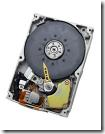
First, the Data Recovery course exposes you to a professional data recovery lab environment, which includes:

  • A Class 100 Clean Room Environment(maintains less than one hundred particles larger than 0.5 microns in each cubic foot of air space)
  • A SMD Rework station for diagnosis and removal of SMD components on Hard Disk Drives and Solid State Drives
  • Platter and head exchanging station with head combs for single and multi-platter swaps
  • Data recovery tools, write blockers, micro-tweezers and dental picks, anti-static gloves and finger cots, and much more.
  • Data Recovery Workstation with associated drive connectors and BIOS bypass tools.

It is imperative to learn how to perform physical data recovery in a Class 100 clean room training environment. Even the smallest piece of dust that falls on an exposed drive platter can damage it irreparably, making data unrecoverable.

A warning note to prospective students: Any data recovery training that is taught by self-proclaimed “industry experts” without a clean room is a likely an “edutainment show” or a potential rip-off. You won’t get the detailed instruction you need to do physical data recovery outside of a clean room environment.

Second, choose the training Institutions who can provide a professional data recovery lab experience for students. You will learn how to diagnose faulty PCBs, understand how to swap them with working PCBs. You will also learn critical Surface Mounted Device (SMD) rework skills using a heat gun. This includes identifying donor ROM SMDs and using rework flux to replace non-functional ROM chips.

Third, If you want to learn the all-around hard disk data recovery skills, learning how to exchange drive platters and heads is requisite. This is a critical skill that requires expert instruction. The proper method for head and platter swapping is detailed thoroughly in the Data Recovery course. It is the better if the institutions who also can teach you how to cover voice coil diagnosis and repair. Further more, teach you the secrets of Firmware and Service Area (SA) repair for many different types of drives, including Western Digital, Maxtor, IBM and Seagate hard drives.

The last, choose the classes do not rely on you purchasing any expensive tools, such as PC-3000 to perform data recovery.

The necessary condition of Hard Disk Data Recovery Training Read More »

How to Install a Seagate External Hard Drive As Internal?

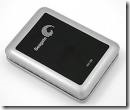
Seagate External Hard Drive Seagate is a popular brand of hard drive, both external hard drive and internal hard drive. Hard drives are versatile pieces of equipment that can be used as both portable or stationary mediums for storage. If you have an external hard drive that you want to convert into an internal hard drive, this can be accomplished easily using a screwdriver and some basic knowledge of the inner workings of a computer.
Step 1. Ensure that your current computer can support the external drive. If you currently have an IDE drive installed in your tower, your external drive must be IDE as well. This is the same for SATA drives. You can locate your hard drive specs on the hard drive label itself.

Step 2. Unscrew the support screws on the external drive using your screwdriver. Unplug the cord that connects the hard drive to the case. Gently slide the drive out of the case and place it to the side.

Step 3. Unplug the computer tower from all devices and power sources. Lay the tower on a flat level surface to serve as your work space.

Step 4. Remove the sides of the tower and lay aside. Locate the hard drive, which is normally located under the CD-ROM drive. Unscrew the support screws and unplug the wires leading to the drive. Gently slide the drive from the tower. Set the drive aside.

Step 5. Insert the Seagate drive that you removed from its external case in Step 2. Replace the supporting screws and carefully plug the cords back into the appropriate areas. Ensure everything is tightly secured and then replace the sides of the tower.

Note: If you are not sure whether your drive is IDE or SATA, take the components to your local computer store and have then examine and identify the parts for you.

You will most likely need to format the new hard drive in your computer tower before use. Back up all information on the hard drive and then format the drive. By backing up your information, you can then replace the data on the new drive.

How to Install a Seagate External Hard Drive As Internal? Read More »

Top Backup Services And Charge

Backup Services www.mozy.com
Disk Space: Unlimited
Price:
MozyHome: $4.95/month
MozyPro:
Desktop Licenses: $3.95+$0.50/GB/month
Server Licenses: $6.95 + $0.50/GB /month
Home User: 2GB Free
(Get one month FREE when you sign up for an annual account or three months FREE with a biennial subscription.)
Trail: Yes
Mac: Yes

www.carbonite.com
Disk Space: Unlimited
Price:
Three Year Subscription: $129.95/Year
Two-Year Subscription: $99.95/Year
Two-Year Subscription: $54.95/Year
Trail: Yes
Mac: Yes

www.sosonlinebackup.com
Disk Space:
Price:
SOS Home Edition:
2 GB USD 19.95/Year
5 GB USD 29.95/Year
15 GB USD 49.95/Year
SOS Business Edition:
500 MB USD 4.50/Year
2 GB USD 36.00
10 GB USD 180.00
…….
Trail: Yes
Mac: No

www.idrive.com
Disk Space:
Price:
Idrive Basic: 2GB Free
Idrive Pro:
150 GB USD 49.50/Year (Personal Use)
500 GB USD 149.50/Year (Family Pack Up to 5 PCs)
Idrive Pro For Business
50 GB USD 99.50
100 GB USD 199.50
500 GB USD 499.50
Trail: Yes
Mac: Yes

www.backupandshare.com
Disk Space: Unlimited
Price:
Indivitual:
10 GB USD 49.95/Year
Business:
Unlimited USD 150.00/Year
Trail: No
Mac: Yes

www.keepit.com
Disk Space: Unlimited
Price: 4.95 $/month
Trail: 30 days money back
Mac: No

www.elephantdrive.com
Disk Space: Unlimited
Price:
Home User: 49.95 $/year (2 months free)
Home Plus Edition: 99.95 $/year (2 months free 4 computers)
Pro Edition: 349.95/year (2 months free 10 computers)
Pro Plus Edition: 99.95/month (20 computers)
Trail: Yes
Mac: No

www.memopal.com
Disk Space:  150GB
Price:
Personal:
150GB 49€/year
250GB 69€/year
Business:
49€(10GB) + 2.4€/GB per Year
Trail: Yes
Mac: Yes

www.symantec.com
Disk Space: 25GB
Price: $49.99/Year
Trail: Yes
Mac: No

Top Backup Services And Charge Read More »

What Does a Computer Forensics Investigator Do?

A Computer Forensics Investigator is trained in combating crimes ranging from crimes against children to file system recovery on computers that have been damaged or hacked. The Computer Forensics Investigator, also known as a Computer Forensics Specialist, recovers data from digital media that will be used in criminal prosecution. Digital media refers to all methods of electronic data storage and transfer devices including computers, laptops, PDAs and the images, spreadsheets and other types of files stored on these devices. Once a Computer Forensics Investigator retrieves the necessary information they will prepare very detailed and technical written reports on the collected data that will later be presented in court. Part of the Computer Forensics Investigator job description is to testify in court regarding the information they had recovered and the methods they used to recover that information.

Computer Forensics consulting firms or Freelance Computer Forensic Investigators are also hired by large corporations to test the information systems security they have in place. Computer Forensic Specialists will mimic how a malicious hacker might attempt to gain access to a corporation’s computer network.

Requirements and Qualifications to Become a Computer Forensics Investigator
Being that computer forensics is such a new field there has not been a consistent range of requirements or qualifications set across agencies. Many individuals gained their training and skills in computer forensics by working in law enforcement or the military. Now that many colleges are offering computer forensics degrees and related information systems – security degrees/cyber crime degrees, an education has become a minimum requirement to stay competitive in the industry.

Top Computer Forensics Schools

What Does a Computer Forensics Investigator Do? Read More »

Top Computer Forensics Schools

Computer crime is one of the fastest growing areas of crime in the world. With the internet expanding its boundaries and email becoming the more prevalent way to communicate in business as well as on a personal level, personal and corporate computers have become extremely vulnerable to attack. This has created an increased need for individuals educated in computer forensics or computer forensic investigators.

Computer Forensics Investigator Job Outlook and Salary
Computer forensic jobs are forecasted to grow faster than the average with most of the job growth being in law enforcement agencies and corporations. For individuals with a master’s degree, growth in freelance and consulting firms will be significant. Computer forensics salaries vary significantly depending on whether you work for a law enforcement agency or in a corporate setting and what level of education is attained, thus a computer forensics investigator salary can be anywhere from $50,000 to over $100,000 annually. Freelancers and those working in consulting firms can earn significantly more money. Some computer forensics careers will require certifications such as, CISSP, CISM, CISA, or CCSP.

The Computer Forensics degree programs offered here will provide you with the skills to succeed as a computer forensics investigator.

1. University of Phoenix
University of Phoenix makes higher education highly accessible.

Computer Forensics Programs
* BS in Information Technology Information System Security

2. AIU Online
Earn your Associate’s, Bachelor’s completion- even an MBA- from the comfort of home at AIU Online. Choose from career-track programs such as Visual Communication, Information Technology and more.

Computer Forensics Programs
* Bachelor’s (BIT) Internet Security

3. Strayer University Online
Strayer University Online offers degree programs designed to fit your busy schedule. Attend real-time courses via the Internet, or complete coursework at times most convenient to you.

Computer Forensics Programs
* BSIS: Computer Security
* BSIS: Security Administration
* Diploma: IS: Computer Security

4. Jones International University
Earn a high quality degree in Business, IT, Education, or Communications. Jones International University® offers self-paced bachelor’s and master’s degrees tailored to your needs.

Computer Forensics Programs
* MBA in Information Security Management

5. Virginia College Online
Earn your associate’s, bachelor’s or master’s degree from Virginia College Online. Our extensive programs are offered 100% online, so you can launch the career of your choice from the comfort of your own home.

Computer Forensics Programs
* BS Network Cybersecurity
* MS Cybersecurity

6. Champlain College
Take your career to the next level. Champlain College Online can help you develop the skills you need to achieve your goals and transform your career. Our accelerated, flexible online bachelor’s and master’s degree programs have been designed to teach you the latest concepts in business and technology.

Computer Forensics Programs
* Computer & Digital Forensics

7. Utica College
Help combat economic crime. Train for a high-paying, in-demand career with an online Bachelor’s or Master’s degree in economic crime prevention from Utica College.

Computer Forensics Programs
* Online Bachelor of Science Degree in Economic Crime Investigation
* Online Bachelor’s in Cybersecurity Cybercrime investigation
* Online Bachelor’s in Cybersecurity Information Assurance

8. Keller Graduate School of Management of DeVry University
Earn a respected degree. When you choose Keller to pursue your advanced education, you will earn a graduate degree from an accredited, nationally respected university recognized by leading employers across a wide range of industries.

Computer Forensics Programs
* Certificate Information Security

9. Brookdale Community College
Brookdale Community College offers IT certifications that you can earn on your terms, online or on campus. All of our programs offer a satisfaction, money-back guarantee.

Computer Forensics Programs
* Cisco Certified Security Professional (CCSP)
* CompTIA Network+
* CompTIA Security +

10. Heald College
Heald College offers 18-month associate degree programs that will prepare you for a career in Business, Technology, or Healthcare. Small class sizes, hands-on instruction.

Computer Forensics Programs
* Network Security

11. Louisville Technical Institute
All the schools in the Sullivan University System focus their programs on career-specific courses only”so you can get the education you need faster.

Computer Forensics Programs
* Information Systems Security

12. Rasmussen College
Rasmussen College is a private, for profit, two-year degree granting college with campuses in Brooklyn Park, Eagan, Mankato, Minnetonka, and St. Cloud.

Computer Forensics Programs
* Info. Systems Mgmt. Associate Degree Network Security and Forensics Technology

13. Strayer University
Get the right foundation for your future with a degree from Strayer University. Evening, weekend and online classes are all available to meet the needs of busy adults.

Computer Forensics Programs
* BSIS: Computer Security
* BSIS: Security Administration
* Diploma: IS: Computer Security

14. TechSkills
TechSkills offers affordable, flexible IT and business certification training that fits your busy lifestyle. Get the skills you need for a successful career”start today.

Computer Forensics Programs
* CompTIA Security+

Top Computer Forensics Schools Read More »

How to Prepare Your Offsite Computer Repair?

With the economy being in such a precarious condition, many computer users are repairing and upgrading an existing computer rather than buy a new one. If you have a laptop or computer that requires offsite repair, you should take a few precautions to protect your computer files and sensitive information.

Note: If you are using a reputable computer repair technician, you shouldn’t have to worry about anyone accessing your private information. However, it’s best to take the necessary precautions to protect your information.

These precautions are not fool proof. Computer information can be retrieved even if it is deleted. However, taking these precautions makes it a little more difficult to access your private information.

Step 1: Backup your laptop/computer if possible.
If your computer suddenly dies, the opportunity to back it up is lost. However, if you back up your computer at the first sign of trouble, you might be able to prevent being stuck. Signs such as a pink tinge on the computer screen when it boots up is a sign that the backlight might be ready to go out. Or, if you notice that your system isn’t booting up as quickly as it used to, backup your sensitive information.

Step 2: Remove or password protect important files.
After you’ve backed up your computer, you can either delete or password protect sensitive files right before you ship your computer out for repair.

Step 3: Clear your browser history, clear passwords, delete cached information, remove cookies and clear authenticated sessions.
Doing so adds an added layer of protection. For example, if you use an online email service on which you have set the cookies to remember you on the computer, anyone using your computer will be able to sign into your email account.

Step 4: Empty your recycle bin.
The files that you deleted from your computer go into the Recycle bin. Empty it before you send your computer out for repair.

Step 5: Reformat your hard drive.
If you have enough time and your computer cooperates, you can reformat your computer before sending it out for repair. This is a nice option, but if your computer is really in bad shape, it may not be able to limp through the reformatting process.

Step 6: Overwrite your hard drive.
If they wanted your info, the best way you could stop them is overwriting your hard drive with junk.

How to Prepare Your Offsite Computer Repair? Read More »

Scroll to Top