
Foremost is a forensic data carving tool used to recover lost files based on their headers, footers, and internal data structures. It works on disk image files or directly on a drive.
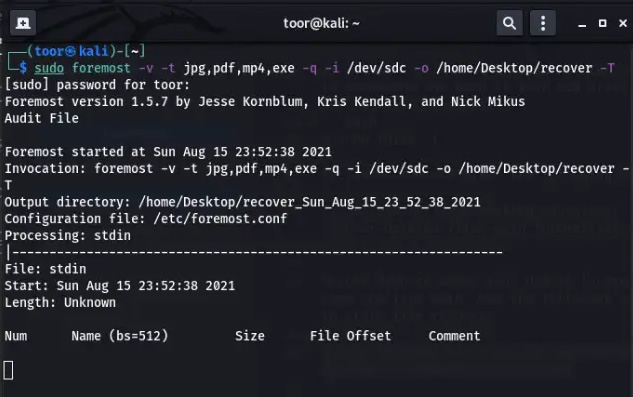
Key Functions
| Function | Description |
|---|---|
| Data Carving | Recovers files by searching for known file signatures (headers/footers) in raw data. |
| Built-in File Types | Supports recovery of common formats like jpg, gif, png, pdf, doc, xls, zip, and more. |
| Custom Configuration | Allows users to define custom file headers and footers via a configuration file. |
| Image/Drive Input | Can process raw disk images or physical drives. |
| Selective Carving | Supports targeting specific file types using the -t switch. |
Common Foremost Commands
| Command | Description |
|---|---|
foremost -t all -i image.dd -o output_dir | Recovers all known file types from the image and saves them to output_dir. |
foremost -t jpg,pdf -i image.dd -o output_dir | Recovers only JPG and PDF files from the image. |
foremost -c custom.conf -i image.dd -o output_dir | Uses a custom configuration file for file signatures. |
foremost -v -t all -i image.dd -o output_dir | Verbose mode, logs all messages to the screen for detailed progress. |
How to Use Foremost
Installation
- Linux (Debian/Ubuntu):
sudo apt install foremost. - macOS (MacPorts):
sudo port install foremost. - Arch Linux:
sudo pacman -S foremost.
Basic Workflow
- Prepare an image: It is recommended to work on a forensic image rather than the original drive.
- Choose file types: Decide which file types to recover or use
-t allfor all supported types. - Run Foremost: Execute the command with the input file (
-i) and output directory (-o). - Review results: Carved files are saved in the output directory, organized by file type, along with an audit file containing recovery details.
Example: Carving from Unallocated Space
- Extract unallocated space using
blkls(from The Sleuth Kit):blkls -o 2048 image.dd > unallocated.dd. - Run Foremost on the unallocated space:
foremost -t all -i unallocated.dd -o output_dir.
Important Notes
- File carving vs. file system recovery: Foremost recovers files based on raw data signatures, not file system metadata, making it useful for corrupted or formatted media.
- Configuration file: The default configuration can be edited to add custom file signatures or adjust carving behavior.
- Performance: For high-performance carving, consider Scalpel, a faster alternative based on Foremost.
- Success rates: Success depends on factors like file fragmentation and disk technology.
- Output: The output directory must not exist beforehand; Foremost will create it.