
Forensic Toolkit (FTK) is a digital investigation platform designed for computer and mobile device forensics, enabling investigators to process, analyze, and index large volumes of data from multiple sources.
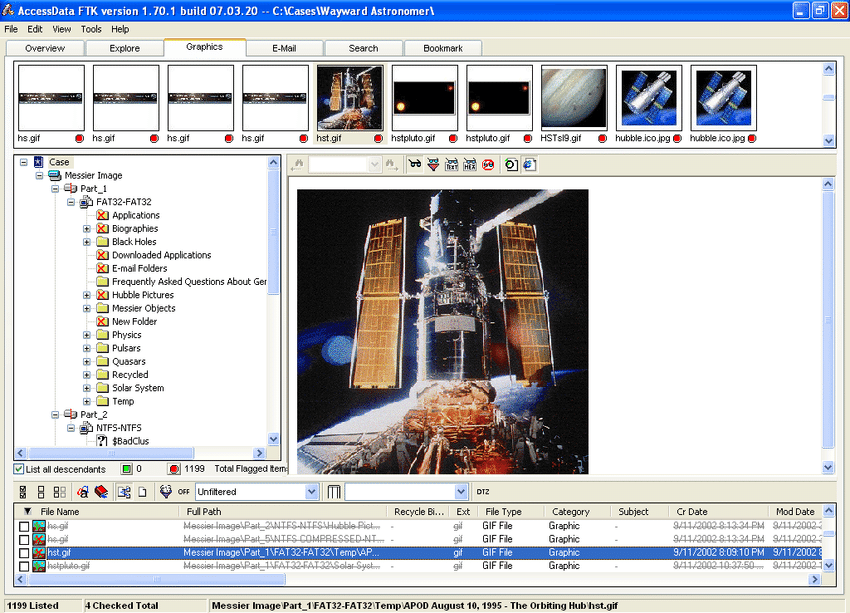
Key Functions
| Function | Description |
|---|---|
| Data Processing & Indexing | Scans and indexes data from hard drives, mobile devices, and network storage to enable fast searching. |
| File Analysis & Carving | Supports hundreds of file formats; can recover deleted files and analyze file system structures like NTFS and FAT32. |
| Email & Registry Analysis | Parses email formats (PST, DBX, EDB, etc.) and Windows registry hives for evidence. |
| Password Recovery & Decryption | Includes tools to decrypt files and recover passwords for over 80 applications. |
| Mobile Data Support | Can process native mobile extractions from various mobile forensic tools. |
| Data Visualization | Features Super Timeline, pie charts, cluster graphs, and comparison modes to interpret case data. |
| Remote Collection | Enterprise version allows agent-based data collection from remote endpoints. |
How to Use FTK
FTK Imager
A free tool used to create forensic images (E01, DD, etc.) and mount them for preview.
FTK (Full Analysis)
- Create a case and load evidence (disk images, logical files, or mobile data).
- Define processing options (indexing, email parsing, data carving).
- Process the data and review results in the interface.
- Use filters and keyword search to locate evidence.
- Generate reports in HTML, PDF, or XML formats.
FTK Enterprise
For remote investigations, agents are deployed to endpoints to collect data covertly and securely.
Important Notes
- Processing large datasets can be time-intensive.
- It is considered a standard tool in law enforcement and corporate investigations.
- Commercial product; free trial may not be available.