
Data recovery on vintage hard drives like the Seagate ST3200021A starts with identifying the failure type – electronic, firmware, or mechanical. Each requires a different approach, and misdiagnosis can make things worse. Here’s a quick guide to help you assess your situation and decide on the next step.
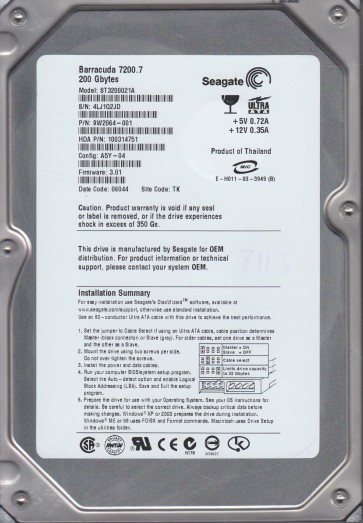
The Seagate ST3200021A is a 20 GB 3.5-inch ATA (IDE) hard disk drive from the early 2000s, utilizing a 5400 RPM spindle speed and a single platter design. As a product of its era, it typically employs older magnetoresistive (MR) head technology and a parallel ATA interface. Due to its age, failures are often related to mechanical wear, electronic component degradation, and logical corruption from aging media. Users should note that data on such drives is increasingly at risk due to the natural degradation of magnetic domains over time, a phenomenon known as “bit rot.”
Identifying Common Failure Types
1. Mechanical Failure (Head Crash / Stiction)
This is a physical failure where the read/write head makes contact with the spinning platter surface, or the spindle motor seizes due to bearing wear. Symptoms include: a clicking, grinding, or scraping noise from the drive; the drive is not spinning up (no vibration or sound); or the drive spins up and then immediately stops. This is a hardware failure. No amount of software can fix physical damage to platters or a seized motor.
2. Electronic Failure (PCB / Controller Board)
The printed circuit board (PCB) on the ST3200021A can fail due to capacitor leakage, a faulty preamplifier, or a damaged controller chip. Common signs include: the drive is completely dead (no power to the drive, no spin-up); the drive is detected but reports a wrong capacity or model number; or the drive emits a burning smell. This is often a hardware failure but can be addressed by swapping the PCB with a compatible donor board, sometimes requiring EPROM transfer.
3. Logical / Firmware Failure
Firmware corruption or bad sector growth can render the drive inaccessible. Indicators: the drive spins up normally and is detected by BIOS but shows as unallocated, unreadable, or prompts for initialization; the drive makes no abnormal noises but the operating system hangs when trying to access it; or file system errors like “The file or directory is corrupted and unreadable.” This is a software-level issue, though it may indicate underlying hardware degradation.
Potential Recovery Paths
Professional Service (Recommended for Hardware Failures)
For mechanical or electronic failures, professional data recovery is the only safe path. Specialized cleanroom facilities can replace heads, transplant platters, or perform PCB swaps with firmware adaptation. Expect costs ranging from $500 to $2,000+ for this model due to its age and the need for legacy tools. Look for labs with experience in Seagate ATA drives.
DIY Recovery (For Logical Issues Only)
If the drive spins up, makes no unusual noises, and is fully detected by BIOS, you may attempt logical recovery:
- Use a write-blocker to connect the drive to a forensic or recovery software (e.g., ddrescue, R-Studio, GetDataBack).
- Create a sector-by-sector disk image to a healthy drive. This bypasses file system errors and preserves the original data.
- If the drive has bad sectors, use imaging tools with retry/error recovery options to maximize data extraction.
- Never attempt a forced rebuild of the file system or a format.
What Not to Do
- Do not open the drive enclosure. The platters are hypersensitive to dust and cannot be touched without a cleanroom. Any particle will destroy data.
- Do not apply power if the drive is making clicking, grinding, or scraping sounds. This will further damage the platters.
- Do not use recovery software directly on a failing drive for extended periods. Excessive reading can cause additional head wear and crashes.
- Do not freeze the drive. This old myth can cause condensation inside the drive, leading to irreversible corrosion and short circuits.
- Do not attempt to swap the PCB without transferring the unique firmware (adaptive data) stored in the ROM chip. Using a board with wrong firmware can misalign the heads and destroy the platters.
Summary
The Seagate ST3200021A is a vintage hard drive whose age predisposes it to mechanical, electronic, and logical failures. Correct diagnosis is critical: noise or spin issues indicate hardware failure requiring professional cleanroom intervention, while accessible drives with file system errors can be addressed by careful DIY imaging. Do not attempt to open the drive, freeze it, or run software on failing hardware. The only safe path to recover important data from a physically failing drive is to seek a professional data recovery service. For logical issues, create a low-level image first and work from the copy.

