
The serial numbers on a Quantum Bigfoot ATA hard drive can be found on a bar code label affixed to the bottom of the drive (opposite side from the green PC board). A “SN” will prefix the serial number. The Quantum serial number is a 12 digit number that immediately follows the “SN” prefix. In some cases the 12-digit serial number may be followed by a letter (this letter is not part of the serial number).
Articles
Troubleshoot USB in Windows 98 SE and Windows Me
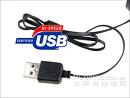 There is little that you can do to control or configure USB devices. You can usually isolate most USB problems to one of these conditions.
- Malfunctioning or incorrectly configured hardware
- Malfunctioning, incorrectly configured, or missing device driver
- Mismatched cabling
- Out-of-date firmware on motherboard or system’s basic input/output system (BIOS)
- Improperly configured PCI or imbedded USB host adapter
Malfunctioning or Incorrectly Configured Hardware If you plug a malfunctioning or incorrectly configured USB Storage Device into a USB port, the computer may stop responding (hang). Most of the time you need only physically turn off the computer, wait a moment, then back on to reset the bus. If another computer is available that you know is working correctly; plug the Personal Storage Device or PCI card into that computer to see if the problem follows or goes away.
- If the Maxtor Personal Storage Device is routed through a secondary USB hub, plug the drive directly into the embedded or PCI USB controller.
- Check Device Manager to be certain the USB hub is functioning correctly. If you see an exclamation point in a yellow circle, confirm system BIOS is assigning an interrupt request (IRQ) to the USB controller. This is required for the device driver to load.Malfunctioning, Incorrectly Configured, or Missing Device Driver
When you install a USB PCI card or plug in a Personal Storage Device, the computer should load and configure the device and never request a device driver. All the drivers you need are in the Windows CD. If the computer prompts you for a device driver, confirm that PCI/USB card or embedded USB controller is correctly listed in Device Manager.Mismatched Cabling There are two types of USB cables, high speed and low speed. Low-speed cables (USB1.0) differ from high-speed cables (USB2) primarily in signal shielding. If you plug a Maxtor USB2 Personal storage device or Maxtor USB2 PCI accessory using a low-speed cable, this can cause signal distortion. Verify the entire USB chain is working correctly. Be certain that a device that requires power from the hub (mouse or keyboard) is not plugged into the chain on the other side of a non-powered hub. If the USB port is powered (PCI or embedded chip-set), verify the computer power supply is working properly.
Incorrectly Configured Root Hub USB controllers require a dedicated IRQ (system interrupt) assignment. The PCI specification allows the motherboard manufacturer to determine the IRQ assignment for each PCI device. Usually IRQ 9 is assigned. The IRQ line is assigned in the computer’s BIOS. Check with the motherboard / computer manufacturer for the specific PCI configuration details of your system.
There are several ways to enter the setup depending on your computer make and model. Usually on initial power up there is a message stating Press DEL to enter Setup or similar phrase. If you are not sure how to enter setup, see the system manual or seek assistance from the BIOS or motherboard manufacturer.
Go to the Integrated Peripherals section and disable both Serial ports if you are not using them. Go to the PnP/PCI section and enable PnP OS, Auto and Reset Configuration Data. This releases the BIOS lock on system resources –allows operating system control. Go to the Power Management section. Disable all power management. This is a common source of intermittent errors.
Shut down the computer and unplug any USB devices. Re-start the computer and immediately enter Windows Safe Mode (F8 at start-up). DO NOT allow the computer to boot fully to the operating system. If this happens, press ctrl /alt /delete at the same time to restart the computer; re-enter Safe Mode. Go to Add/Remove Programs. Remove all references to USB software. Open Device Manager. Remove the USB root hub and any PCI USB host controllers. Remove all duplicate or erroneous USB drivers. Windows will reinstall genuine device drivers. If you see SB16 emulation drivers (DOS sound support), disable them (do not remove) from this hardware profile. Most don’t need them. While still in Safe Mode, go to System Devices and disable Advanced Power Management support. Remove any drivers for device sharing. Windows should reinstall the drivers automatically. Now you have freed up two or three IRQs and reset Windows IRQ assignments. Reboot the computer and re-install devices.
If this article does not describe your issue, click here to view the Microsoft Windows 98 and Windows Me Hardware/Device Driver Troubleshooting Resource Center.
Top 10 Data Recovery Softwares (5): FinalData Enterprise
 Recover lost data on your hard disk or CDs, and repair damaged Microsoft Office files.
Price: Free to try (Some features limited); $200.00 to buy
Operating system: Windows 95/ME/NT/98/2000/XP
FinalData Premium, also known as FinalData Enterprise, can recover data after formatting or the loss of a partition on the hard drive, and can recover files destroyed by the CIH, Worm, and Love viruses. It can recover data from damaged sectors of CD-RW and CD-R media. If you need to recover important e-mail or Microsoft Office files vital for your business or pleasure, FinalData can recover them. Also, the program has the ability to permanently delete unwanted files from your hard drive. With FinalData, data recovery is only three clicks away. This do-it-yourself software can retrieve data effortlessly in minutes without the need for expensive data-recovery experts.
FinalData Enterprise has been rigorously tested against the highest standards of reliability and quality assurance. The application is powerful, easy to use, and convenient for any Windows user. With FinalData, computer novices and computer-savvy individuals alike will be recovering data like data-recovery professionals. FinalData, the true Windows-based data-recovery solution, will recover files that have been lost by quick formatting, Fdisk, FAT damage, MBR damage, or directory destruction. It will even recover files after you have emptied the Recycle Bin, and it recovers data from FAT 12/16/32 and NTFS file systems.
Customer Reviews:
1. Tried every other similar type program and the demo version was able to see my files so bought the software to recover my files. Bought it and was worth the money.
2. Yes, you need to pay for it to actually recover your files, but at least you can see what would be recovered first.
No problems installing/running on Windows XP SP-2.
Recovered ALL files from two partitions that had been deleted, resized and reformatted – some 30000 files in all.
Other products I tried would only recover selected file types – FinalData found everything.
Useful Links:
- Web site: http://www.finaldata.com/
- Free download FinalData Enterprise Now!
- Buy FinalData EnterpriseOnline!Publisher Profile:
FINALDATA is the last word in data recovery. Individuals and companies refer to us when their operations have been halted due to data recovery problems.
Top 10 Data Recovery Softwares (4): EasyRecovery Professional
 Data recovery, File Repair, & Disk Diagnostic.
Price: $499.00 to buy
Operating system: Windows 95/98/NT/2000/2003/XP
EasyRecovery(TM) Professional 6.0 is the complete solution for your data recovery, file repair, and disk diagnostic needs. It includes all of Kroll Ontrack’s EasyRecovery Data Recovery(TM) and EasyRecovery FileRepair(TM) features and benefits, plus superior disk diagnostics including Ontrack Data Advisor(R), and advanced data recovery capabilities and options. EasyRecovery Professional contains advanced data recovery capabilities that allow you to search more than 225 different file types including MIDI music files, voice files, digital media files, and more! Plus you can utilize the Emergency Boot Diskette to recover data from systems that cannot boot to Windows. In addition to the new, more powerful data recovery engine, EasyRecovery Professional now has the power to repair Zip files and Microsoft(R) Outlook(R), Access, Excel, PowerPoint(R) and Word files! Plus the added disk diagnostic features, including Ontrack Data Advisor(R), provide valuable system diagnostic tools to quickly evaluate the health of your hard drive.
Customer Reviews:
If you have the means of obtaining this for your toolbox, do so. You won’t find a better suite for dealing with data loss.
Related Links:
- Web site: www.ontrack.com
- Free Download EasyRecovery Professional Now!
- Buy EasyRecovery Professional Online!
Publisher Profile:
Ontrack Data Recovery is the world leader in data recovery services and data recovery software offering the fastest, most convenient and cost-effective solutions to clients who have experienced data loss.
Top 10 Data Recovery Softwares (3): R-Studio Data Recovery
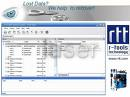 Recover files on your local computer and on computers across your network.
Price: Free to try (64K-file undelete/recovery trial); $79.99 to buy
Operating system: Windows All
R-Studio is a comprehensive data recovery Program and undelete program renowned for its ability to recover mission-critical data lost to viruses, malicious attacks, and hardware failures or operating system crashes. It supports FAT/NTFS (Windows), HFS/HFS+ (Mac), UFS1/UFS2 & Ext2FS/3FS file systems and functions on local and network disks, even if partitions are formatted, damaged or deleted. New additional file recovery algorithm increases the quality of file recovery and recovers files not recognized in file system metadata. Dynamic disk and RAID are supported as well as recovering encrypted files, compressed files and alternative data streams. Files and file systems structures (NTFS/FAT boot sectors, MFT file record, MBR, LDM structures, etc) can be viewed and edited in the professional disk hex editor. Extended Viewer Plugin allows viewing a content of the found files to estimate recovery chances prior to purchasing. Flexible parameter settings give you absolute control over data recovery.
New: R-studio Data Recovery Version 5.0 build 129009 adds RAID 6 support, including Reed-Solomon and Vertical XOR; support for custom-specified RAID 6 layouts; Advanced object copy.
Customer Reviews:
I was expecting to spend the best part of a week-end trying to recover my LaCie RAID, dead due to an “industrial accident”. Instead, in 15 minutes-time I was looking at the contents of my disks, once again assembled in a RAID. After that the recovery was straight-forward. It saved me days worth of work!
This product was able to recover almost everything I had lost when my computer was accidentally repartitioned and Windows reinstalled over it. I had tried using almost every single data recovery tool I could get my hands on, and also took it in to a specialist, and nothing worked. the few files I did get back were all jumbled up and impossible to see what was what. With R-Studio it was very clear and so easy to use. It recovered my files and they were titled exactly as they were before they were removed, I can’t tell you how happy and thankful I am!
Useful Links:
- Web site: http://www.r-tt.com/
- Free Download R-Studio Data Recovery Now!
- Buy R-Studio Data Recovery Online!
Publisher Profile:
R-Tools Technology Inc. is the leading provider of powerful data recovery, undelete, drive image, data security and PC privacy utilities for the Windows OS family. Our mission is to give our customers around the world the system tools to bring about a visible and substantial increase in viability, production, and ease of use at the lowest possible cost to the customer.
Top 10 Data Recovery Softwares (2): Recover My Files
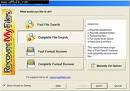 Recover deleted files, perform unformat recovery and corrupt drive recovery.
Price: Free to try (Save-disabled); $69.95 to buy
Operating system: Windows 95/98/ME/2000/XP/2003/Server 2008/
Version: 3.9.8.6472
Recover My Files is advanced data recovery software to recover deleted files and formatted or corrupt drives. Works with hard drives, digital cameras, USB drives, ZIP disks, CompactFlash cards, SmartMedia, and Memory Sticks. Specific data recovery support for 350+ file types, including: Word, Excel, PowerPoint, Outlook, email, AutoCAD, Money, QuickBooks, SQL, MYOB, photos, MPEG, AVI, MP3 files. See and read data recovery results in evaluation mode. Data recovery is simple; no technical skill is required. Recover files that most undelete programs cannot find. The application has exclusive built-in CD and DVD burning support to save your data recovery results.
User Reviews:
I had a MS that was unreadable by either camera or computer both kept asking me to format it. My son’s performance was on there untransfered yet (stored in MP4). Not only did this recover it on the demo it previewed it so I was sure I was gettintg what I needed. I ordered quickly. Company was also great when I called with questions about other applications for product. Easy to use and worked thats a no brainer. Worth every cent plus.
As I understood the write-up I could recover files that had take a hit, but the disk sector not actually damaged or deleted. After a four hour run down my hard drive it found some deleted filses and would no let me access the file that the application would not now allow me access to so I could recover the data or fix the records so app would read. Ater hour with knowledge base and no help, and e-mail asking about advertised ablility to read such files was not responded to. Been too many years since I had such issues, where are the simple hex/ascii read sectors, edit and write back to recover?
Useful Links:
- Web site: http://www.getdata.com/
- Support web site: http://support.getdata.com
- Free Download Recovery My Files Now!
- Buy Recovery My Files Online.
Publisher profile:
GetData is a provider of data recovery, computer security, and Windows system tools. Company’s leading product is Recover My Files.
Top 10 Data Recovery Softwares (1): VirtualLab Data Recovery
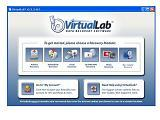 Recover data from lost or missing partitions, viruses, and accidental deletion; formatted drives from nearly any type of media.
Price: Free to try (Previews recovered data); $39.95 to buy
Operating system: Windows 98/NT/ME/2000/XP/Vista;
Version: 5.5.17
Publisher’s description:
VirtualLab Data Recovery Software is like six data recovery programs in one! While other programs just recover deleted files or camera cards, VirtualLab recovers everything from deleted files, corrupted or formatted drives, CD & DVD-ROM Disks, RAID, flash drives, thumb drives, camera cards, USB/Firewire drives, Outlook & Thunderbird E-mail and even Mac Volumes. VirtualLab will even make a sector-by-sector disk image of a failing hard drive so a recovery can be performed safely. Supports many file systems in one application including FAT 12/16/32, NTFS, NTFS5 (VISTA), NSF, Mac HFS/HFS+, Ext2FS.
User Reviews:
You guys rock. Thank you!
My mom’s harddrive crashed and I was able to recover all of her word docs and pictures.
From recovering RAID to Mac volumes, camera cards and even CDs (never tried that one)… this software really works well and has proven to be one of the best. As a computer repair company, tools like this are totally valuable for my business.
I tried a few other products before this one. None of them were as easy to use and they didn’t find my data like this one did. The last time I had a hard drive failure, I called a few data recovery services and was quoted a few thousand dollars. My IT tech guys came to the rescue that time. With this product, I handled the whole thing myself and got all my data back within the same day! (250 gb drive!) Excellent product and I can’t thank you enough!
Worked great, no problems, did what I needed it to do, quickly and without any problems.
Out of several data recovery programs i have tried, this one was the best and i bought the full version. Now I can maintain my drives and they run quick and error free
Useful Links:
- Web site: http://www.binarybiz.com
- Free download VirtualLab Data Recovery now!
- Buy Virtuallab data recovery online.
Publisher profile:
BinaryBiz is a small, closely held company made up of software programmers and product designers that are commited to producing the data loss, recovery, hard drive repair, and data management programs. The company has been developing Web-based software solutions for over 15 years.
USB devices not detected in Windows ME
 My computer has a USB1.1 port or I have just installed a USB2.0 host adapter. The host adapter shows correctly without conflicts in Windows’ Device Manager but the USB2 Personal Storage device does not appear. I’ve tried many things: disconnecting and reconnecting the data cable to make the drive appear, deleted then refreshed the USB host adapter from Device Manager. The ‘unplug or eject hardware’ icon appears (or is not seen) in the System Tray (located at the bottom right corner of your screen). The USB controller is shown in Device Manager but not the USB2 Personal Storage Device!
There are many reasons an external storage device does not appear connected to the USB controller. Missing or corrupted drivers can sometimes be at fault. The Windows ME operating system typically supplies all needed drivers for Maxtor Personal Storage drives. Sometimes drivers do not load correctly or have never been installed. Some computer manufacturers choose not to load these drivers to the operating system to avoid possible conflicts with other devices. Confirm that these files are loading from the correct directory if your 3000LE is not detected by the operating system.
From Windows Explorer drill down to the directory: C:\WINDOWS/OPTIONS/INSTALL Open the BASE2 folder and scroll to the bottom.
Highlight these files. Drag and drop them to the directory
C:\WINDOWS/SYSTEM32/DRIVERS
- LIUSBAUTH.SYS
- USBCCGP.SYS
- USBHUB.SYS
- USBNTMAP.SYS
- USBPRINT.SYS
- USBSTOR.SYS
- USBMPHLP.PDR
- USBD.SYS
- USBUI.DLL
Windows may note an error message that these files are already loaded. Choose the option to replace the files anyway. Perform a full system restart. The ‘unplug or eject‘ icon should appear in the system tray. Double click this icon and the Personal Storage device should appear correctly.
This procedure is effective in most cases. All OEM (original equipment manufacturers) make specific changes to hardware and software to ensure error free operation of their systems. Adding any after-market peripheral device places a burden of responsibility on you the end user. Maxtor performs extensive compatibility and regression testing with all commonly available computers but ultimately you are responsible for compatibility and error free operation of your particular computer system.
Seagate Internet Drive – How to create, move a folder?
How do I create a folder on my Internet Drive?
The following shows how to create a folder on your Seagate Internet Drive. This assumes that you have already logged into your Seagate Internet Drive account:
- From your Internet Drive page, click NEW FOLDER
- The CREATE NEW FOLDER applet opens. In the field provided, type the name of the folder you wish to create and click NEW FOLDER. The folder is created.
Note: For more information on Internet Drive features, visit www.memeo.com.
FreeAgent Drive Flash Video: Seagate Internet Drive – How To Creat a Folder
How do I move a folder on my Internet Drive?
The following shows how to move folders on your Seagate Internet Drive. This assumes that you have already logged into your Seagate Internet Drive account:
- Select a folder you wish to move and click MOVE
- The MOVE FILES OR FOLDERS applet opens. From te drop down menu, select a folder to move folders to and click MOVE. The folder is moved to its new location.
Note: For more information on Internet Drive features, visit www.memeo.com.
Flash Video: Seagate Internet Drive – How To Move a Folder
Default Folders on the Maxtor Shared Storage Drive
What initial folders are automatically created on the Maxtor Shared Storage Drive?
When you install the Shared Storage Drive and create a name and a password to access your personal folder, a set of folders is automatically created to help you organize your files.
Your Personal folder includes:
- Private folders that only you have access to.
Note:To access your Personal folder on the Shared Storage Drive, Double-click the desktop icon for your Shared Storage Drive, that was created when you installed the drive.
- A shortcut to the “Public” folder where you can share files with other users of the Shared Storage Drive.
The Public folder includes:
- A set of folders in which users can share their files.
- The “Printers and Faxes” folder, where you can install printers as well as printer/fax machines to be available to all users of the Shared Storage Drive.