
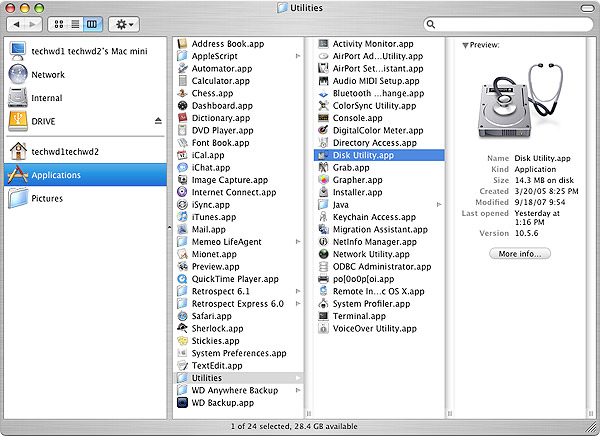
Mac systems have an excellent diagnostic utility included in the operating system called Disk Utility. You can find Disk Utility within the Utilities folder inside the Applications folder on the boot drive. You can also find this utility by booting directly to the operating system installation CD/DVD.
1. Go to Disk Utility and click on it.
2. Choose the drive you wish to test by selecting the drive or partition on the left window pane and then selecting the First Aid tab.
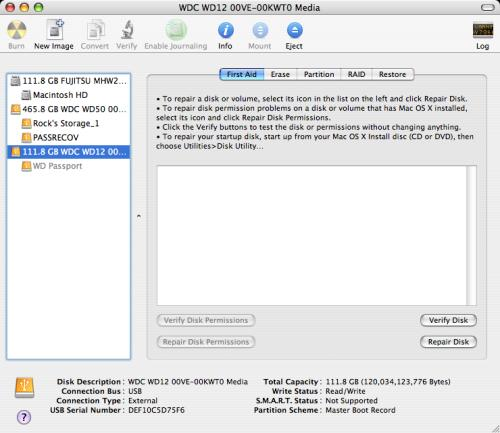
3. Click Verify Disk to check a drive/partition for errors but not repair them.
4. Click Repair Disk to check a drive/partition for errors and repair any that it finds.
5. Click Verify Disk Permissions to check the permissions on a drive/partition but not repair any errors.
6. Click Repair Disk Permissions to check the permissions on a drive/partition and repair any errors.
Note: You cannot check or repair permissions on a FAT32 (MS-DOS) partition. Only the Mac OS Extended (HPFS+) file system supports permissions.