Articles

Stunning Features of Stellar Phoenix File Undelete Software

Have you recently deleted any important files or folders from hard drive but wants to get it back? Don’t get panic because there is a simple solution to all your file data loss problems which becomes life savior for your deleted files and can bring it back to life.

Whatever the data loss situations and type of deleted files, Stellar Phoenix provides a series of data recovery software to efficiently recover them all from almost any platform like Windows, MAC, Linux, Unix. Most of the software’s from stellar are certified and tested by software giants like CNET, laptop mag, top ten reviews etc.

Below are some interesting features of Stellar Phoenix undelete software which is hard to met in any recovery software:

  • Multiple OS Support: Software can successfully perform data recovery from Windows, MAC and Linux.
  • Multiple File System Support: Easy data recovery from Ext1, Ext2, Ext3, Ext4, FAT12, FAT16, FAT32, HFS, HFS+, NTFS, NTFS5 and many more.
  • Free Evaluation: You can download any of the undelete software for free and scan the media for recovery. However, full recovery is not possible in the free version.
  • Supported Media File Types: Software will provide the standard scan on the media and enables you to recover almost any type of Emails, Photos, Videos, Text, Office documents etc.
  • Worldwide Presence: Stellar Data Recovery products have huge presence worldwide and its products are already listed on top software reviewing firm like CNET, Laptop mag, Top Ten Reviews etc.
  • Microsoft Gold Certified Partner: Stellar is Microsoft gold certified partner which makes it a leading competitor in the field of data recovery software and services.
  • 30 Days Money Back Guarantee: In any case, the software can’t able to perform its intended purpose, you can place money back request any time.
  • Large Customer Base: Stellar undelete software’s are used worldwide and widely accepted. So as, Stellar recently touched a great milestone of having more than 1 million of satisfied customer worldwide. Moreover, Stellar runs affiliates and partner program to deliver products to its needy customer in more than 137 countries.
  • Excellent Support: You will get 24*5 support of product sales related queries, software troubleshooting or anything you want to get helped.

That’s all about Stellar undelete software killing features. From time to time, Stellar runs great offers for their worldwide selling products and surveys to meet the exact needs of its customers.

About the Author

Abhayjeet is a data recovery expert and part time technical writer. He would love to write article on the topic that he had discovered or found useful from the user perspectives. Oliver has recommendation about undelete software to easily recover data that got deleted or formatted accidentally.

Stunning Features of Stellar Phoenix File Undelete Software Read More »

5 Ways To Secure Your Data

It’s never been more important to have comprehensive data security. Hacking is on the rise, as is malware and data loss. Many business entities and individuals are investing
major money into ensuring that their information is safe. Here are the top 5 ways to secure your data:

Use cloud services and/or data

centers—More and more companies are securing their data by utilizing online storage in the cloud, or cloud services, in order to centralize data in real time environments. Data centers like the Digital Realty Trust allow companies to colocate their services, host, and use cloud services in order to cut down on data loss and back up their data.

Steganography—Steganography has been around for a while. It involves hiding data inside of files so that they cannot be easily found. This can be as simple as storing programming code within a folder named “Pictures of Lily,” or it can be a complex process of using security schemes to embed data.

Protect your network—This can be cumbersome process but some would say it is crucial to ensuring that your information cannot be accessed by hackers. The first step is to change your wireless router password. Forget about hiding the Service Set Identifier, disabling DHCP, and filtering MAC addresses—these options will do little to actually protect your network. Your best bet is to throw out the WEP network and adopt WPA or WPA 2, which are encryption standards that use 128-bit encryption keys and a Temporary Key Integrity Protocol. This security should include your Xbox, Wii, laptops, and smartphones.

Encrypt your data—Do your own encrypting and make sure that even if a hacker or thief does get a hold of your hardware they won’t be able to access its data. A great option for this is TrueCrypt, a cross-platform software application for natively securing drives and folders.

Acquire browsing and downloading

privacy—Let’s face it, much of your most important data is entered by you as usernames and passwords while you’re browsing the Internet and downloading files. That’s why securing your Internet privacy and downloads is extremely important . Use an anonymous proxy service such as Vidalia in order to hide your online activity. These are five options for securing data. Combined they should provide you with an extremely valuable safety net against hacking, malware, and viruses. Many of these options, such as cloud computing, will include additional benefits like mor

5 Ways To Secure Your Data Read More »

Dell and AccessData Launched New Forensics Toolkit

Dell and computer forensics specialists Access Data have released their new Dell Digital Forensics Platform and Forensic Toolkit 4.0 at the International Security and National Resilience (ISNR) exhibition in Abu Dhabi.

adWP_logo

“Today’s launch of the FTK 4.0 is a significant milestone that marks the next phase of our efforts here in the Middle East. This release, which is unlike any other previously seen in the region, enables court-cited digital investigations and is built for speed, analytics and accuracy,” said Simon Whitburn, VP International Sales at AccessData.

The new forensics tool expands on AccessData’s existing solutions, to provide a turnkey solution for a wide range of investigative operations, including processing of forensic images and email archives; registry analysis; file decryption, password cracking, image creation and report building.

AccessData offers two expansion modules with the new version-Cerberus, a malware triage technology that provides threat scores and disassembly analysis to determine both the behaviour and intent of suspect binaries, and Virtualization for relationship analysis in multiple display formats, including timelines, cluster graphs, pie charts and more.

“We developed the combined platform in response to significant customer demand, in large part from this region. Dell has worked with us to provide a turn key digital forensics solution that enables our clients to get mobile very quickly. Partnerships with such leading organizations will play a pivotal role in our expansion in the region,” said Whitburn.

Access Data: http://accessdata.com/

AccessData is the leading provider of E-Discovery, Computer Forensics and Cyber Security software for law firms, corporations and government agencies

Dell Digital Forensics

In digital forensics cases, Dell can provide the tools and resources you need to process digital evidence, quickly and reliably. Click the below link to learn more:

http://content.dell.com/us/en/fedgov/fed-solutions-digital-forensics

Dell and AccessData Launched New Forensics Toolkit Read More »

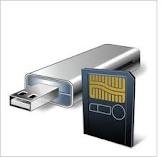
6 Data Recovery Tools for SD Cards, USB Drives

6 SD Cards, USB Drives Data Recovery ToolsAs USB drives and memory cards get larger and cheaper, it’s getting easier to trust much more of your data to them. It’s also much easier to mistakenly erase data or have them hiccup on you. And if you’re in the habit of holding on to that data for too long — for example, not transferring photos from your camera’s memory card — disaster is almost guaranteed to strike at some point. What happens then?

While there’s no end of data recovery tool packages out there, most of them are primarily designed to reclaim data from system drives. In this roundup, I look at the following six packages in terms of how well they recover data from mobile storage such as flash drives and memory cards: CardRecovery, PhotoRec, Recover My Files, Recuva, Remo Recover and Undelete 360.

  • CardRecovery
    WinRecovery Software
    Price: $39.95
    OS: Windows 98 and later. (CardRescue available for Mac OS X)
  • PhotoRec
    Christophe Grenier
    Price: Free
    OS: DOS, Windows 98 and later, Mac OS X, Linux (2.4 /2.6 kernel)
  • Recover My Files
    GetData
    Price: $69.95 (Standard); $99.95 (Pro); $299 (Technician). Free trial available (only previews files)
    OS: Windows 98 and later
  • Recuva
    Piriform
    Price: Free; home ($24.95) and business ($34.95) support available
    OS: Windows XP and later
  • Remo Recover (Windows)
    Remo Software
    Price: $39 (Basic); $49 (Media); $99 (Pro). Free trial available (only previews files)
    OS: Windows 98 and later. Versions available for Mac OS X.
  • Undelete 360
    File Recovery
    Price: Free
    OS: Windows 2000 and later

Undelete 360 worked best when dealing with recently deleted files, but anything more ambitious than that (e.g., quick-formatted media) was beyond it. CardRecovery’s biggest limitation was the limited range of file types it handles: It’s designed mainly to recover files created by cameras and almost nothing else.

Recover My Files may be costly, but I liked its tunable scan function; its professional-level support for devices like RAID drives may come in handy. Remo Recover is functionally similar to Recover My Files, but it turned up a high number of false positives during testing.

The biggest surprise was how two of the best programs cost nothing to use. While PhotoRec was the least novice-friendly — its text-only interface could scare off the uninitiated and its documentation is spotty — it was also one of the most powerful. Recuva was likewise quite strong and wasn’t lacking any functionality in its free version.

Serdar Yegulalp has been writing about computers and information technology for a variety of publications for more than 15 years.

6 Data Recovery Tools for SD Cards, USB Drives Read More »

Fan’s Data Recovery Tools

ctoCTO of SalvationDATA, studied Computer Science in University of Electronic Science and Technology in China for four years before starting a career in hard disk repair and data recovery in 1998 for SalvationDATA.

He has certification with national data recovery engineer certification as well as being a member of the High Tech Crime Investigation Association in China. As a friend of Mr. Liang, he is also a Certified Protection Professional and a Certified Computer Examiner and an associate Professor at Sichuan University, and has been responsible for the creation and instruction of a Computer Forensics and Data Mining course at Sichuan University.  He is a member of the High Tech Crime Investigation Association in China as well as association of Certified Fraud Examiners, and many other professional associations.

Fan’s Data Recovery Tools:

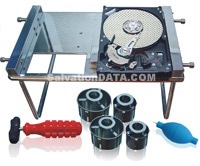
hd-hpe-pro1. HD HPE PRO
Hard Drive repair Tool by SalvationDATA built to handle Head Stack and DSM issues. You can easily use this hard drive repair tool for disk platter exchange.

2. HD Doctor Suite
HD Doctor Suite is an integrated hardware-software combined system that fixes hdd firmware issues for drives of all major manufacturers and popular drive families. Including:

hd-doctor-suitHD Doctor for WD
HD Doctor for Seagate
HD Doctor for Maxtor
HD Doctor for Samsung
HD Doctor for Fujitsu & Toshiba
HD Doctor for IBM/Hitachi

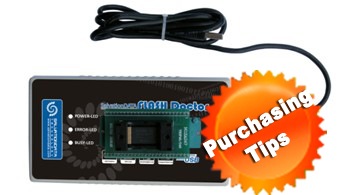
3. SD Flash Doctor

SD-Flash-DoctorSalvationDATA Flash Doctor is a professional data reovery tool which enables you to recover data from damaged flash media. The hardware helps to access the flash chip contains user data despite of damaged controller or any other front ends (PCB, etc.) using non-standard interface and command, and then extract all the data as an image; the software works on this image and helps to rebuild the data which is doomed to be corrupted because of the “Data Mix” technology used by the manufacturers, Flash Data Recovery Doctor uses unique algorithm which removes the data mix with no need to know/use/emulate/analyze the controller.

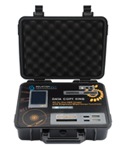
4. Data Copy King

SalvationDATA new disk image tool with features of forensic data capture, data wiping, SATA/IDE and USB universal data copy, copy data from drives with a lot of bad sectors.

Data Copy King is the only hard drive duplicator with ‘UNIC’ disk imaging solutions which is able to copy data from good drives or drives with severe bad sectors or drives with unstable heads but still detected in the bios.

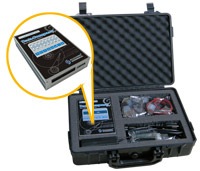
5. Data Compass

data-compassSalvationDATA’s Data Compass is the 2011 advanced leading data recovery equipment built to image and recover files from failed hard drives. Data recovery from physically damaged HDDs is what Data Compass designed for.

The disk probing equipment included in the Data Compass suite bypassing the disk-level problems such as multiple bad sectors, damaged surfaces, malfunctioning head assembly, or corrupted servo info, besides, you can use the default data recovery software or any other defined data recovery software you have been familiar with (R-studio, Winhex, any) to perform file recovery. Through the Data Compass, patient drives will become intact hard drives and ready for file recovery attempts..

Fan’s Data Recovery Tools Read More »

SMBs advised to Setup Data Recovery Plans

SMBs advised to setup data recovery plansSMALL and medium-scale companies (SMBs) need to implement backup recovery programs to safeguard their data and knowledge, stated a professional of the security, storage and systems management solutions provider.

Inside a press briefing on Tuesday, Symantec Philippines Senior Country Manager Luichi Robles stated it is extremely essential for SMBs to pursue measures in safeguarding their information. “Nowadays, it is vital to possess a backup infrastructure due to the regularity of visits of typhoons along with other disasters,” stated Robles.

“While information volumes are increasing, the IT budgets of numerous organizations within the Philippines aren’t keeping pace. Actually, oftentimes the budgets might be diminishing. The on-demand needs and twenty-four hours a day business design today does mean customers want immediate access to their data and programs,” she stated.

According to the company’s 2011 SMB Disaster Readiness Survey, the country’s SMBs aren’t showing priority for disaster readiness until they encounter it. Symantec stated 51 percent of participants in the Philippines don’t have an agenda in position and 33 percent stated they aren’t conscious in setting up a tragedy recovery plan.

The organization stated laptop computer says the price of not prepared is high, putting an SMB vulnerable to going bankrupt.

Also within the press briefing, Symantec Regional Technical Director for Asia South Raymond Goh stated the organization just folded out its Backup Professional 2012 V-Ray edition for SMBs  “The new items get rid of the difficulties of storing and locating information since it has flexible delivery models in software or even the cloud,” he stated.

“Backup Professional 2012 may be the culmination in our global team of expert engineers who spent million plus guy-hrs centered on altering the playing area of backup software,” stated Goh.

In addition, Goh stated the characteristics in Backup Professional 2012 are centered on three key styles important to the SMBs namely-eliminating complexity supplying virtualization-centric protection and offering SMBs one product for seamless, economical and finish recovery.

Goh stated SMBs could be cost-efficient through utilizing virtualization technology to safeguard the information because there’s no need to buy an additional solution.

“Through the V-Ray technology, Backup Professional 2012 allows visibility across virtual and physical conditions for fast and efficient backup and recovery while getting rid of the requirement for specialized point items,” he stated.

Robles stated Symantec continues to promote awareness isn’t an archiving process but a protection strategy. “Backup is really a critical a part of a business protection’s strategy,” he stated.

Getting a detailed to two million customers worldwide of Backup Professional Solution, Robles stated it’s the mandate of Symantec to help SMBs also it professionals to be efficient in backup recovery.

SMBs advised to Setup Data Recovery Plans Read More »

Imation Launches DataGuard Backup Appliances

Imation Launches DataGuard Backup AppliancesDataGuard R4 and T5R appliances are suitable for many cloud-storage APIs, including individuals from Amazon . com S3, Dropbox and OpenStack-based cloud companies.

Scalable-storage and data-security company Imation Corp. (New york stock exchange: IMN) introduced purpose-built backup appliances designed to enable small , midsized companies (SMBs) to safeguard their information with multiple amounts of data protection from one backup infrastructure. The DataGuard Model R4 and Model T5R appliances use hard disk drives, detachable RDX disk tubes, replication and cloud storage to deliver data protection for budget-conscious companies. The appliances can be found through Imation’s network of funnel partners.

Using DataGuard R4 or T5R appliances, SMBs can replicate data to another DataGuard appliance at another site or to store off-site on RDX detachable disks. DataGuard appliances also integrate with existing backup and disaster recovery infrastructure, including most backup programs. Additionally, onsite copies are made to enable fast full reinstates to meet recovery-time objectives and off-site copies help ensure quick disaster recovery.

“Imation’s DataGuard appliances are the main thing on addressing the main concerns that SMBs have about safeguarding their data, by enabling customers to make the most of the backup infrastructure they presently have in position, Imation supplies a media-agnostic solution for customers to solve their backup challenges nowadays while serving as a bridge to safeguarding and storing their data within the cloud tomorrow.” stated Jerome Wendt, lead analyst and leader at storage analyst and talking to firm DCIG.

DataGuard R4 and T5R appliances are suitable for many cloud-storage APIs, including individuals from Amazon . com S3, Dropbox and OpenStack-based cloud companies. When a cloud backup is seeded by shuttling RDX tubes, DataGuard supports remote backup copies, and SMBs can automate protection since data backup to cloud storage is carried out with no human intervention once it’s initially set up.

“Cloud is extremely compelling, however the initial data to a cloud service encounters very real limitations – large levels of data and limited bandwidth, this initial transfer – known as cloud seeding – can take days over a web connection, with respect to the data footprint. Imation’s DataGuard appliances eliminate this problem, as clients can physically transport an RDX cartridge to a cloud provider for initial seeding, and integrated software handles periodic inspections to make sure the cloud backup is current.” stated Ian Williams, v . p . of worldwide marketing and product management at Imation.

“Many SMBs are intrigued by cloud computing and comprehend the cost and operational efficiencies that cloud storage can deliver, but struggle to incorporate cloud to their existing backup infrastructure,Imation’s DataGuard solution provides a gateway to the cloud, enabling SMBs to easily safeguard their valuable data.” stated Bill Schilling, director, scalable storage marketing, Imation.

The organization also lately released Imation LTO Tape Libraries as well as provides Imation InfiniVault multi-tiered data-archive appliances and Imation RDX detachable hard-disk storage.

Imation Corp: http://www.imation.com/en-US/

Imation Launches DataGuard Backup Appliances Read More »

HDD Capital Spending in 2012 and Beyond

In order to repair the damage to the HDD supply chain from the 2011 Thailand floods as well as meet the increasing need for digital storage the hard disk drive industry must continue to make investments in capital equipment and production facilities.  Future increases in HDD areal density as well as increasing unit sales will drive significant capital spending investments that will impact the revenues of companies such as Anelva, Hitachi High Technologies, Innovative Instruments, Intevac, KLA Tencor, Teradyne, Xyratex, Veeco, and many others in the next few years.

The 2012 Hard Disk Drive Capital Equipment and Technology Report provides 207 pages of in-depth analysis of technology developments and capital equipment spending to sustain the growth and development of the hard disk drive industry.  Some highlights from the 2012 report include:

169% growth in HDD capital spending is expected from 2011 to 2016, driven by three factors:  unit shipment increases of 167%, the introduction of new HDD technologies such as HAMR and the replacement and repair of equipment damaged in the 2011 Thailand floods.

Between CQ4 2011 and CQ4 2012 over $1 B in capital spending is expected to repair or replace equipment and facilities damaged in the Thailand floods.

HDD and component companies have more cash to invest in equipment and technology development in 2012 and 2013, due to higher drive demand, limited drive supply and higher HDD prices.

Total industry spending on capital equipment in 2012 is expected to be about $2.4 B with 72% of this spent on process equipment, 21% on production test and 7% on metrology.

Average HDD capital equipment spending per year between 2008 and 2016 is estimated at about 7.2% of HDD industry revenue, with this percentage increasing in the last years of this period due to new technology introductions.

HDD areal density has slowed to 20-25% annually but 3.5-inch HDDs with storage capacities of 12 TB and 2.5-inch HDDs with 6 TB are expected by 2016.

Lower AD growth will drive more components per drive and thus more capital spending on head and media production equipment in coming years.

Industry consolidation and recovery from the Thailand shortages will result in higher HDD prices than 2011 at least until 2014 and likely HDD prices will flatten out about 10-15% higher than in 2011—this will help fund expensive new technology transitions by 2015-2016 and increase areal density growth rates to 40+% CAGR.

The normal capital equipment cycle will likely be re-established by 2014.  Capital purchases in 2014 and later will be driven by increasing unit demand (assumed 14% annual growth) as well as the introduction of heat assisted magnetic recording in 2015 and 2016.

The 2012 Hard Disk Drive Capital Equipment and Technology Report is now available from Coughlin Associates. To find out more about this report please see the brochure at http://www.tomcoughlin.com/techpapers.htm

HDD Capital Spending in 2012 and Beyond Read More »

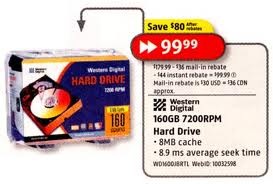
Hard Disk Prices to Remain High Through 2014

While hard drive (Hard disk drive) supplies are beginning to resurge, inventories won’t be back to normal before the third quarter of the year and costs will stay abnormally high through 2014, according to researching the market firms IHS iSuppli and Coughlin Affiliates.

Consequently of flooding in Thailand this past year, Hard disk drive prices will probably increase 20% to 30% over their average pre-ton prices and turn into there through the majority of 2012, Coughlin Affiliates stated in the report today (download PDF).

Hard Disk Prices to Remain High Through 2014

Furthermore, the hard disk manufacturing industry may have to spend about $1 billion to replace and repair manufacturing plants broken through the monsoonal flooding.

Hard disk drive supplies within the 4th quarter of 2011 fell by 26% in comparison to exactly the same period this year, according to IHS iSuppli. Deliveries are positioned to decline by another 13% within the first quarter of 2012 by 5% within the second quarter with an annual basis.

The typical global value for HDDs jumped by 28% within the 4th quarter of 2011, according to IHS iSuppli. While prices will decline by 3% within the first quarter by 9% within the second quarter, they’ll remain inflated for the entire year.

“Prices will stay high for several reasons, such as the greater costs connected using the moving of production, in addition to greater component costs due to flooding impacts among component makers,” stated Fang Zhang, a storage analyst for IHS iSuppli.

PC prices may also be affected because system makers have signed annual contacts with Hard disk drive makers which have locked them into elevated prices deals for that relaxation of the season, Zhang noted.

Furthermore, industry Hard disk drive consolidation could hold prices greater than pre-ton levels for any couple of more quarters because you will find less rivals on the market, IHS iSuppli stated. It had been mentioning to mergers between Seagate and Samsung and between Western Digital and Hitachi GST.

Inside a report launched Friday, iSuppli predicted the Thailand flooding continues to have an affect on inventory and costs until deliveries rise first by 2% within the third quarter, then a 42% surge within the 4th quarter of 2012.

“The recovery of worldwide Hard disk drive manufacturing has started and can continue throughout each quarter of 2012, hard disk drive prices will stay inflated and inventories continues to be depleted, showing that demand is exceeding supply. Demand and supply should return to balance through the finish from the third quarter.” Zhang stated.

Coughlin Affiliates stated the mixture of industry consolidation and Thailand-related shortages, can lead to greater Hard disk drive prices a minimum of until 2014. The greater prices, however, can help fund costly new technology transitions by 2015 or 2016 and increase areal density growth rates by 40%.

The annual rate where hard drive areal densities increase has slowed down recently, Coughlin Affiliates stated.

However, drive capabilities continue to grow due to technology developments for example Warmth-Aided Magnetic Recording (HAMR). While hard disk areal density growth has slowed down, storage capabilities continue to rise: 3.5-in. HDDs with storage capabilities of 12TB and a pair of.5-in. HDDs with 6 B are required by 2016.

Due to reduced areal density growth, user companies may have to save money per gigabyte of drive capacity within the next 2 yrs. The typical hard disk capital equipment investing each year between 2008 and 2016 is believed at about 7.2% of hard disk industry revenue.

Hard Disk Prices to Remain High Through 2014 Read More »

Why Everyone Needs Off-Site Backup

Why Everyone Needs Off-Site BackupA fire swept through the College of Hawaii’s financial management office inside a portable wooden building at its Manoa campus. The Honolulu Star-Marketer reviews (via Chronicle of Greater Education):

Your building houses computerized and paper documents for payroll, vendor obligations and student financial loans for the whole 10-campus, UH system around 60,000 students and 7,000 to 8,000 faculty and staff, stated UH?spokesperson Gregg Takayama.

“A few of the records are backed-on an off campus site, but many aren’t,Inch Takayama stated. “We will not be aware of impact until they are able to get into the office and discover what type of computer records and paper documents could be restored. For the time being it’s a little too soon to say exactly what the immediate impact is.

This can be a indication of among the greatest gaps in computer security — lack of remotely saved duplicate records. It’s well-known that home customers are negligent even about on-site backup copies almost 90 % don’t back up regularly, despite the fact that they have lost data, according to research reported this year. Only one backup is not enough. Fire and storms regularly destroy backup drives, business and private. Companies frequently maintain mirror sites that may be completely up to date just in case of disruption. After September 11, many colleges also recognized the significance of data continuity planning.

The Boss of Cantor Fitzgerald, the buying and selling firm reborn after grievous deficits within the September 11 World Trade Center attack, was questioned through the Telegraph:

Much has transformed within the ten years which have passed, not only for Cantor – which experienced a lot more than every other company on 9/11, losing 658 of their then 1,500 global employees – however for Wall Street in general. For [Howard] Lutnick, the greatest lesson he thinks the road in particular has learnt is the requirement for back-up.

“Young people need serious back-up. They require multiple counter-parties for the stuff that they are doing, they should not just depend on a single monopoly, they ought to have options.”

He argues this lesson makes “the finance industry more powerful and much more sustainable”, hinting that may possibly not have made it the loan crisis been with them not been for 9/11.

May be the cloud the solution? Storing all vital data on remote servers is most likely safer than using home — that’s, if you’re certain your host has condition-of-the-art backup copies of their own and will not be jeopardized by cyberattacks. Since the Defense Department finds the second challenging, I remain skeptical. The large disadvantage for individuals people using more than 100 GB approximately of information — and many new laptops have 320 or 500 GB drives — it’s time it requires for any full initial backup to among the remote services like Mozy and Carbonite. These businesses have admirable records and reasonable subscription prices for satisfaction. However their Frequently asked questions generally avoid talking about how lengthy initial backup copies generally take given most home and small company users’ slow upload speeds — days of 24/7 operation for bigger drives.

Even when you think certainly one of individuals services is better, you still need to back up religiously throughout individuals initial days. It’s a little such as the story dental practitioners tell: “‘Do I’ve to start flossing my teeth?’ ‘Only individuals you would like to keep.'” So children a survivor of two PC failures and check out this technique. Get 2 or 3 exterior portable hard disk drives with room for the data you anticipate for the following couple of years. (Most thumb drives degrade with frequent use and therefore are unacceptable for lengthy-term storage.) Get disk-imaging software which makes a little-for-bit copy of all things in your drive. Test if once you first utilize it and regularly after that. Keep one drive in your own home whatsoever occasions and the other in a remote location much like your place of work or perhaps a family member’s house — encoded should there be a danger of thievery. Enter into the habit of smoking of creating a complete backup whenever you are away for 2 hrs approximately. Swap the remote and residential drives as frequently as you possibly can. I have used Shadowprotect, which enables copying backed-up files to another computer you will find also Norton Ghost and Acronis. Since ordinary people much like me are most likely to want support in carrying out a restoration, make sure to know ahead of time whether there’s an additional charge.

Computing satisfaction is straightforward: Just stay paranoid and compulsive.

Why Everyone Needs Off-Site Backup Read More »

Scroll to Top