Articles

Maxtor DiamondMax Plus 9 PCB

Maxtor DiamondMax Plus 9 PCBBuy Maxtor DiamondMax Plus PCB on HDDZone.com with low price, fast shipping and top-rated customer service! All kinds of Maxtor hard drive PCB board for Data Recovery and HDD Repair Needs!

Maxtor DiamondMax Plus 9 PCB Swap Guide:

For swapping Maxtor PCB, there are only two steps to find the matching pcb.

Step 1: Find the Main Controller IC. The biggest chip (show above). Make sure the information says ARDENT C8-C1, 040111300 which is the Main Controller IC.

Step 2: Verify the Motor Combo IC. L7250E 1.2

Step 3: Send these info to your PCB seller. Such as HDDZone.com

Note: In most cases, you should exchange the BIOS chip before you swap the PCB. You should have certain technique. Hard drive failures are NOT always caused by circuit board failure. We cannot guarantee your drive to be repaired by replacing the board.

maxtor-diamondmax-plus-9-pcbMaxtor DiamondMax Plus 9 PCB 200 Ardent C5-C1 040110200Main Controller IC: Ardent C5-C1 040110200
HDD Motor Combo IC: L7250E 1.0
maxtor-diamondmax-plus-9-pcbMaxtor DiamondMax Plus 9 PCB 8000 Poker D.5 040108000Main Controller IC: Poker D.5 040108000
HDD Motor Combo IC: L7250E 1.2
maxtor-diamondmax-plus-9-pcbMaxtor DiamondMax Plus 9 PCB 900 Poker D.7 040110900Main Controller IC: Poker D.7 040110900
HDD Motor Combo IC: L7250E 1.2
maxtor-diamondmax-plus-9-pcbMaxtor DiamondMax Plus 9 PCB Ardent C5-C1 040111500Main Controller IC: Ardent C5-C1 040111500
HDD Motor Combo IC: L7250E 1.2
maxtor-diamondmax-plus-9-pcbMaxtor DiamondMax Plus 9 PCB ARDENT C8-C1 040111200Main Controller IC: ARDENT C8-C1 040111200
HDD Motor Combo IC: L7250E 1.2
maxtor-diamondmax-plus-9-pcbMaxtor DiamondMax Plus 9 PCB ARDENT C8-C1 040111300Main Controller IC: ARDENT C8-C1 040111300
HDD Motor Combo IC: L7250E 1.2
maxtor-diamondmax-plus-9-pcbMaxtor DiamondMax Plus 9 SATA PCB Ardent C10-C1 040119500Main Controller IC: Ardent C10-C1 040119500
HDD Motor Combo IC: L7250E 1.2
maxtor-diamondmax-plus-9-pcbMaxtor DiamondMax Plus 9 SATA PCB ARDENT C8-C1 040111300Main Controller IC: ARDENT C8-C1 040111300
HDD Motor Combo IC: L7250E 1.2

Hard Drive PCB Swap Guide: For Seagate, Maxtor, WD, IBM/Hitachi Hard Drives

More Maxtor DiamondMax Plus 9 PCB Circuit Boards on HDDZone.com

Maxtor DiamondMax Plus 9 PCB Read More »

PAYAM Data Recovery

Data Recovery In Australia: PAYAM Data RecoveryPAYAM Data Recovery is established in 1998 in Australia.

As a professional data recovery company in Australia, PAYAM specialises in retrieving data/computer files for individuals & businesses from all types of hard disk drives, RAID arrays, USB flash drives, digital camera memory cards, mobile phones and other data storage devices that have stopped working or suffered data loss due to file system corruption, data corruption or accidental file deletion/reformatting.

Hard Disk Problems PAYAM Data Recovery specialises in: Damaged Heads (Clicking), Seized spindle motor (Buzzing), Damaged PCB (No power), Bad Sectors (Read Errors), Firmware Corruption, Damaged file system, Deleted Files, Accidenitally formatted or Re-Imaged.

The name ‘Payam’ originates from Persia and is pronounced ‘Pay-Um’.  Their staff come from different backgrounds including Australia, Italy, Scotland, Siberia, Iran, Ireland, Malta and other backgrounds.

PAYAM Data Recovery Services:

  • Hard Drive Data Recovery
  • RAID Data Recovery
  • Emergency Data Recovery
  • Memory Card Data Recovery
  • USB Flash Drive Recovery
  • Data Destruction
  • Computer Forensics
  • Mobile Phone Data Recovery
  • Hard Disk Duplication

Contact PAYAM Data Recovery:

Website: www.payam.com.au
Telephone: 1300 328 273

PAYAM Data Recovery Centers:

North Sydney (Head Office): Level 3, 54 Miller Street, North Sydney NSW 2060
Telephone: (02) 9957 2288

Melbourne: Level 7, 606 St Kilda Road, Melbourne, VIC 3004
Telephone: (03) 9510 5753

Brisbane: Level 10, 379 Queen Street, Brisbane, QLD 4000
Telephone: (07) 3221 5988

PAYAM Data Recovery Read More »

Technetics Data Recovery

Data Recovery In Australian: Technetics Data RecoveryTechnetics Data Recovery is a leading Australian data recovery company and data solution provider.

Technetics Data Recovery has extensive expertise in data recovery from almost any media type.  Data recovery from failed hard drives, tape drives, memory sticks, removable hard disks, floppy disks, digital camera data cards and many other media types.

Data Recovery Services:

Technetics Data Recovery offers the following data recovery services:

  • Hard Drive Recovery Data recovery from 1.8″, 2.5″, 3.5″ hard drives. Internal or portable IDE, SCSI, SATA, ZIF
  • RAID, SAN, NAS & Server Recovery Data Recovery broken RAID 0, 1, 5, 10, & 50 arrays and SAN, NAS & Server appliances
  • Operating System Data Recovery Data Recovery from Microsoft Windows Vista, XP, 2003, 2000, Apple Mac, Novell, Linux, Unix
  • Digital Media Data Recovery Data recovery from memory cards, USB keys, flash compact cards, SD cards
  • HD Video Camera Data Recovery Data recovery from digital camera hard drives, SD cards, XD cards
  • Tape Media Data Recovery Data Recovery from most tape media such as DDS, Travan, LTO, DLT, SDLT
  • Portable Hard Drive Data Recovery Data Recovery from external USB or FireWire drives. Maxtor, Lacie, Western Digital
  • Emergency Data Recovery Service Our data recovery team is ready to assist in an emergency situation when very critical systems fail.

Data Recovery Center:

Level 1, 71 Palmerston Crescent, South Melbourne VIC 3205, Melbourne Australia
Phone: 1300 853 453/+613 9024 1714
Website: http://www.techneticsdata.com.au

Technetics Data Recovery Read More »

Remove Hard Drive Password: HDD Unlock Wizard

Remove Hard Drive Password: HDD Unlock WizardForgot Hard Drive Password:

My friend give me one used hard drive, while I power on pc, error message came out–” this hd under password protection, please enter password”.

I called my friend, he said he haven’t touch this hd long long time, he totally forget he did setup password or not, he don’t know password.
If no password enter, pc can not recognized this hd, pc keep said no hd in this pc.

How do I can clear hd password and let pc recognize this hd?

What is Hard Drive Password?

All hard drives have the possibility to set a hardware password, thus making the drive completely inaccessible unless a correct password is provided during the BIOS POST test. When you set a password on your notebook, the drive becomes locked as well. XBox gaming consoles and some desktop computers can also lock hard disk drives. This is usually called “HDD password” or “ATA password“.

If you forget the original HDD password, there is no way of restoring it by generic system tools. HDD Unlock Wizard incorporates proprietary unlocking algorithms which allow to remove an unknown HDD password and make hard drive usable again.

About HDD Unlock Wizard:

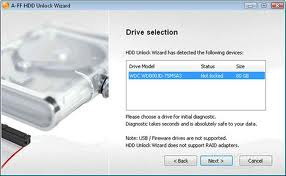
HDD Unlock Wizard is a user-friendly application which allows you to easily remove HDD password. IDE and SATA hard disk drives are supported. Both User and Master password can be removed.

Note: While unlocking, HDD Unlock Wizard will erase and re-certify the drive!!!

HDD Unlock Wizard supports:

  • Unlocking of desktop hard drives
  • Unlocking of X-BOX hard drives
  • Unlocking of 2.5-inch laptop hard drives

Technically, removal of an unknown password is done differently for each HDD model.

Unlocking of a 80GB HDD takes approximately 25 minutes. 2.5 inch notebook drives need slightly more time.

Price for unlocking your hard drive:

  • Unlocking one hard drive up to 40 GB. Price: $4.97
  • Unlocking one hard drive up to 80 GB. Price: $9.95
  • Unlocking one hard drive up to 160 GB. Price: $14.95
  • Unlocking one hard drive up to 250 GB. Price: $19.95
  • Unlocking one hard drive up to 320 GB. Price: $24.95
  • Unlocking one hard drive up to 500 GB. Price: $29.95
  • Unlocking one hard drive up to 1000 GB. Price: $39.95

HDD Unlock Wizard Useful Links:

  • List of supported Hard Drives
  • HDD Unloack Wizard Homepage
  • Download HDD Unlock Wizard Now (Windows 2000/XP)

Remove Hard Drive Password: HDD Unlock Wizard Read More »

Seagate Has Shipped More Than 1 Million Self-Encrypting Hard Drives(SEDs)

Seagate announced that it has shipped more than 1 million self-encrypting laptop and enterprise hard drives. Sales of the Seagate hard drives with built-in encryption continue to surge as more computer makers offer the drives to protect against unauthorized access to sensitive data, more independent software vendors team up with Seagate to provide the management capabilities required for company-wide installations of self-encrypting laptop PCs, and more of the drives win U.S. government certifications:

Seagate’s Cheetah Self-Encrypting Hard Drive

  • Six original equipment manufacturers – Dell, Fujitsu, Hitachi, IBM, LSI and Network Appliance – now offer products powered by Seagate enterprise self-encrypting drives (SEDs). All told, Seagate now ships 24 products in a family of enterprise drives that includes Savvio®, Cheetah®, Constellation® ES and Constellation® SEDs.
  • Dell, Lenovo and Panasonic are shipping or qualifying standard-sized or thin laptops with Seagate Momentus® and Momentus® Thin SEDs as optional features.
  • Seagate’s family of Savvio, Cheetah, Constellation and Momentus SEDs have secured FIPS 140-2 certification from the U.S. National Institute of Standards and Technology (NIST). This key government certification clears the way for deployments of Seagate self-encrypting drives by all U.S. and Canadian federal agencies, many state and local governments, and regulated industries such as healthcare, finance and defense required to use FIPS-certified gear to help protect sensitive data on PCs and computer networks and in data centers. The Seagate laptop and enterprise hard drives are the first with native encryption to earn the FIPS certification.
  • Seagate’s independent software vendor (ISV) partnerships have grown to include security leaders Credant, McAfee, Mobile Armor, Secude, Softex, Symantec, Wave Systems and WinMagic. With management software from these providers, organizations can easily and affordably manage and protect encryption keys and passwords to simplify deployments of Momentus and Momentus Thin SEDs.
  • Dell and Panasonic now offer laptops featuring FIPS-certified Momentus SEDs.
  • Several major original equipment manufacturers (OEMs) are now qualifying Momentus SEDs that are compliant with the Trusted Computing Group’s Opal specification. The Trusted Computing Group, an international body that promotes open standards for computer security, issued the Opal specification in 2009. The specification is focused on enabling the ecosystem for self-encrypting drives and increasing their adoption.
  • Seagate enterprise SED shipments have tripled over the past two quarters, while the company’s laptop SED shipments have doubled in each of the past three years.

“Companies and government organizations worldwide increasingly are securing confidential information on self-encrypting hard drives, recognizing that this commonsense yet powerful approach simplifies the deployment of security for data at rest, as storage and security continue to converge, solutions like Seagate’s self-encrypting hard drives are leading the way by providing organizations with the strong, easy-to-use security they need to protect their data assets.” – said Charles Kolodgy, research director of security products for analyst group IDC.

Seagate® Enterprise Self-Encrypting Hard Drives Deliver Government-Grade Security

Seagate offers a full lineup of enterprise SED options within its Savvio, Cheetah, and Constellation families. Strong enough for national security, yet easy enough for the one-person IT department, Seagate enterprise SEDs simplify decommissioning and preserve hardware value for returns and repurposing by eliminating the need to overwrite or physically destroy the drive, securing warranty and expired lease returns, and enabling drives to be repurposed securely.

Laptop Lockdown with Momentus® Self-Encrypting Hard Drives

Momentus® SEDs give organizations of all sizes a simple, cost-effective way to protect against unauthorized access to data on notebook PCs and a powerful tool for complying with the growing number of data privacy laws calling for the protection of consumer information using government-grade encryption. The AES encryption chip in the Momentus SEDs automatically and transparently encrypts all drive data, not just selected files or partitions. The 2.5-inch drive also eliminates disk initialization and configuration required by encryption software, allows IT administrators to instantly erase all data cryptographically so the drive can be quickly and easily redeployed, and delivers full inline-speed encryption with no impact to system performance.

Momentus SEDs keep all security keys and cryptographic operations within the drive, separating them from the operating system to provide greater protection against hacking and tampering than traditional software alternatives, which can give thieves backdoor access to encryption keys and are otherwise more vulnerable to key theft. Momentus SEDs are offered in capacities up to 500GB.


Seagate Has Shipped More Than 1 Million Self-Encrypting Hard Drives(SEDs) Read More »

Tips for Western Digital Hard Drive Data Recovery

Tips for Western Digital Hard Drive Data Recovery1. Western Digital Hard Drive Data Recovery

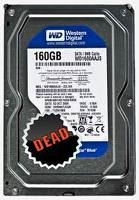
If the hard drive is spinning and shows up in Disk Management (Windows), or Disk Utilities (Mac), but you can’t access it, then the drive’s partition table may be damaged or corrupted. It may be possible to still extract the data utilizing data recovery software. Western Digital does not provide data recovery software, however, there are several kinds on the Market. If you do a web search for “Data Recovery” it will yield plenty of data recovery software options. You can also see my another post:

If the hard drive does not show up in Disk Management (Windows), or Disk Utilities (Mac), and you have tried all the troubleshooting options relevant to your drive, then your drive has most likely failed and you will need to contact a data recovery company to retrieve your data.

Western Digital does not provide data recovery services. However, they have a list of recommended preferred data recovery partners that you can use for data recovery services. In order to retain the warranty on the drive, you must use one of the recommended preferred data recovery partners.

Ontrack Data Recovery Services and CBL Data Recovery Services have discount pricing available for Western Digital Customers.

2. Western Digital Hard Drive Circuit Board

Western Digital does not sell or replace circuit boards for their hard drives nor are they aware of any other companies that sell them. Replacing the circuit board on a hard drive is not a recommended method for recovering data or drive functions as this will void the warranty on the hard drive. For every hard drive model that Western Digital manufacturers, there are many firmware changes that would make it very difficult to find a circuit board with the same firmware of the defective drive. If you attempt to install a circuit board with a different firmware than the original, this may damage the hard drive further.

HDDZone.com is a recommended WD hdd pcb supplier, you can find many WD hard drive pcbs here: Western Digital hard drive PCB

3. Western Digital Hard Drive Repair

Western Digital does not repair or recommend repair services for our drives. Any repair services performed on a WD drive will void the warranty. If your drive is under warranty, you can I replace a product under warranty.

Tips for Western Digital Hard Drive Data Recovery Read More »

Primary Partition On A Hard Drive Must be Active! Why?

Why must the primary partition on a hard drive be active?

The primary partition must be set to a status of Active, otherwise it is not possible to boot off that primary partition. Please note that only the primary partition on the primary Master drive can be set to a status of Active.

To check whether your partition is active, or to activate the partition if it is not active, use FDISK.

  1. Boot your system with a Windows startup disk and type FDISK at the A:\ prompt and press ENTER.
  2. If your partition is not active, you will see a warning message at the main menu of FDISK stating Warning – No active partitions set at the bottom of the screen.
  3. To set the partition as active, select 2 Set Active Partition and choose Partition 1 when prompted to select the partition.

Primary Partition On A Hard Drive Must be Active! Why? Read More »

Western Digital Hard Drive Families (Part II)

C) External Hard Drives
Desktop

  • My Book 3.0
    This stylish external hard drive features a SuperSpeed USB 3.0 interface for the fastest transfer rates available on an external hard drive.
  • My Book Elite
    An elegant, easy-to-use storage solution with WD SmartWare backup software, customizable e-label, and password protection.
  • My Book Essential
    An elegant, easy-to-use storage solution with WD SmartWare backup software, password protection and capacity gauge.
  • WD Elements Desktop
    Simple, reliable, portable storage.

Desktop for Mac

  • My Book for Mac
    An elegant, easy-to-use storage solution with automatic, continuous backup software, password protection, and capacity gauge. Compatible with Apple® TimeMachine™.
  • My Book Studio LX
    A super-fast storage solution for your Mac in a premium aluminum enclosure, featuring a customizable e-label and hardware-based encryption. This Apple Time Machine-compatible drive is the perfect complement for your Mac.
  • My Book Studio
    An elegant, super-fast storage solution for your Mac with automatic, continuous backup software, password protection and customizable e-label.
  • My Book Studio Edition II
    Quad interface, RAID-enabled, about 30% less power consumption, formatted for Mac®. The My Book Studio Edition II treads lightly on the earth and carries big performance for creative professionals.

Portable

  • My Passport Elite
    This ultra-portable USB drive is packed with smart features like automatic, continuous backup, password protection, an illuminated capacity gauge and a convenient grab-and-go dock.
  • My Passport Essential SE
    This stylish, compact portable USB drive now features maximum capacity for all the chapters of your digital life.
  • My Passport Essential
    Our smallest, portable drive ever is also our smartest with automatic, continuous backup and password protection.
  • WD Elements Portable SE
    A portable hard drive with maximum capacity in a compact design for easy plug-and-play storage on the go.
  • WD Elements
    Simple, reliable, portable storage.

Portable for Mac

  • My Passport Studio
    This ultra-portable, Mac-ready drive is packed with innovative features like a fast FireWire 800 interface, customizable e-label, and visual, automatic, continuous backup.
  • My Passport SE for Mac
    This stylish, compact portable USB drive now features maximum capacity for all the chapters of your digital life.
  • My Passport for Mac
    An elegant, easy-to-use portable storage solution with automatic, continuous backup software and password protection. Compatible with Apple® TimeMachine™.

Western Digital Hard Drive Families (Part II) Read More »

WD Green Power Hard Drives Compare To Traditional 7200 RPM Drives

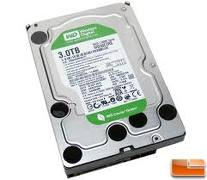
WD Green Power Hard DriveOverall, WD Green Power Hard Drive meets the performance requirements of most applications while delivering significantly less power consumption. If your application requires mostly sequential read/writes, then the hard drive will perform comparable to a 7200 RPM drive. However, if your application performs mostly random mode operations, then the performance may drop by about 10% because of the latency time. If the WD Green Power product does not meet your performance needs then WD have their Raid Edition line of 7200 RPM Enterprise drives that will deliver the performance you need at the industry’s best reliability.

Read More: Western Digital Hard Drive Families

WD Green Power Hard Drives Compare To Traditional 7200 RPM Drives Read More »

Western Digital Hard Drive Families (Part I)

Western Digital Hard Drive FamiliesWestern Digital Corporation (often abbreviated to WD) is the second largest computer hard disk drives manufacturer in the world, after Seagate and has a long history in the electronics industry as an integrated circuit maker and a storage products company. Western Digital was founded on April 23, 1970 by Alvin B. Phillips, a Motorola employee, as General Digital, initially (and briefly) a manufacturer of MOS test equipment. It rapidly became a speciality semiconductor maker, with start-up capital provided by several individual investors and industrial giant Emerson Electric Company.

A) Internal Hard Drives

Desktop

Mobile

Enterprise

  • WD VelociRaptor
    The PC enthusiasts’ favorite 10,000 RPM hard drive is still the fastest, most dangerous carnivore around – now with an ultra-fast 32 MB cache and SATA 6 Gb/s interface and twice the capacity of previous generations.
  • WD S25
    The 2.5-inch WD S25 SAS drives offer the powerful combination of enterprise-class performance and reduced power consumption required for demanding high-performance computing and mission-critical environments.
  • WD RE4
    Massive capacity, 64 MB cache, 1.2 million hours MTBF, and a 5-year limited warranty, WD RE4 drives offer an ideal combination of high capacity, optimum performance, and 24×7 reliability for enterprise applications.
  • WD RE4-GP
    WD RE4-GP enterprise-class SATA drives are designed for power-conscious, large-scale data centers.
  • WD RE3
    1.2 million hours MTBF. Best-in-class vibration tolerance. 5-year limited warranty. Just three of the reasons why WD RE3 drives are the world’s most reliable SATA drives.

Audio/Video

  • WD AV-GP
    Power-conserving WD AV-GP drives offer significant power savings and thermally optimized operation resulting in lower cost of ownership and unsurpassed reliability for PVR/DVR, IPTV boxes and media server manufacturers.
  • WD AV-25
    Low power storage engineered to thrive in 24×7 streaming environments.
  • WD AV
    Significant design advances in WD’s hard drive technology, combine optimized AV performance with best-in-class power consumption and thermally optimized operation enabling unparalleled cost of ownership for manufacturers of digital video recording devices.

Solid State

  • WD SiliconEdge Blue
    Solid state drives that will satisfy the most demanding technology enthusiasts and bring a new level of performance and ruggedness to laptop and desktop PCs.

B) Network Products

  • WD ShareSpace
    A high-speed network-attached storage system with capacities up to 8 TB. Perfect for centralizing and sharing data and multimedia files on a small office or home network.
  • My Book Live
    Centralize your photos, music, movies and files on your wired or wireless network for your whole family to access.
  • My Book World Edition II
    Central storage and backup for all the computers in your network and double-safe data protection with RAID mirroring technology.
  • My Book World Edition
    The home network drive that everyone in the house can use, whether they’re on a Mac or PC, to save and share photos, music, and movies on a wired or wireless network.
  • WD Livewire
    Use your home’s electrical outlets to create wired, streaming-ready, high-speed Internet connections anywhere in your home without running wires between rooms.

Western Digital Hard Drive Families (Part I) Read More »

Scroll to Top