Articles

Jumper Settings for Toshiba 2.5" Hard Disk Drives

Toshiba’s 2.5″ hard disk drives can be configured as either master or slave units. Master configuration is used for all single drive applications, and master or slave configuration (only one of each per port) is used for two drive applications. Use the information in the following tables for information on how to set Master/Slave jumpers.

Jumper settings for Toshiba PATA drives

The following jumper information applies to Toshiba’s current line of Hard Disk Drives:
Master configuration is obtained by setting jumpers B, C & D open (no jumper). Slave configuration is obtained by setting jumpers C-D. When B-D jumper is installed, the drive is configured as cable select. If pin 28 = Low, the drive is master. If pin 28 = High, the drive is slave.

JumperP28 Drive
No JumperMaster Drive
C-D JumperSlave Drive
B-D jumperLOWMaster Drive
B-D JumperHIGHSlave Drive
Prohibit A-B Jumper
Prohibit A-C Jumper

Jumper Settings for Toshiba 2.5" Hard Disk Drives

Jumper Settings for Toshiba 2.5" Hard Disk Drives Read More »

Glossary of Samsung Hard Disk Drive (Letter S)

Samsung Hard Disk Drive Glossary SCSI
Small Computer System Interface, device interconnection standard allowing daisy chaining of devices. There are various standards of SCSI: SCSI, SCSI-2, SCSI-3 and SCSI-4

Sector
Smallest grouping of data that can be assigned to store data on the media of an Hard Disk Drive, comprises of 512 bytes (section of a track)

Seek (time)
The movement of a head in search of the right data track

Sequential Access
The reading or writing of data in a sequential order as opposed to random access

Servo data / pattern
Magnetic markings that indicate the position of a head relative to a track (guide for head)

Servo system
a recorded segment of the CD that may contain one or more tracks of any type (data/audio)

Settle Time
The time lapse between arrival of the head at a specific track, and the head to stop fibrating so that a reliable read/write can take place

SFF
Small form factor, a committee consisting of suppliers of IDE hard disk drives, formed to agree technical specifications such as E-IDE

Shock rating
Measurement (Gs) indicating how much shock a disk drive before damage could occur

S.M.A.R.T
Self-Monitoring Analysis and Reporting Technology, an automatic process which provides an advanced warning of device degradation and/or faults, to help prevent loss of data. Early warning system

Spindle Motor
Motor that rotates the platters

Soft Error
A data error which can be corrected by attempting to re-read the data

SSA
Serial Storage Architecture, an new type of interface, using copper or fibre optic connections. Data travels serially (one bit at the time)

Stepper Motor
predecessor of Rotary Voice Coil Motor, component that controls head movement

Storage Density
recording density (see BPI, TPI, Areal Density)

Substrate
The material underneath the magnetic coating of a disk

Surface
each side of a disk has a surface that is coated with the magnetic material for data storage

Glossary of Samsung Hard Disk Drive (Letter S) Read More »

Cheap Hard Drive Recovery

Cheap Hard Drive Recovery Are you looking for a cheap hard drive recovery service? Data loss can occur on any device that stores data. Although any loss of data, even a simple misplacement, is by definition technically a loss, what we are primarily concerned with is the permanent loss of data that is important to your business’ ongoing success.

Let’s first take a look at people’s questions:

1. Cheap Logical Hard Drive Recovery

I have two USB externals drives. One is my backup drive. The other I just bought and was formating it to NTFS. The full format was taking a long time so I aborted the format and used the quick format. Everything went fine.

I then went to copy some stuff to the backup drive but it said it was not formated. My heart stopped then I said a few choice words. All my pictures for the last 1.5 years is on there. I could not do anything to the drive until I format, so I went ahead and did a quick formate. I am using Vista and the FAT32 option was not there so I formated to NTFS. I think the drive came formated to FAT32. I have no idea how the backup drive got formated. I guess I must of done something. Since the format I have not written anything to the hard drive.

I got a program form Diskinternals. It took about 4 hours to scan. It found around 350gig. It then took another 4 or so hours to copy to my new drive. All the files were corrupted.

Now for my questions:
1. Can the data still be recovered if the drive was FAT32 and then formated to NTFS?
2. Would it help if I formated it back to FAT32?
3. What would be the best software to try to recover my data?
4. Any other thoughts or ideas?

To solve this problem, the cheapest method is to purchase a advanced recovery software and recover it yourself. Connect your computer to a working PC and scan your HDD. In fact, if you know how to send an e-mail you can find all of the data from a crashed disk drive. With this powerful hard drive recovery software you can easily:

  • Recover files even if emptied from the Recycle Bin
  • File recovery after accidental format, even if you have reinstalled Windows.
  • Disk recovery after a hard disk cras
  • Get back files after a partitioning error
  • Get data back from RAW hard drives
  • Recover documents, photos, video music and email
  • Recover from hard drive, camera card, USB, Zip, floppy disk or other media

Recommend Hard Drive Recovery Software: RecoveMyFiles

2. Cheap Physical Hard Drive Recovery

After moving, my backup drive no longer works. I’ve tried two enclosures and the drive isn’t making a sound so I assume it is an electronics problem not a mechanical problem. I also have a drive that fell off my desk, it does click so I assume it is a mechanical problem. Both drives contain my backups and photos. I would like to recover the data from both these drives. Both are Seagate 7200, one is .11 and the other is a .10. I think I have about 1TB of data between the two.

What is the cheapest method of recovering the data? Send it to a data recovery company (recommendations?) or try switching the platters myself in a makeshift clean room?

Logic board (controller) failures.

  • Broken power/data connectors (requires fine soldering).
  • Spindle/arm driver chip failure (requires replacement of either a logic board, or a chip; additional repairs may be needed depending on the true cause of the problem).
  • Head block pre-amplification failure (platter box must be opened).

Moving parts failures.

  • Head crash.
  • Spindle bearing seizure or spindle motor failure.

Firmware corruption (requires special software and sometimes special connection arrangement).

In case of the massive damage, there is no point in attempting the do-it-yourself type data recovery at home. There is little you can do to repair a physically damaged device without the special equipment. In this case, you need a data recovery lab.

Recommend Physical Hard Drive Recovery Service(USA):

  • ESS Data Recovery
  • 24 Hour Data

Cheap Hard Drive Recovery Read More »

Solid State Drive Vs Hard Drive Vs USB Flash Drive

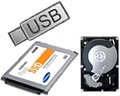
SSD vs USB Flash Drive vs Hard Drive Solid state drives (SSD): used in the enterprise are data storage devices that use non-moving fl ash memory technology rather than rotating magnetic disks or optical media. SSDs are compatible with traditional hard drive interfaces, such as SATA or SAS, and have a familiar hard drive form factor, such as 3.5-, 2.5- or 1.8-inch.

USB Flash Drive: consists of a flash memory data storage device integrated with a USB (Universal Serial Bus) interface. USB flash drives are typically removable and rewritable, and physically much smaller than a floppy disk. Most weigh less than 30 g (1 oz). Storage capacities in 2010 can be as large as 256 GB with steady improvements in size and price per capacity expected. Some allow 1 million write or erase cycles and have a 10-year data retention cycle.

USB flash drives are often used for the same purposes as floppy disks were. They are smaller, faster, have thousands of times more capacity, and are more durable and reliable because of their lack of moving parts. Until approximately 2005, most desktop and laptop computers were supplied with floppy disk drives, but most recent equipment has abandoned floppy disk drives in favor of USB ports.

USB Flash Drives Vs Solid State Drives
Both USB flash drives and SSDs use NAND fl ash memory. However, it’s the quality of NAND used—as well as the controller and interface involved—that separates a simple USB fl ash drive from an enterprise-class storage device, like those found in blade servers and external storage systems.

Solid State Drives Vs Hard Drives
Today’s SSDs are different from hard drives when it comes to data storage. SSDs are sophisticated storage devices that use non-moving memory chips, mostly non-volatile NAND fl ash, instead of the rotating magnetic disks found in hard drives. Hard drives can take the data directly from the host and write it to the rotating media. In contrast, SSDs can’t write a single bit of information without first erasing and then rewriting very large blocks of data at one time (also referred to as P/E).

Because SSDs and hard drives have different strengths in terms of effi ciency, they complement each other and can co-exist. SSDs deliver ultra-fast random data access (inputs-outputs per second, or IOPS, performance), low power consumption, small size and high physical resilience (due to no moving parts)— but they cost more. Hard drives provide fast sequential data access with high capacity, endurance and reliability at a much lower price.

Solid State Drive Vs Hard Drive Vs USB Flash Drive Read More »

Glossary of Samsung Hard Disk Drive (Letter R)

Samsung Hard Disk Drive Glossary RAM
Random Access Memory, a memory chip that allows any data to be stored and retrieved randomly, directly and individually (increasing the amount of RAM on a PC will improve the performance)

RAM Disc
Part of the RAM that is used as if it were a disk drive, RAM is faster than disk drives

Recalibrate
Function where the heads are returned to cylinder zero

R&D
Research and Development

RLL
Run Length Limited, a process which compresses data so that more data can be stored on a disk

RMA
Return Merchandise Authorisation

RPM
Rotations Per Minute, speed at which the disk spins

ROM
Read Only Memory, a memory chip that once programmed can be read and accessed, but cannot be altered (chip retains the information even when the power is turned off)

Rotary Voice Coil
component which controls the head movement

Rotational Latency
The time lapse between a head reaching the right track, and the disk spinning around to the correct sector / block where the data can be read/written by the head

Rotational speed (also RPM)
measure of the number of times a disk spins per minute

RWMRead-write Memory, this describes computer memory (usually chip) that can be both read from and written to

Glossary of Samsung Hard Disk Drive (Letter R) Read More »

Samsung Solid State Drives Overview

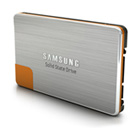
Samsung Solid State Drives A solid-state drive(SSD) is a data storage device that uses solid-state memory to store persistent data. SSDs are distinguished from traditional hard disk drives (HDDs), which are electromechanical devices containing spinning disks and movable read/write heads. SSDs, in contrast, use microchips and data is retained in non-volatile memory chips and contain no moving parts. Compared to traditional HDDs, SSDs are typically less susceptible to physical shock, quieter, and have lower access time and latency. SSDs use the same interface as hard disk drives, thus easily replacing them in most applications.

With faster boot-up time, file searches, app start-ups, and less downtime and power usage, you’ll know why Solid State Drives are the best choice, and where hard drives got their name.

Top 10 reasons why to choice Solid State Drives:

  • Speed Up Your Boot-Up
  • Zip through File Searches
  • Trim File Transfer Time by Almost a Third
  • Start Applications in Seconds
  • Double File-Compilation Power
  • Cut Downtime by Half
  • Reduce Power Consumption
  • Master Multitasking
  • Cut Video-Editing Time
  • Take it Anywhere

Samsung Solid State Drives Overview:

64GB Solid State Drive – 470 Series
MZ-5PA064
$139.99

Specifications
2.5″ Form Factor/Serial ATA/64GB Capacity
Up to 170MB/s Write Speed/Up to 250MB/s Read Speed

128GB Solid State Drive – 470 Series
MZ-5PA128
$279.99

Specifications
2.5″ Form Factor/Serial ATA/128GB Capacity
Up to 220MB/s Write Speed/Up to 250MB/s Read Speed

256GB Solid State Drive – 470 Series
MZ-5PA256
$549.99

Specifications
2.5″ Form Factor/Serial ATA/256GB Capacity
Up to 220MB/s Write Speed/Up to 250MB/s Read Speed

Samsung Solid State Drives Overview Read More »

2G HDD Firmware Package with Free Shipping!

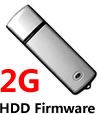
hdd firmware download We know that the firmware corruption is a common error which cause the data loss. As a specialist in data recovery business to resolve these issue, you need the professional hard drive firmware repair tools, such as PC3000, SalvationDATA,etc. With these tools we also need to find a matching HDD firmware. Sometimes the firmwares are hard to find, so i made this package for all of you!

This firmware package is almost 2G! I have classified them and copy it in U Disk. Hope it can help you find the macthing firmware easily. It includes the firmware of Seagate, Fujitsu, Hitachi, Quantum, Samsung, Toshiba and Western Digital. All firmwares can be found on firmwarebase.com. If you purchase this package you can also get an account(worth $19.99) on the website to download the latest firmware anytime.

PC3000 Firmwares:
Seagate(88), Fujitsu(59), Hitachi(110), Quantum(8), Samsung(12), Toshiba(3), Western Digital(51), Maxtor(450)

SalvationDATA firmwares:
Seagate, Hitachi, Western Digital, Maxtor

Get More Details: http://www.firmwarebase.com/index.php?act=register

2G HDD Firmware Package with Free Shipping! Read More »

24 Hour Data Data Recovery

24 Hour Data Recovery With more than 15 years experience in the data recovery industry, 24 Hour Data has unmatched success rates in data recovery for all forms of storage media, including flash data recovery, SSD data recovery(solid-state drive data recovery), hard drive data recovery, Mac recovery and more. Looking for a data recovery service you can trust to recover your lost data? Call the data recovery experts at 24 Hour Data.

Data Recovery Price:

Logical Hard Drive Recovery: $85 an hour
Logical Hard Drive Emergency Recovery: $149 an hour

Physical Hard Drive Recovery: $149 an hour
Physical Hard Drive Emergency Recovery: $250 an hour

RAID Recovery: $149 an hour
RAID Emergency Recovery: $250 an hour

SSD Recovery: $149 an hour
SSD Emergency Recovery: $250 an hour

VMware & Virtual Recovery: $149 an hour
VMware & Virtual Emergency Recovery: $250 an hour

Flash Drive Recovery: $85 an hour
Flash Drive Emergency Recovery: $149 an hour

100% money-back guarantee:

It all starts with a phone call and an honest, free estimate within 24 hours. We’ll begin our data recovery services as soon as we get your approval. And if we can’t successfully recover your lost data through our advanced data recovery process, there’s no charge for our data recovery services. That’s our No Data, No Charge satisfaction guarantee. 24HourData is a member of the Better Business Bureau.

24 Hour Data Reviews:

It is great to find a Data Recovery Firm that specializes in Mac Data Recovery! Our clients are always happy and surprised how quickly their data is recovered. We definitely recommend 24 Hour Data. – Susan Cort

Thank you very much for taking care of our customers data recovery needs. We’ve never received any complaints about your quality service and the successful data recovery you deliver. We will continue to use and recommend 24 hour data for all our data recovery needs. – Reyner Natahamidjaja

Contact 24 Hour Data:

811 E. Plano Pkwy #124 Plano, Texas 75074
Phone: (214) 550-0808

3102 Maple Ave. Suite 400 Dallas, TX 75201
Phone: (214) 550-0808

401 Congress Ave. Suite 1540 Austin, TX 78701
Phone: (512) 692-7272

Call Now: (866) 598-DATA
Email: info@24HourData.com
Website: http://www.24hourdata.com/

24 Hour Data Data Recovery Read More »

Glossary of Samsung Hard Disk Drive (Letter O, P)

Samsung Hard Drive Glossary OEM
Original Equipment Manufacturer

Operating System
Software program that facilitates communication between the computer and its user

Outside Diameter
Largest radius track on a platter

Parity
a data error detection method, that ensures that the number of binary digits in a bit is always odd, so that accurate transmission of data can be checked by counting the number of bits for an odd parity

Partitioning
division of the area on the platter and allocating sections each of which becomes a logical device, so that the File Allocation Table (FAT) can deal with when in use

Parallel Port
PC peripherals are commonly connected to a PC via the parallel port

PCB
Printed Circuit Board, board that has the HDD chips attached to it

PCI
Peripheral Component Interconnect

Periphera
components usually attached to a computer systems CPU by controllers and cables

Plated Media
platters whose surface is plated with metallic alloy , allowing the disc to store more data than on iron-oxide plated discs

Platter
the magnetic disc that is part of a disk drive, the part of the HDD on which the data is stored

POH
Power on Hours

PnP
Plug and Play, the ability for users to plug in new devices into their existing system and immediately be able to use it, as a result of a group of leading hardware manufacturers (initiated by Microsoft), who have configured their hardware so that it automatically identified and configures peripheral devices

PRML
Partial-response maximum likelihood. Data is stored on hard drives as a tiny area of magnetism for each bit. As more and more data is squeezed on a disk, the magnetic areas become closer and closer and may affect one another. PMRL is a set of steps applied to data read from the disk. It removes probable errors and produces valid data from the tightly packed bits. PMRL allows an increase of up toe 30 % in the density of data on the disk

Glossary of Samsung Hard Disk Drive (Letter O, P) Read More »

Seagate Barracuda 7200.10 hard drive PCB

Buy Seagate Barracuda 7200.10 hard drive PCB(Printed Circuit Board) on HDDZone.com with low price, fast shipping and top-rated customer service! All kinds of Seagate Barracuda 7200.10 HDD PCB for your Data Recovery Needs!

Seagate Barracuda 10 PCB ST3250310AS 100468303

Board Number: 100468303
Main Controller IC: LSI-TTB5041A0/V548A
HDD Motor Combo IC: SH6960BE

Seagate Barracuda 10 PCB SATA 100406533

Board Number: 100406533
Main Controller IC: 100404225
HDD Motor Combo IC: SH6960B

Seagate Barracuda 10 PCB SATA 100428473

Board Number: 100428473
Main Controller IC: 100367028
HDD Motor Combo IC: SH6960B E

Seagate Barracuda 10 PCB 100435196 TTB4398A0

Board Number: 100435196
Main Controller IC: TTB4398A0
HDD Motor Combo IC: SH6960BE/100369972

Seagate Barracuda 10 PCB 100404194

Main Controller IC: 100404194
HDD Motor Combo IC: SH6960BE

Seagate Barracuda 10 PCB 100404195

Main Controller IC: 100404195
HDD Motor Combo IC: 100369972

Seagate Barracuda 10 PCB 100406533

Board Number: 100406533
Main Controller IC: 100404225
HDD Motor Combo IC: 100369972

Seagate Barracuda 10 PCB 100406538 100427287

Board Number: 100406538
Main Controller IC: 100427287
HDD Motor Combo IC: SH6960BE

Seagate Barracuda 10 PCB 100407839

Main Controller IC: 100407839
HDD Motor Combo IC: SH6960BE/100369972

Seagate Barracuda 10 PCB 100414872 REV A 100407840

Board Number: 100414872 REV A
Main Controller IC: 100407840
HDD Motor Combo IC: 100369972/SH6960BE

Seagate Barracuda 10 PCB 100427286

Main Controller IC: 100427286
HDD Motor Combo IC: SH6960BE

Seagate Barracuda 10 PCB 100431065 REV C

Board Number: 100431065 REV C
Main Controller IC: 100427284
HDD Motor Combo IC: SH6960B

Seagate Barracuda 10 PCB 100435196 V520AA

Board Number: 100435196
Main Controller IC: V520AA
HDD Motor Combo IC: SH6960BE/100369972

Note:

  • These are just PCB(Printed Circuit Boards), not the whole HDD(Hard Disk Drive).
  • All boards have been fully tested before shipment, no refund and exchange policy.
  • It is a buyer responsibility to know if the board is adequate for his hard drive model.
  • Hard drive failures are NOT always caused by circuit board failure. We cannot guarantee your drive to be repaired by replacing the board.

HDDZone.com: Seagate Hard Drive PCB

Seagate Barracuda 7200.10 hard drive PCB Read More »

Scroll to Top