Posted in

Free Hard Drive Tools (Part II)

Magic Boot Disk v2.0
Operating System: MS-DOS
Version: 2.0
This MS-DOS boot disk contains the following:

  • Based on Windows 98 Second Edition boot disk
  • Drivers for IDE and SATA CDROM
  • Fixed FDISK.EXE: Support of hard disk drives bigger than 137 GB
  • Patched FORMAT.COM:
    • Option /Q (QuickFormat) now can be used to format floppies and hard disks quickly even if they’re never been formatted before
    • MS-DOS version check has been removed
  • SmartDrive (SMARTDRV.EXE) and other basic MS-DOS stuff such as SYS, ATTRIB, DELTREE, LABEL, MEM, MOVE.
  • MHDD 4.6 with SCSI/ASPI and ATAPI support and Primary IDE enabled
  • USB Mass Storage support drivers for MHDD

Download Magic Boot Disk v2.0:

Self-extracting boot floppy image: Magic Boot Disk — Floppy Creator v2.0
ISO image to burn a CD: Magic Boot Disk — ISO CD Image v2.0

HDDScan
License: Freeware
Author: Artyom Rubtsov
Operating System: MS Windows 2000/XP

HDDScan is a free  low-level hard drive diagnostics tool.

HDDScan supports IDE/SATA/SCSI hard disk drives, RAID arrays, external USB/Firewire hard disks, flash cards.
The tool can scan the surface, view SMART attributes, adjust AAM, APM (Power Management), etc.

Download HDDScan version 3.1

MHDD
License: Freeware
Author: Dmitry Postrigan
Operating System: pure MS-DOS (boot-floppy and boot-CD available)

MHDD is the most popular freeware program for low-level HDD diagnostics.

MHDD supports these interfaces: IDE, Serial ATA, SCSI. Also there is a possibility to access an USB storage, there are drivers for emulation (USB->SCSI).
This software can make precise diagnostic of the mechanical part of a drive, view SMART attributes, perform Low-level format, bad sector repair, different tests and tens of other functions.

Links:
MHDD FAQ
MHDD Documentation
Change log
Last version of MHDD, self-extracting floppy image
Last version of MHDD, CDROM iso-image
Last version of MHDD, just-an-archive (MS-DOS executables only, no SCSI support)
Magic Boot Disk with MHDD

MHDD 4.5 (older version, but includes ATA/SCSI Terminal):
MHDD 4.5, self-extracting floppy image
MHDD 4.5, CDROM iso-image
MHDD 4.5, just-an-archive (MS-DOS executables only, no SCSI support)
Posted in

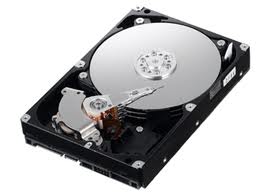
Glossary of Samsung Hard Disk Drive (Letter E, F)

Samsung Hard Disk DriveE Block
component that connects the actuator to the head/slider assemblies

ECC
Error Correction Code, detects and correct errors in a data field

Effective Seek Time
The time it takes to seek data, when all/part of the data needed is already stored in the buffer of the drive (speeds up the process)

EIDE (also ATA)
Enhanced Integrated Device Electronics, interface

Embedded Servo
Servo data that is embedded on the media. Allows the actuator to fine-tune the position of the head(s). It is a positioning signal that keeps the read/write heads positioned over the data. The advantage of an embedded servo is that the data can flow without interruptions making the drive suitable for multimedia and AV applications

ESD
Electro-static discharge

FAT
File Allocation Table

FCI
Flux Changes per Inch of data track, equals BPI

Firmware
permanent instructions and data programmed directly into the circuitry of read-only memory (cannot be erased) for controlling the operation of the computer or disk drive

Flux change
reflects the point where the direction of magnetisation reverses in order to define a binary digit (0 or 1)

Format
The arrangement of a magnetic track pattern on the media. This enables the drive to store user data, and is never altered (see also low level formatting)

Form factor
industry standard that defines the dimensions of a particular device (e.g. 5.25″, 3.5″, 2.5″)

Flying Height
the height at which the head moves over the media, a lower height, equals larger areal density

Posted in

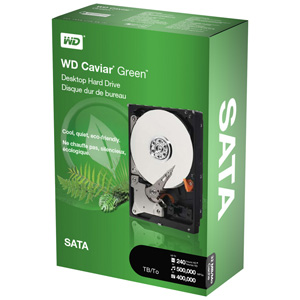
WD is now shipping the world’s largest capacity (3TB) SATA hard drive

WD 3TB Sata Hard DriveOct. 19, 2010 – WD today announced that the company is shipping the world’s largest capacity SATA hard drive. As the latest addition to its WD Caviar® Green™ family of SATA hard drives, the new hard drives deliver up to a massive 3 terabytes (TB) of storage capacity on a single drive. WD is leading the industry in capacity for SATA hard drives by utilizing 750 GB-per-platter areal density and Advanced Format (AF) technology.
WD Caviar Green drives are an eco-friendly storage solution with WD GreenPower Technology™, which reduces power consumption by enabling lower operating temperatures for increased reliability and decreases acoustical noise for quiet operation. The WD Caviar Green 2.5 TB and 3 TB hard drives are designed for use as secondary external storage and next-generation PC storage in 64-bit based systems.

Drives with capacities in excess of 2.19 TB currently present barriers for PC hardware, firmware and software. To satisfy the new set of requirements of which users must be aware to successfully integrate larger capacity drives, WD is bundling its WD Caviar Green 2.5 and 3 TB hard drives with an Advanced Host Controller Interface (AHCI)-compliant Host Bus Adapter (HBA), which will enable the operating system to use a known driver with correct support for large capacity drives. For more information on solving the 2.19 TB drive barrier, please see the WD information sheet at http://products.wdc.com/largecapacitydrives.

“WD remains a leader of hard drive capacity and low power innovation. With our WD Caviar Green drives, we enable energy-conscious customers to build systems with the highest capacities that deliver the optimal balance of system performance, ensured reliability and energy conservation, Customers will be able to take advantage of this breakthrough capacity point now for secondary external storage in legacy 32-bit systems that run on Microsoft® Vista® or Windows® 7 platforms.” said Jim Morris, executive vice president and general manager of WD’s client systems storage group.

Price and Availability
WD Caviar Green 2.5 TB hard drives (model number WD25EZRSDTL) and 3 TB hard drives (model number WD30EZRSDTL) are available now in the U.S. at select resellers and distributors. MSRP for the WD Caviar Green 2.5 TB hard drive is $189.00 USD and the 3 TB hard drive is $239.00 USD. WD Caviar Green hard drives are covered by a three-year limited warranty. More information about WD Caviar Green hard drives may be found on the company’s website at http://www.wdc.com/en/products/Products.asp?DriveID=866.

Posted in

Hard Drive File Recovery Software: Recover My Files

5 stars software to recover deleted files, perform unformat recovery and corrupt drive recovery.

Recover Hard Drive File Software: Recover My FilesPrice: $69.95 Free to try (Save-disabled)
Operating system: Windows 98/Me/2000/XP/2003/Vista/Server2008/7/NT
Version: 4.0
License: Shareware
Publisher: GetData
Homepage: http://www.recovermyfiles.com/

Recover My Files is designed specifically to allow home and business users to quickly and simply recover data. By using this tool you can easily:

  • Recover files even if emptied from the Recycle Bin;
  • Recover files after accidental format, even if you have reinstalled Windows;
  • Recover disk after a hard disk crash;
  • Get files back after a partitioning error;
  • Get files back from RAW hard drives;
  • Recover documents, photos, video music and email;
  • Recover from camera card, USB, Zip, floppy disk or other media;

Main Features:

Recover Hard Drive when:

  • a drive has been formatted;
  • a drive has been formatted and windows has been reinstalled;
  • a Windows recovery or system restore has resulted in a fresh installation of Windows and the previous user created files are missing;
  • a drive letter has gone missing;
  • the drive is recognized by your PC as RAW and not files can be read;
  • or some other problem has effected the entire contents of the drive.

Recover Hard Drive Files when:

  • individual files have been deleted and emptied from the Windows Recycle Bin;
  • files have been deleted and bypassed the Windows Recycle Bin;
  • files have been deleted by a virus, trojan or worm;
  • a file of the same name has saved over another important file;
  • files have been lost by some other unknown cause.

Recover My Files is safe, secure and reliable. It will allow you to preview the contents of documents and graphics that it locates on your computer.

Recover My Files Review:
“Recover My Files has saved my bacon on at least 3 occasions in the past. The latest being an accidental format where I still had my external usb drive plugged in and ended up formatting the wrong drive. I’ve found that if you don’t do anything else to the drive and just run this software your chances of data recovery a really good.”

Useful Links:

Posted in

Western Digital Begins Hard Drive Manufacturing in Brazil

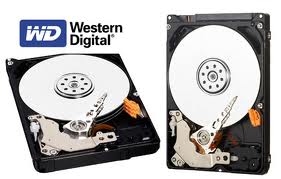
WD Hard DriveLAKE FOREST, Calif. and MANAUS, Brazil – Oct. 14, 2010 – Western Digital today announced that the company will begin hard drive manufacturing operations in Brazil, positioning the company to more effectively meet customer demand in this rapidly growing market and adding a key element to WD’s global supply chain infrastructure.

To maintain the highest levels of quality and lowest cost, WD will be partnering with local Brazilian electronics manufacturing leader Digitron to perform manufacturing operations and fulfillment services. Digitron’s high-volume notebook PC assembly and motherboard manufacturing plant in the Manaus Free Trade Zone is being utilized for WD’s products. This facility has existing infrastructure, a highly skilled workforce and a seasoned management team.

“The strategic decision to expand our global manufacturing operations into Brazil positions WD to more efficiently meet growing customer demand as we invest in the development of this key market, Continued investments in large high-growth markets like Brazil, markets with developing infrastructures, strong underlying economics and an important customer base, will further solidify WD’s industry leadership. The new operations are part of a multi-year project to strengthen and diversify WD’s manufacturing base while increasing our footprint in one of the world’s most exciting markets.” – said Tim Leyden, WD’s chief operating officer. ”

The venture is expected to produce an estimated US$175 million worth of hard drives in its first year of operation and at least 50 new jobs in the region.

“We’re extremely proud to have been selected to be a part of WD’s manufacturing strategy in the country,this allows us to utilize our local knowledge and infrastructure with access to WD’s extensive hard drive manufacturing expertise to provide high-quality, competitive products to customers.” – said Sung Un Song, chief executive officer of Digitron.

“The new operation will help WD streamline its supply chain to Brazilian OEM and distribution partners and greatly strengthen its ability to meet the explosive growth of storage demand in the country,We expect significant improvements in turnaround time and service for our customers in Brazil. Initial customer shipments are planned by the end of October.” – commented Scott Davis, WD’s vice president of worldwide channel sales.

Posted in

ESS Data Recovery

ESS Data Recovery, Inc.ESS Data Recovery, Inc. was founded in 1996 and incorporated in 1999. As one of the best data recovery companies in the world, ESS has the capacity to handle large RAID arrays, data tapes, flash media, and any brand of desktop or laptop hard drives. Their clients have included: NASA, Sprint, Lockheed Martin, Microsoft…
ESS data recovery offer 24/7 data recovery service and has four labs in Minnesota, Illinois, California, and Ontario Canada.

Edwardsville, IL (St. Louis, United States)
ESS Data Recovery, Inc.
110 North Research Drive Edwardsville, IL 62025
Phone: 1.800.237.4200

Pleasanton, CA (Bay Area, Silicon Valley, United States)
ESS Data Recovery, Inc.
1241 Quarry Lane, Suite 115 Pleasanton, CA 94566
Phone: 1.925.600.9800

Woodbury, MN (Minneapolis, Twin Cities, United States)
ESS Data Recovery, Inc.
6043 Hudson Rd., Suite 275 Woodbury, MN 55125
Phone: 1.800.237.4200

Markham, Ontario (Toronto, Canada)
ESS Data Recovery, Inc.
7300 Warden Avenue Suite 212 Markham, Ontario L3R 9Z6
Call direct: 647.723.7040

ESS Data Recovery has always offered a 100% money-back guarantee covering our entire service offering. If we do not recover the needed data from your drive (in excellent condition), there is no charge. If only a portion of the requested data is recovered, you are only charged for the percentage recovered.

Call Now: 1.800.237.4200
Website: http://www.datarecovery.com/

Posted in

Glossary of Samsung Hard Disk Drive (Letter C)

Samsung hard disk driveCache Memory
Part of the Personal Computer (area of DRAM) that transfers data between system elements with different performance characteristics (increases processing speed)

Capacity
The maximum amount of data that can be stored on a specific HDD, expressed in gigabytes (GB) / megabytes (MB)

Capacity Barriers
On certain occasions (primarily with older Personal Computers) the full capacity of the disk drives in a PC is inaccessible. This may result from a combination of Hardware, BIOS, and Operating System constraints. General solution is either to upgrade the system BIOS or install Driver software

CD-R (also CD Recordable)
A recordable compact disc that holds read only data that cannot be changed

CD-ROM
A pre-mastered compact disc that contains data thanks to an extra recording layer built into the structure of the disc. Once written, the data cannot be erased

CD-RW (CD Re-Writable)
compact disc that allows you to re-record data up to 1000 times

CHS
Cylinders, Heads and Sectors. A term used to describe the properties of hard disk drives, the CHS information for a drive is stored in the computer BIOS

Clean Room
Dust free environment, which is required when manufacturing hard drives

Closed Loop (also track following servo)
Control system, which reflects if the head is in the correct position over the track, if this isn’t the case, the actuator is instructed to adjust its position (in real time)

Component Design Life
The amount of time the drive should operate without any problems

CMOS
Complementary metal oxide semiconductor. CMOS chips are extensively used in computer systems because of their low power consumption. They can also operate over a very wide range of supply voltages. They are, however, susceptible to damage by static electricity and care is required when handling them

CPU
Central Processing Unit, the brain of all modern computers. The microprocessor chip that executes programmed instructions

Crash
breakdown in hardware/software in a system

CRC
CRCCyclic Redundancy Check; part of a sector which detects if parts of a string of data is missing within the sector. It is a method of testing that the data retrieved from a disk is without error. When data is written to disk, a special check number (CRC) is calculated, based on the data itself, and stored with it. As data comes off the disk, the CRC is re-calculated and compared with the stored CRC. The two match if no errors are present

Cylinder
The vertical position of all the heads over the (various) platter(s) on a specific track of a disk drive, forming a vertical cylinder

Posted in

Seagate Barracuda 7200.11 hard drive PCB

Buy Seagate Barracuda 7200.11 hard drive PCB(Printed Circuit Board) on HDDZone.com with low price, fast shipping and top-rated customer service! All kinds of Seagate Barracuda 7200.11 HDD PCB for your Data Recovery Needs!

Seagate Barracuda 11 PCB ST31500341AS 100530756 RVE A
Name: ST31500341AS
Board Number: 100530756 RVE A
Main Controller IC: V723A
HDD Motor Combo IC: 100369972

Seagate Barracuda 11 PCB ST3320613AS 100496208 V723A
Name: ST3320613AS
Board Number: 100496208
Main Controller IC: V723A
HDD Motor Combo IC: SH6964BD

Seagate Barracuda 11 PCB 100466824
Board Number: 100466824
Main Controller IC: TTB5501D
HDD Motor Combo IC: 100439116

Seagate Barracuda 11 PCB 100475720
Board Number: 100475720
Main Controller IC: V523C/TTB5501D
HDD Motor Combo IC: 100369972

Seagate Barracuda 11 PCB 100498535
Board Number: 100498535
Main Controller IC: LSI-B5504A/V723A
HDD Motor Combo IC: 100369972

Seagate Barracuda 11 PCB 100512588 REV A
Board Number: 100512588 REV A
Main Controller IC: 100369972
HDD Motor Combo IC: LSI 5504A

Seagate Barracuda 11 PCB ST3320613AS 100496208 lsi-B5504A
Name: ST3320613AS
Board Number: 100496208
Main Controller IC: lsi-B5504A
HDD Motor Combo IC: SH6964BD

Seagate Barracuda 11 PCB ST3500320AS 100466725
Name: ST3500320AS
Board Number: 100466725
Main Controller IC: TTB5501C
HDD Motor Combo IC: 100369972

Seagate Barracuda11 PCB 100442000 REV A
Board Number: 100442000 REV A
Main Controller IC: TTB54081AD
HDD Motor Combo IC: SH6960B

Note:

  • These are just PCB(Printed Circuit Boards), not the whole HDD(Hard Disk Drive).
  • All boards have been fully tested before shipment, no refund and exchange policy.
  • It is a buyer responsibility to know if the board is adequate for his hard drive model.
  • Hard drive failures are NOT always caused by circuit board failure. We cannot guarantee your drive to be repaired by replacing the board.

HDDZone.com: Seagate Hard Drive PCB

Posted in

Free Hard Drive Tools (Part I)

1. Hard Drive Capacity Restore Tool

License: Freeware
Author: Atola Technology
Operating System: MS Windows 2000/2003/XP
Hard Drives Supported: All hard drives
Version: 1.2

HDD Capacity Restore Tool allows you to restore factory capacity of all hard drives.
Sometimes you can use HDD Capacity Restore Tool to actually increase the capacity of a hard drive (if it was limited by the distributor; for example, Hewlett-Packard sometimes sells 80-GB hard drives but sets a 40-GB limit. You can restore the full 80-GB capacity in this case).

Download HDD Capacity Restore v1.2
Capacity restore guide

2. Partition Find and Mount

License: Freeware
Author: Atola Technology
Operating System: MS Windows 2000/2003/XP
File Systems Supported: NTFS all versions, FAT12 (floppy), FAT16, FAT32

Partition Find and Mount allows you to recover deleted partitions.
What’s special in Partition Find and Mount is that it allows you to mount lost partitions right into the system, so the operating system sees that lost partition like a good one. It also has the possibility to create and mount images of the entire hard drive or separate partitions.

Download Partition Find and Mount

3. Wipe Hard Drive Tool
License: Freeware
Author: HDDGURU.COM
Operating System: MS Windows 2000SP4/2003/XP
Hard Drives Supported: All hard drives
Version: 2.35 build 1178

HDD Wipe Tool is a freeware utility for low-level hard drive erasing.
•    Supported interfaces: S-ATA (SATA), IDE (E-IDE), SCSI, USB, FIREWIRE. Big drives (LBA-48) are supported.
•    The program also supports low-level erasing of FLASH cards using a card-reader.

HDD Wipe utility will erase and re-certify a SATA, IDE or SCSI hard disk drive with any size of up to 281 474 976 710 655 bytes. Work with USB and FIREWIRE external drive enclosures. Low-level erasing of Flash Cards is supported too.
HDD Wipe Tool will clear partitions, MBR, and every bit of user data. The data cannot be recovered after using this utility. The program utilizes Ultra-DMA transfers when possible.
WARNING: After running this free wipe tool, the whole disk surface will be fully erased. Therefore, data restoration will be impossible after using this utility!

Download HDDGURU HDD Wipe Tool ver.2.35 build 1178

4. Hard drive firmware update utility (Bootable CD ISO)
This utility, on the bootable CD, will then examine your system, detect all 2.5/1.8 inch hard drives installed, and then check the firmware revision of the drive. If required, it will prompt you to run the appropriate firmware update program for your drive.
Supported drives:
IBM DARA-2x, IBM DJSA-2x, IBM IC25NxATDA04, IBM IC25TxATDA05
IBM IC25NxATCS04, IBM IC25TxATCS05, IBM IC25NxATCS05

HITACHI DK2x7A-x, HITACHI DK2x8A-x, HITACHI DK2x9A-x
HITACHI DK23AA-x, HITACHI DK23BA-x,HITACHI DK23CA-x
HITACHI DK23DA-x, HITACHI DK23EA-x, HITACHI DK23FB-x
IBM/HITACHI IC25NxATMR04, HITACHI HTS54xM9AT, HITACHI HTS72xM9AT
HITACHI HTS42xM9AT, HITACHI HTS54xG9AT,HITACHI HTS7210xxG9AT00
HITACHI DK1xFA

TOSHIBA MKx09MAT, TOSHIBA MKx19GAX, TOSHIBA MKx26GAX
FUJITSU MHN2xAT, FUJITSU MHR2xAT, FUJITSU MHT2xAT
FUJITSU MHT2xAH

This package is compiled into an ISO format, which is compatible with CD writing software and writable to a CD-R or a CD-RW disc.
Any hard drive password must be removed prior to running this utility.

A written CD-R or CD-RW disc will be bootable. It will boot from your ThinkPad optical disc drive and run the update utility program.

Download Hard drive firmware update utility release FWHD41 (ISO image to burn a CD)

Posted in

Glossary of Samsung Hard Disk Drive (Letter B)

Bad Block/Sector
An area on the media that is damaged and thus not reliable (detected by ECC). Such areas are generally auto assigned to spare sectors

Binary
Means of storing data on media, using two digits, (i.e. 0 & 1)

Bit
Binary Digit (i.e. 0 or 1). The form in which computers process information

Block (also cluster)
A group of sectors accessed/stored as a logical unit

BIOS
(Basic Input/Output system, firmware that is permanently stored in the memory of the CPU). The BIOS ROM first performs test routines when a system is switched on. It searches for and loads the operating system from the disk and contains programs to access the system hardware

BPI
Bits per Inch, reflects Areal Density

Buffer
A part of the HDD which temporary stores data. The buffer compensates for a difference in data transfer rates and data processing rates

Byte
a number of bits, considered a unit (8 bits = 1 byte)