
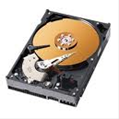
 DOS and DOS based programs like Windows 3.x and Windows 95 cannot access drives over 1024 cylinders on their own, but require third party assistance to use large hard drives. SCSI drives handle this with drivers built in to the SCSI controller, so we will limit this discussion to ATA hard drives. There are several methods used to overcome the cylinder limitation, and all of them involve translation.
A translation scheme converts information from one form to another and back again. Think of it like this: If you go to a foreign country to conduct business and you don’t speak the language, you need a translator. The translator’s job is to convert information from one party into a language the other party can understand and vice versa. Without the services of a translator, the two parties have a limited exchange of information. A smile, a nod, and a mispronounced and grammatically incorrect “How are you?” is about all that is possible.
The types of translation support are as follows:
1. An ATA (IDE) host adapter with a BIOS that provides large drive support.
2. Third party software like EZ-Drive® and DiscWizard Starter Edition.
3. A motherboard BIOS that provides large drive support. Some of the terminology is as follows:
- Logical Block Addressing (LBA)
- Large
- Extended Cylinder, Head, Sector (E-CHS)
- Sector Translation
- Sector or Track Mapping
These support features are the “language” translators that allow your operating system and hardware to speak two different “languages” and still interact successfully with one another.
All of the BIOS options, once installed, are transparent to the user. EZ-Drive and DiscWizard Starter Edition are not. In addition, there is one issue that both share — special procedures are needed to boot to a diskette when installing new software.
Dynamic Drive Overlay software like EZ-Drive and DiscWizard Starter Edition use similar techniques, at first glance, to overcome the 1024 cylinder limitation. Both programs load proprietary translation information on the boot hard drive that identifies which drive is using the program and gives the operating system access to the area of the drive over 1024 cylinders. Without this proprietary translation code loaded, the drive using EZ-Drive or DiscWizard Starter Edition is unrecognizable to the operating system. If the hard drive is using translating software, and you try to boot with an unmodified diskette in the floppy drive, the translating software does not get a chance to load, thereby rendering the hard drive unreadable. This is generally only a problem if the diskette is infected with a virus. Simply remove the diskette and reboot. The hard drive should boot normally.
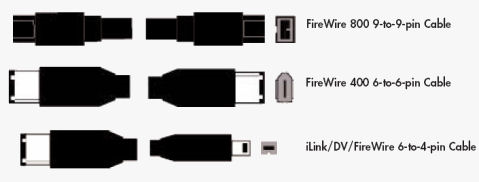

 The most commonly asked questions about the system BIOS and its relationship to hard drives. The following will provide you with basic information beginning with the definition of a BIOS, to identifying key features found in various BIOS’s. The purpose of this document is to aid you in solving minor difficulties you may be currently experiencing.
 5. Why use software for translation?
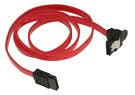 Serial ATA cables are available in many lengths up to 1 meter. Minimum cable length is 12 inches, using shorter cables can cause timing, or noise interference on the cable. The same conditions apply to cables that are too long. Though the Serial ATA specification calls out supporting cable lengths up to 1 meter or 39.37 inches, PCB traces from the cable connection to the host and drive controllers ASIC, adds length to the bus.
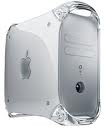 To upgrade the drive in your Macintosh computer, the first thing to consider is do you want to upgrade the internal drive or do you just want to add additional storage with an external drive?
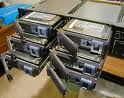 There are several items to consider when replacing a drive from a failed RAID. If you are building a new RAID, then all drives in the array should be the identical model if at all possible.
 1. ‘No ROM Basic’ Error