Articles

Data Recovery Glossary (Letter I)

IDE (Integrated Drive Electronics)
A type of drive where the interface controller electronics are incorporated into the design of the hard drive rather than as a separate controller.

Index Pulse Signal
A digital pulse signal indicating the beginning of a disk revolution. An embedded servo pattern or other prerecorded information is present on the disk following index.

Initiator
A device in control of the SCSI bus that sends commands to a target. Most SCSI devices have a fixed role as an initiator or a target; however, some devices can assume both roles.

Initialization
See low-level formatting.

Input
The incoming data that the computer processes, such as commands issued by the user.

Input/output (I/O)
An operation or device that allows input and output.

Interface
A hardware or software protocol that handles the exchange of data between the device and the computer; the most common ones are AT (also known as IDE) and SCSI. (See AT and SCSI.)

Interface controller
The chip or circuit that translates computer data and commands into a form suitable for use by the hard drive and controls the transfer of data between the buffer and the host. (See disk controller and disk drive controller.)

Interleave
The arrangement of sectors on a track.

Interrupt
A signal sent by a subsystem to the CPU that signifies a process has either completed or could not be completed.

ISA
Industry Standard Architecture. The standard 16-bit AT bus designed by IBM for the PC/AT system. ISA was the only industry standard bus for PCs until the recent release of MCA (MicroChannel Architecture), EISA (Extended Industry Standard Architecture), and PCI (Peripheral Component Interconnect).

Data Recovery Glossary (Letter I) Read More »

Swap Hard Drive PCB Board

Hard Drive PCB Board If you’ve ever installed a hard drive, you have noticed the green board on the bottom of the drive. The green board is known as the hard disk drive’s PCB (Printed Circuit Board).

What A Hard Drive PCB Does?

The PCB is more than a simple way for a hard drive to contain power; it often contains part of the firmware of a drive, which lets the hard drive know how to operate properly and how to read data from the platters. For instance, part of its function is to store information about how many heads are contained within the drive, unique adaptive, and how to access continued microcode for successful drive start-up.

This information is put onto each PCB at the factory, and is programmed to be very specific to the particular hard drive for which it’s designed. While this may sound inefficient, it’s actually the culmination of dozens of years of hard drive technology; it allows larger and larger drives to be built that are both accurate and dependable.

PCB is one of the most complex and intriguing parts of a hard drive. When hard drives fail, occasionally it’s due to a malfunction of the PCB board. Power surges can cause this type of a failure, as well as dust contamination and many other common computer problems.

Hard Drive PCB Failure Symptoms

Hard drive PCB failures usually render a drive unable to boot up. Depending on the brand and model of the drive, some PCB problems cause a hard drive’s information to display inaccurately in the BIOS.

Swapping Out a Hard Drive’s PCB

Because of this customized firmware, however, it’s not possible to switch out a PCB board in many cases; of course, this varies depending on the manufacturer of a drive. For instance, some older drives have the same basic information on two PCB boards of the same model, provided that both drives were made at about the same time, before more unique adaptive were programmed into the next line of drives. If one of the PCBs fails, there is some chance of making a recovery by simply swapping the boards of the two drives. However, hard drives have contained “customized” firmware on at least an occasional basis since they’ve become a consumer product, so the chances of a straight “board swap” working are very low. In most cases, when you swap the PCB, you should also exchange the BIOS which includes the unique information.

Recommended PCB Boards Provider:

HDDzone.com can offer all kinds of HDD PCB boards which you want. You just need to contact them and issue your detailed requirements. They will send your requires with best price in short time.

Swap Hard Drive PCB Board Read More »

Data Recovery Glossary (Letter H)

Half-Duplex
A communications protocol that permits transmission in both directions but in only one direction at a time.

Half-height Drives
Standard 3.5-inch hard drives are available in heights of 1.0-inch and 1.6-inches. Half-height drives measure 1.6-inches in height.

Hard Disk
A mass storage device that transfers data between the computer’s memory and the disk storage media. Hard disks are rotating, rigid, magnetic storage disks.

Hard Drive
An electromechanical device used for information storage and retrieval, incorporating one or more rotating disks on which data is recorded, stored and read magnetically.

Hard Drive Industry
The combined manufacturers of hard drives. In the United States, the industry is led by IBM, Maxtor, Seagate, Quantum and Western Digital.

Hard Error
An error that is repeatable every time the same area on a disk is accessed.

Hard Sectored
A technique that uses a digital signal to indicate the beginning of a sector on a track.

Head
The minute electromagnetic coil and metal pole which write and read back magnetic patterns on the disk. Also known as a read/write head. A drive with several disk surfaces or platters will have a separate head for each data surface. See also MR Head.

Head Actuator
A motor that moves the head stack assembly in a hard drive to align read/write heads with magnetic tracks on the disks.

Head Crash
Refers to the damage incurred to a read/write head when the head comes into contact with the disk surface. A head crash might be caused by severe shock, dust, fingerprints, or smoke, and can cause damage to the surface of the disk and/or the head.

Head Disk Assembly (HDA)
The mechanical components of a hard drive, including the disks, heads, spindle motor and actuator.

Head Loading Zone
An area on the disk specifically reserved for the heads to use when taking off or landing when power to the drive is turned on or off. No data storage occurs in the head loading zone.

Head Stack Assembly
The electromechanical mechanism containing read/write heads and their supporting devices.

Headerless Format
The lack of a header or ID fields (track format). This enables greater format efficiency and increased user capacity.

High-end Market
The enterprise market.

High-Level Format
A high-level format must be performed (with EZ-Drive or the Format command) on a new hard drive (in most cases) before you can use it. Formatting erases all the information on a hard drive and it sets up the file system needed for storing and retrieving files.

Host
The computer that other computers and peripherals connect to. See also initiator.

Host Adapter
A plug-in board that acts as the interface between a computer system bus and the disk drive.

Host Interface
The point at which the host and the drive are connected to each other.

Host Transfer Rate
Speed at which the host computer can transfer data across the SCSI interface; or, the speed at which the host computer can transfer data across the EIDE interface. Processor Input/Output (PIO) modes and Direct Memory Access (DMA) modes are defined in the ATA-4 industry specifications for the EIDE interface.
Data Recovery Glossary (Letter H) Read More »

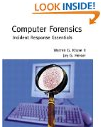
Computer Forensics: Incident Response Essentials

Computer Forensics: Incident Response Essentials

Computer Forensics: Incident Response Essentials by Warren G. Kruse, Jay G. Heiser

Details:

  • Paperback: 416 pages
  • Publisher: Addison-Wesley Professional (October 6, 2001)
  • Language: English
  • ISBN-10: 0201707195
  • ISBN-13: 978-0201707199
  • Product Dimensions: 9.1 x 7.3 x 0.9 inches
  • Shipping Weight: 1.4 pounds
  • Popular: image

Description:

Computer security is a crucial aspect of modern information management, and one of the latest buzzwords is incident response–detecting and reacting to security breaches. Computer Forensics offers information professionals a disciplined approach to implementing a comprehensive incident-response plan, with a focus on being able to detect intruders, discover what damage they did, and hopefully find out who they are.

There is little doubt that the authors are serious about cyberinvestigation. They advise companies to “treat every case like it will end up in court,” and although this sounds extreme, it is good advice. Upon detecting a malicious attack on a system, many system administrators react instinctively. This often involves fixing the problem with minimal downtime, then providing the necessary incremental security to protect against an identical attack. The authors warn that this approach often contaminates evidence and makes it difficult to track the perpetrator. This book describes how to maximize system uptime while protecting the integrity of the “crime scene.”

The bulk of Computer Forensics details the technical skills required to become an effective electronic sleuth, with an emphasis on providing a well-documented basis for a criminal investigation. The key to success is becoming a “white hat” hacker in order to combat the criminal “black hat” hackers. The message is clear: if you’re not smart enough to break into someone else’s system, you’re probably not smart enough to catch someone breaking into your system. In this vein, the authors use a number of technical examples and encourage the readers to develop expertise in Unix/Linux and Windows NT fundamentals. They also provide an overview of a number of third-party tools, many of which can be used for both tracking hackers and to probe your own systems.

The authors explain their investigative techniques via a number of real-world anecdotes. It is striking that many of the same hacks detailed in Cliff Stoll’s classic The Cuckoo’s Egg are still in use over 10 years later–both on the criminal and investigative fronts. It is up to individual companies whether or not to pursue each attempted security violation as a potential criminal case, but Computer Forensics provides a strong argument to consider doing so. –Pete Ostenson

Price:

List Price: $54.99 Price: $34.64 You Save: $20.35

Computer Forensics: Incident Response Essentials Read More »

Computer Forensics JumpStart (Jumpstart (Sybex))

  • Computer Forensics JumpStart Paperback: 304 pages
  • Publisher: Wiley (December 10, 2004)
  • Language: English
  • ISBN-10: 078214375X
  • ISBN-13: 978-0782143751
  • Product Dimensions: 8.8 x 7.5 x 0.7 inches
  • Shipping Weight: 9.6 ounces
  • Popular: 4.5 out of 5 stars

Description:

At the heart of modern corporate crime and counter-terrorism investigations, computer forensics is now the fastest growing segment of IT and law enforcement. For everyone curious about this hot field, here is an in-depth introduction to the technological, social, and political issues at hand. Sybex’s JumpStart approach is ideal for those interested in computer forensics but not yet sure what it’s all about. It offers a complete overview of the basic skills and available certifications that can help to launch a new career.

Launch Your Career in Computer Forensics—Quickly and Effectively Written by a team of computer forensics experts, Computer Forensics JumpStart provides all the core information you need to launch your career in this fast-growing field:

  • Conducting a computer forensics investigation
  • Examining the layout of a network
  • Finding hidden data
  • Capturing images
  • Identifying, collecting, and preserving computer evidence
  • Understanding encryption and examining encrypted files
  • Documenting your case
  • Evaluating common computer forensic tools
  • Presenting computer evidence in court as an expert witness

Price:

List Price: $29.99 Price: $19.79 You Save: $10.20

Computer Forensics JumpStart (Jumpstart (Sybex)) Read More »

Data Recovery Glossary (Letter F)

FAT (File Allocation Table)
A data table stored at the beginning of each partition on the disk that is used by the operating system to determine which sectors are allocated to each file and in what order.

Fdisk
A software utility used to partition a hard drive. This utility is included with DOS and Windows 95 operating systems.

Fetch
The process of retrieving data.

Fibre Channel (FC)
The general name given to an integrated set of standards being developed by an ANSI-approved X3 group. This set of standards defines new protocols for flexible information transfer. Fibre channel supports three topologies: point-to-point, arbitrated loop, and fabric.

Fibre Channel Arbitrated Loop (FC-AL)
A subset of fibre channel network systems interconnection. A serial storage interface designed to meet the needs of high-end applications.

Firmware
Permanent instructions and data programmed directly into the circuitry of read-onlymemory for controlling the operation of the computer.

Firewire
FireWire (also referred to as IEEE1394 High Performance Serial Bus) is a very fast external bus that supports data transfer rates of up to 800 Mbps. It is similar to USB. It preceded the development of USB when it was originally created in 1995 by Apple. FireWire devices can be connected and disconnected any time, even with the power on. When a new FireWire device is connected to a computer, the operating system automatically detects it and prompts for the driver disk.

FIT (Functional Integrity Testing)
A suite of tests on hard drive products to ensure compatibility with different hosts, operating systems, adapters, application programs, and peripherals. This testing must be performed before the product can be released to manufacturing.

Flow Control
In PIO transfers, the ability of an EIDE drive to control the speed at which the host transfers data to or from the drive by using the IORDY signal. The host temporarily stops transferring data whenever the drive deasserts the IORDY signal. When the drive reasserts the IORDY signal, the host continues the data transfer.

Format
A process that prepares a hard drive to store data. Low-level formatting sets up the locations of sectors so user data can be stored in them. Most hard drives are low-level formatted at the factory and therefore do not need to be low-level formatted by the end user. You need to perform a high-level format (with EZ-Drive or the Format command) on your new hard drive before you can use it. Formatting erases all the information on a hard drive and it sets up the file system needed for storing and retrieving files.

Formatted Capacity
The actual capacity available to store data in a mass storage device. The formatted capacity is the gross capacity minus the capacity taken up by the overhead data required for formatting the media.

Form Factor
The industry standard that defines the physical and external dimensions of a particular device.

Full-Duplex
A communication protocol that permits simultaneous transmission in both directions.

Data Recovery Glossary (Letter F) Read More »

Data Recovery Glossary (Letter E)

EIDE (Enhanced Integrated Drive Electronics)
The primary interface used by desktop PCs to handle communication between hard drives and the central processing unit. The equivalent interface system in most enterprise systems is SCSI.

Embedded Servo Control
The embedded servo control design generates accurate feedback information to the head position servo system without requiring a full data surface (which is required with a “dedicated” servo control method) because servo control data is stored on every surface.

Encoding
The process of modifying data patterns prior to writing them on the disk surface.

Enterprise
The series of computers employed largely in high-volume and multi-user environments such as servers or networking applications; may include single-user workstations required in demanding design, engineering and audio/visual applications.

Error Correction Code (ECC)
A mathematical algorithm that detects and corrects errors in a data field.

Error Log
A record that contains error information.

Error Rate
The number of errors of a given type that occur when reading a specified number of bits.

Extended Partition
You can create multiple partitions on a hard disk, one primary partition and one or more extended partition(s). Operating system files must reside on the primary partition. An extended partition is a partition where non-system files (files other than DOS or operating system files) can be stored on a disk. You can also create logical drives on the extended partition.

Data Recovery Glossary (Letter E) Read More »

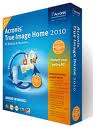
Acronis True Image Home 2010

Acronis True Image Home 2010 A perfect computer backup and hard disk recovery program that allows you to create hard disk drive images and file backups. Acronis® True Image Home 2010 helps you back up computer data and clone hard disk drives (HDD).

Acronis has stepped up its interface not only with an improved, Vista-like look, but with more-logical placement of options, a much better workflow, and much clearer language. Even the help file is friendlier. Combine the program’s nascent sociability with new features–such as One-Click backup, nonstop backup, and online backup–that are actually of use to the average customer, and 2010 is easily the best update to the program in years.

One-click backup is designed to allow less-experienced users to back up as quickly as possible. After you double-click the One-Click icon (the installation places it on your desktop), the program searches for the best location for an initial full backup and performs it. Its location choices were intelligent. With a nonpartitioned drive attached to the system, True Image created a Recovery Zone partition (Acronis’s hidden partition for disaster recovery without a boot disc). When I prepartitioned the same drive as E:, the program saved the image to E:\MyBackup. When no hard drive had enough room attached, the program detected that and started a backup using my DVD burner.

Acronis® True Image Version Comparison:

Features and technologies2010200911 Home10 Home
Acronis Online Backup (New)Yes
Acronis Nonstop Backup (New)Yes
Supports Windows 7 (New)Yes
Archive EncryptionYesYes
Zip FormatYesYes
Backup by File TypeYesYes
Contents SearchYesYes
Dual Destination BackupYesYes
File ShredderYesYesYes
Try&DecideYesYesYes
Drive CleanserYesYesYes
Backup/RestoreYesYesYesYes
Disk ImagingYesYesYesYes
Email Backup/RestoreYesYesYesYes
Acronis Secure ZoneYesYesYesYes
Store to Network Share/FTPYesYesYesYes

Acronis True Image Home 2010 Read More »

Data Recovery Glossary (Letter D)

Database
A collection of data stored on a computer system medium, such as a hard drive, CD-ROM, etc., that can be used for more than one purpose.

Data Recovery
Data recovery is the procedure used to recover data from a variety of media and operating systems that has been lost by either hardware failure, human error, software bugs, a virus or a natural disaster.

Data Synchronizer
An electronic circuit that uses a clock signal to synchronize data to facilitate interpretation.

Data Transfer Rate
The rate that digital data transfers from one point to another, expressed in bits per second or bytes per second. Data Transfer Rate to Disk: The internal disk transfer rate in Mbits per second.Data Transfer Rate from the Buffer to the Host: Based on the transfer of buffered data in MB per second.

Dedicated Landing Zone
The designated radial zone of the disk, usually at the inner portion of the disk, where the heads are stored to avoid contact with the data cylinders when power to the drive is off.

Defect Free
A term used to describe recording surfaces that have no detectable defects.

Defect Management
A general methodology of eliminating data errors on a recording surface by mapping out known defects on the media. The defective areas are rendered inaccessible, so that when information is written to the disk, it is stored to non-defective locations on the disk.

Differential SCSI
An electrical signal configuration which uses pairs of lines for data transfer. Used primarily in applications requiring long cable lengths of up to 82 feet (25 meters).

Direct Memory Access (DMA)
A process for transferring data directly to and from main memory, without passing through the CPU. DMA improves speed and efficiency by allowing the system to continue CPU processing even while it is transferring data to/from the hard drive.

Directory
A list of file names and locations of files on a disk.

Disk
A rigid platter, usually constructed of aluminum or mylar, with a magnetic surface that allows the recording of data, that is stored inside the drive.

Disk
A portion of a computer’s RAM set aside for temporarily holding information that has been read from a disk. The disk cache does not hold entire files as does a RAM disk, but information that has either been recently requested from a disk or has previously been written to a disk.

Disk Controller
The chip or circuit that controls the transfer of data between the disk and buffer. (See also disk drive controller and interface controller).

Disk Drive
The motor that actually rotates the disk, plus the read/write heads and mechanisms.

Disk Drive Controller
The hard disk drive controller electronics which include the disk controller and the interface controller. (See also disk controller and interface controller.)

Disk Operating System (DOS)
The computer program that controls the organization of data, files and processes on the computer.

Disk Transfer Rate
Speed at which data transfers to and from the disk media (actual disk platter); a function of the recording frequency. Typical units are bits per second (BPS), or bytes per second. Hard drives have an increasing range of disk transfer rates from the inner diameter to the outer diameter of the disk.

Distribution Channel
Electronics distributors and certain retail chains that deliver electronic goods to end users through value-added resellers and some retail stores.

Data Recovery Glossary (Letter D) Read More »

Windows Forensic Analysis DVD Toolkit, Second Edition

Windows Forensic Analysis DVD Toolkit, Second Edition Windows Forensic Analysis DVD Toolkit, Second Edition by Harlan Carvey.

Details:

  • Paperback: 512 pages
  • Publisher: Syngress; 2 edition (June 11, 2009)
  • Language: English
  • ISBN-10: 1597494224
  • ISBN-13: 978-1597494229
  • Product Dimensions: 9.2 x 7.5 x 1.1 inches
  • Shipping Weight: 2.0 pounds
  • Popular: 4.9 out of 5 starsDescription:

    Author Harlan Carvey has brought his best-selling book up-to-date to give you: the responder, examiner, or analyst the must-have tool kit for your job. Windows is the largest operating system on desktops and servers worldwide, which mean more intrusions, malware infections, and cybercrime happen on these systems. Windows Forensic Analysis DVD Toolkit, 2E covers both live and post-mortem response collection and analysis methodologies, addressing material that is applicable to law enforcement, the federal government, students, and consultants. The book is also accessible to system administrators, who are often the frontline when an incident occurs, but due to staffing and budget constraints do not have the necessary knowledge to respond effectively. The book’s companion DVD contains significant new and updated materials (movies, spreadsheet, code, etc.) not available any place else, because they are created and maintained by the author.

  • Best-Selling Windows Digital Forensic book completely updated in this 2nd Edition
  • Learn how to Analyze Data During Live and Post-Mortem Investigations
  • DVD Includes Custom Tools, Updated Code, Movies, and Spreadsheets!Reviews:

    “If your job requires investigating compromised Windows hosts, you must read Windows Forensic Analysis.”

    -Richard Bejtlich, Coauthor of Real Digital Forensics and Amazon.com Top 500 Book Reviewer

    The Registry Analysis chapter alone is worth the price of the book.”

    -Troy Larson, Senior Forensic Investigator of Microsoft’s IT Security Group

    “I also found that the entire book could have been written on just registry forensics. However, in order to create broad appeal, the registry section was probably shortened. You can tell Harlan has a lot more to tell.”

    -Rob Lee, Instructor and Fellow at the SANS Technology Institute, coauthor of Know Your Enemy: Learning About Security Threats, 2E

    Price:

    List Price: $69.95 Price: $47.08 You Save: $22.81

Windows Forensic Analysis DVD Toolkit, Second Edition Read More »

Scroll to Top