

SCSI controller card troubleshooting with Apple Macintosh
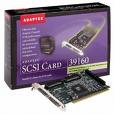
SCSI Controller Card I just installed a new hard drive, but now get intermittent lock ups on boot, error messages that I cannot read from the hard drive, or errors that show problems with the hard drive or file system. What should I explore first?

Note: This document applies to Mac OS 8.6 thru 9.x.

Some operating systems do not support all default SCSI drive features. If you are using a generic (not MAC branded) hard drive, the drive may behave erratically as it may not be optimized for the operating system. If you are seeing these symptoms, find out if SCSI Mode Page editing is supported by the SCSI controller. Disable Initiate Synchronous Negotiation and Disconnect/Reconnect if available at the SCSI controller. Also Unit Attention. Run the Media Verify option from the SCSI controller utilities, to verify data integrity on the hard drive.

These features may not be available at all SCSI controllers. Third party software may be needed to set the hard drive SCSI Mode pages for these features. You will need a SCSI Mode Page Editor tool. See your system manufacturer for SCSI tools.

Isolate the suspect drive to the only device on the controller and retest. Replace the data cable, devices, or external terminators. Verify that both ends of the SCSI bus are terminated. If the hard drive has an option for Termination Power–use it. Or confirm that the SCSI controller supports/supplies bus Termination Power. This is especially important with long cable runs or when using more than one SCSI device.

Read More

Successfully restored data from wrongly installed system to mobile hard disk

Case:When the personal customer reinstalls the system, the mobile hard disk is also inserted on the computer. The one -click installation method used during installation will automatically re -partition the mobile hard disk, and the operating system Ghost is in the mobile hard disk.The recovered files are basically unavailable, so they seek professional data to…

Read More

Computer Forensic Tool: X-way Forensics

X-Way Forensics: Integrated Computer Forensics Software

X-Way Forensics is an advanced work environment for computer forensic examiners. It provides a strong, compositive environment of forensic and analysis. It comprises all the general and specialist features known from WinHex, also it has more powerful functions:

It provides a function formidable, the synthesis evidence collection, the analysis environment, is also called the WinHex law card version

Disk cloning and imaging, even under DOS with X-Ways Replica (forensically sound)
Examining the complete directory structure inside raw (.dd) image files, even spanned over several segments
Native support for FAT, NTFS, Ext2/3/4, CDFS, UDF
Built-in interpretation of RAID 0 and RAID 5 systems and dynamic disks
Complete access to disks, RAIDs, and images more than 2 TB in size (more than 232 sectors)
Viewing and dumping physical RAM and the virtual memory of running processes
Various data recovery techniques and file carving
File header signature database, based on flexible GREP notation
Hard disk cleansing to produce forensically sterile media
Gathering slack space, free space, inter-partition space, and generic text from drives and images
File and directory catalog creation for all computer media
Easy detection of and access to NTFS alternate data streams (ADS), even where other programs fail
Mass hash calculation for files (CRC32, MD5, SHA-1, SHA-256, …)
Unlike a competing product, does not depend exclusively on MD5 (collisions in MD5)
Powerful physical and logical search capabilities for many search terms at the same time
Recursive view of all existing and deleted files in all subdirectories
Automatic coloring for the structure of FILE records in NTFS
Bookmarks/annotations
Bates-numbering files

Read More