CD Optical Storage Glossary of Computer Terms (Letter J)

JBIG
Joint Bi-level Imaging Group. A working group established to develop a standard for compressing bi-level images such as black-and-white photographs or pages of text. JBIG is a loss less compression technique.

JPEG
Joint Photographic Experts Group. A standard for compression algorithms for digitizing still photographic images. JPEG compression ratios may range from 10:1 to 80:1, but it is a continuous trade-off between image quality and speed of delivery and storage capacity. Multimedia platforms are being equipped with special boards or chips implementing JPEG compression standard based on the DCT algorithm. There are also software solutions available to accomplish JPEG compression.

Read More

Intel RAID Controller: unable to complete the firmware update

I am unable to complete the firmware update; I get a message that the
firmware is intact or the system hangs during when entering StorCon

As the BIOS on server boards and RAID controllers are updated, it is possible that some
combinations of RAID controller BIOS and server board BIOS do not work together so that
updating RAID controller firmware through the normal update process is not possible. A
firmware recovery process is described here with an override that makes it possible to force the firmware update.

To force a firmware update, complete the following steps:

a. Move the recovery jumper on the RAID card to Recovery position.

b. Download the firmware recovery utility and update code from the website, or make a
firmware recovery diskette from the CD and boot to it.

c. Choose option 2, recover firmware.

d. The system creates a RAM drive and begins copying files to it. Press <Ctrl> <C> when
you see the prompt, “press CNTL C to interrupt the recovery process”. You will be
brought to a C: prompt.

e. Type “FRU -O” to force overwriting the firmware. (Note: “O” is the letter O for Overwrite,
not the number zero)

f. Indicate agreement at the following two prompts.

g. Green text will display at the top of the screen indicating that the recovery has started.
This will be followed shortly by text that provides the version (flashing) that is being
forced. The first few digits of this text are the firmware version number followed by
digits that refer to the build number.

h. When complete, replace the jumper into the normal position and reboot.
Troubleshooting Guide

Read More

Database data recovery Meiping foot bath management software database recovery

Case:Re -installation of the computer system causes data loss Solution:Concentric data recovery engineers asked customers that they had recovered in other companies and failed to achieve fully recovery.After detecting Tongxin Data Recovery Engineers to extract and reorganize the database fragments. After 6 hours of difficult extraction and reorganization, the data was reproduced, and the customer…

Read More

Top 20 Most Popular Solid State Hard Drive on Amazon.com

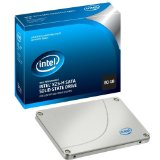
Solid State Hard Drive A solid-state hard drive (SSD) is a data storage device that uses solid-state memory to store persistent data. An SSD emulates a hard disk drive interface, thus easily replacing it in most applications. An SSD using SRAM or DRAM (instead of flash memory) is often called a RAM-drive, not to be confused with a RAM disk.

The original usage of the term solid-state (from solid-state physics) refers to the use of semiconductor devices rather than electron tubes, but in this context, has been adopted to distinguish solid-state electronics from electromechanical devices as well. With no moving parts, solid-state drives are less fragile than hard disks and are also silent (unless a cooling fan is used); as there are no mechanical delays, they usually enjoy low access time and latency.

See More: Solid-State Hard Drive

Popular Manufacturers: Intel, Super Talent, OCZ Technology

Read More