Acronis True Image WD Edition Software

Acronis True Image WD Edition Software

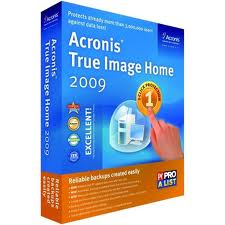
Acronis True Image WD Edition Software helps you to completely clone your current system hard drive onto your new WD hard drive. Cloning makes an exact copy of your operating system, applications, data, preferences, and email settings. Everything will be present and operate exactly as it did on your old hard drive. Acronis True Image WD Edition now supports WD Advanced Format Drives and ensures that all partitions are optimally aligned.

Acronis True Image WD Edition Software Key Features:

  • Drive Cloning – Copies the source drive to a new WD drive, leaving all data on the source drive.
  • Drive Migration – Erase the source drive after the new WD drive has been imaged.
  • Drive Image Backup – The long-term usage of the Drive Kit software will be to provide full drive image backups of a source drive at any time. Backup drive images will be stored as a file, which can be copied to any direct attached drive, network attached storage drive or optical media (CD/DVD).
  • Drive Deployment – Enables users to prepare a WD drive so that selected folders or partitions can be excluded from the destination image.
  • Drive Image Recovery – The Recovery Manager enables users to restore a drive image from a direct or network attached drive. The Recovery Manager can also either erase just a portion of the drive to be used for the restored drive image, or all of the previous OS.
  • Create a Bootable Standalone Recovery Manager – With the Drive Kit software, users can create a bootable ISO image file, which contains the WD Drive Kit Standalone Recovery Manager software.
  • Recover a Drive Image from the Bootable Recovery Manager Software – The bootable Standalone Recovery Manager enables users to recover a drive image from either a CD/DVD drive, a direct attached drive, or a network attached drive.

Related Links:

  • Download Acronis True Image WD Edition Software
  • Acronis True Image WD Edition Software User Manual
  • Acronis True Image 2010

Supported Operating Systems: Windows XP/Vista/7

Read More

APPLE PowerBook doesn’t recognize 1394 storage

Apple PowerBook My Apple PowerBook laptop suddenly stopped responding. The system freezes. When restarted, it does not recognize any FireWire devices.

Download and install the latest firewire drivers from the Apple Software Updates Web site: http://www.apple.com/swupdates. Try these troubleshooting tips as well:

  • If a PowerBook computer with a Maxtor 1394 CardBus adapter will not start up, eject the card. Start the computer again.
  • Do not allow a PowerBook computer to sleep while it is receiving digital video. The video input may not continue when the computer wakes up.
  • If a Maxtor CardBus adapter cannot be removed from the desktop, first power down the computer. Press the card eject button to remove the card.
  • If a PowerBook stops responding to commands, and there are no 1394 devices connected, 1394 system resources may not detect after a restart. If this happens, fully power down the PowerBook and restart.
  • If a PowerBook (FireWire) will not operate in Target Disk Mode, fully shut down the PowerBook and then restart.
Read More

WD Introduces 2.5-inch SATA Hard Drives for AV/DVR and Surveillance Markets

WD 2.5 Inch Sata Hard Drive For AV/DVR As demand has increased for digital video storage, including high-definition (HD) video, and as the variety of video-systems configurations increases, WD® expanded its line of hard drives for AV/DVR and surveillance applications to include small form factor, 2.5-inch SATA hard drives. WD AV-25 hard drives provide high reliability with a Mean Time Between Failure (MTBF) of 1 million hours and are engineered specifically for demanding, always-on multimedia streaming applications, while running at cool and quiet temperatures.

In addition to high reliability, WD AV-25 hard drives meet the demanding requirements of the AV/DVR and surveillance markets by offering customers universal compatibility, low power consumption and the ability to simultaneously record multiple audio and/or high-definition video streams. The new WD AV-25 hard drive is ideal for applications such as DVRs (digital video recorders), digital video surveillance and other small form factor environments where power consumption and 24×7 reliability are critical.

“Customers that market audio and video recording applications, such as DVRs, media centers and mainstream surveillance systems, often require 24×7 operation from hard drives, WD AV-25 hard drives are designed to withstand these demanding environments and offer consumers a small form factor solution that consumes less power, generates less heat, and operates quietly and, most importantly, reliably.”

– said Jim Welsh, senior vice president and general manager of WD’s branded products and consumer electronics groups.

Features of the WD AV-25 hard drive include:

  • 24×7 reliability – Designed to last in always-on streaming digital audio/video environments such as DVR/PVR, digital video surveillance and other demanding multimedia applications.
  • Advanced Format technology – Leading edge technology that delivers improved video quality and AV performance through enhanced error correction capability.
  • SilkStream™ technology – Optimized for smooth, continuous digital video playback of up to five simultaneous HD streams. SilkStream is compatible with the ATA streaming command set so AV customers can use standard streaming management and error recovery options.
  • Ultra-cool operation – A cool drive is a more reliable drive. WD continues to develop new and innovative ways to keep drives cool while they are operating.
  • Quiet – Noise levels have been minimized to less than one sone1 – virtually below the threshold of human hearing.
  • Low power consumption – The drive draws less than 2 Watts while operating and a mere 4.75 Watts during spin up.
  • 1 million hours MTTF (MTBF) – Best-in-class reliability for small form factor AV storage.2
  • Preemptive Wear Leveling (PWL) – The drive arm frequently sweeps across the disk to reduce uneven wear on the drive surface common to audio video streaming applications.

Price and Availability

The WD AV-25 hard drive is offered in capacities of 160 GB, 250 GB, 320 GB and 500 GB and has a 3-year limited warranty. The WD AV-25 160 GB, 250 GB and 320 GB hard drives are available now from select e-tailers and distributors. The WD AV-25 500 GB hard drive will be available next month. MSRP for the WD AV-25 hard drives range from $50.00 USD to $80.00 USD depending on capacity. More information about WD AV-25 drives may be found on the company’s Web site at http://www.wdc.com/en/products/Products.asp?DriveID=810

Read More

Best AntiVirus Software (10): AVG Anti-Virus & Anti-Spyware

AVG Anti-Virus & Anti-Spyware If you use your computer every day, you need protection that’s always there, constantly keeping you safe. With AVG Anti-Virus, you get hassle-free protection against today’s most sophisticated threats, online and offline. AVG Anti-Virus includes our unique LinkScanner® to prevent you from accidentally visiting harmful sites.

AVG’s new high-speed anti-virus/anti-spyware combo scanner is smarter than your average scanner. It keeps track of what’s already been scanned and found clean. Result: faster scanning that doesn’t get in your way. AVG Anti-Virus & Anti-Spyware is simply smarter security that doesn’t slow you down.

AVG Anti-Virus & Anti-Spyware Features:

  • AVG Anti-Virus & Anti-Spyware offers up-to-the-minute protection that won’t get in your way
  • LinkScanner gives you a vital extra layer of protection you won’t find in other anti-virus software
  • Surf and search the web with confidence, knowing you’re actively protected from visiting dangerous websites
  • Work and play online safely and without interruption while AVG scans and updates quietly in the background
  • Unlimited automatic updates and version upgrades for the life of your license

By: AVG Technologies Ltd

Platform: Windows 2000/XP/Vista/7

Version: 2 Year Subscription

Official Price: $39.99

Amazon.com Price: $29.99 (You saved $10)

Buy Now: Anti-Virus & Anti-Spyware – 2 Year Subscriptionon Amazon.com

Read More

Top 10 Data Recovery Softwares (7): EASEUS Data Recovery Wizard

Data Recovery Wizard Recover your lost data from various storage devices and file systems.

Price: Free to try (Recovery-disabled); $69.95 to buy
Operating system: Windows 2000/XP/Vista;
Version: 4.3.6

Publisher’s description:
EASEUS Data Recovery Wizard
is an Advanced data recovery software to do format recovery and recover deleted files emptied from Recycle Bin or lost data due to partition loss or damage, software crash, virus infection, unexpected shutdown or any other unknown reasons. It will do an amazing job when the data loss disaster strikes, especially when you want to recover data from formatted drive. Data Recovery Wizard supports hardware RAID and hard drive, USB drive, SD card, memory card, etc. It provides the comprehensive data recovery solution for computer users to recover lost data.

User Reviews:

1. I had two harddrives, a Seagate and a Western Digital. The seagate crashed, corrupting the data. The Western Digital had a run in with a virus. I was able to get back a 100% recovery of the Western Digital and near that for the seagate…

2. I had an external USB 15GB HD that got detached while in use. After I plugged it back in all it showed in Disk Manager is unalocated space. I installed Data Recovery Wizard and it found all my data immediately and allowed me to back it up.

3. my hdd suddenly crashed, so i needed to get the maximum number of files back. i tryied getdataback, stellar, easyrecovery, rstudio and even winhex. they found about 10,000+ files. the only one that was able to find 40,000+ files was easeus data recovery wizard.
i dont know about recovering partition or whatever but at file recovering, this one is a good one.it even recovered files i deleted one year ago lol (yes it’s a big hdd).
works good on vista sp1

Useful Links:

  • Web site: http://www.easeus.com
  • Free download EASEUS Data Recovery Wizard now!
  • Buy EASEUS Data Recovery Wizard online.

Publisher profile:
Chengdu Yiwo Tech Development, established on August 12th, 2004, is a professional Data Recovery, Backup and Data Security company. Ever since its foundation, Chengdu Yiwo Tech Development has provided well-received service for a host number of customers home and abroad.


Read More

EaseUS releases new Todo Backup 4.0 for exchange 2010

backup freeware,exchange 2010,easeus todo backupTodo Backup 4.0 can backup GPT disk, exchange 2010 with a brand-new interface.

Data recovery, partition manager and backup utilities provider EaseUS Software has released EaseUS Todo Backup 4.0. Exchange 2010 backup is available in this version.

The new release of EaseUS Todo Backup Central Management Console enables user to deploy backup plans to multiple clients.

EaseUS Todo Backup 4.0 is built upon EaseUS data protection technology and it can backup GPT disk and exchange 2010 with a brand-new interface.

With previous functions like one-click system backup, differential backup and backup to tape, EaseUS Todo Backup aims to achieve a comprehensive backup and recovery process, and assure that all critical information is well protected.

In addition, EaseUS Todo Backup Central Management Console helps IT administrators remotely deploy backup plans for multiple installations of widely distributed EaseUS Todo Backup clients in a LAN, saving time and cost.

EaseUS CEO Liu said EaseUS began to research central management in 2011 and it will perfect it in 2012.

“EaseUS will make your life easier in the coming year 2012. Happy New Year!” said Liu.

Read More