RAID Array & Server Glossary of Computer Terms (Letter T)

Terminator
A part used to end a SCSI bus.

Termination
A method of matching transmission impedance of a bus to eliminate signal reflections from the physical ends of the bus.

Throughput
The number of I/O requests satisfied per unit of time (usually per second).

TPC-C, Tpm-C

The Transaction Processing Performance Council (TPC) is a standards organization that measures transaction throughput of systems. One of their benchmarks is Tpm-C, which reflects price and performance metrics. TPC-C reflects new order transaction rate, a benchmark for transaction speed. Mylex products have won consistently high TPC-C results.

Transfer Rate
The rate at which data moves between the host computer and storage, input, or output devices, usually expressed as a number of characters per second.

Read More

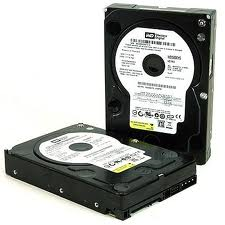
2060-001129-001 WD PCB Circuit Board

HDD Printed circuit board (PCB) with board number 2060-001129-001 is usually used on these Western Digital hard disk drives: WD200BB-75DEA0, DCM DSBACV2CH, Western Digital 20GB IDE 3.5 Hard Drive; WD300BB-75DEA0, DCM HSCHCV2CA, Western Digital 30GB IDE 3.5 Hard Drive; WD400BB-00DEA0, DCM HSBHCV2AH, Western Digital 40GB IDE 3.5 Hard Drive; WD400BB-00DEA0, DCM HSBACV2CH, Western Digital 40GB…

Read More

Difference Between WD Desktop Edition and RAID (Enterprise) Edition Hard Drives

Difference Between WD Desktop Edition and RAID (Enterprise) Edition Hard DrivesWestern Digital manufactures desktop edition hard drives and RAID Edition hard drives. Both of them are designed to work specifically as a stand-alone drive, or in a multi-drive RAID environment.

If you install and use a desktop edition hard drive connected to a RAID controller, the hard drive may not work correctly. This is caused by the normal error recovery procedure that a desktop edition hard drive uses.

When an error is found on a desktop edition hard drive, the drive will enter into a deep recovery cycle to attempt to repair the error, recover the data from the problematic area, and then reallocate a dedicated area to replace the problematic area. This process can take up to 2 minutes depending on the severity of the issue. Most RAID controllers allow a very short amount of time for a hard drive to recover from an error. If a hard drive takes too long to complete this process, the hard drive will be dropped from the RAID array. Most RAID controllers allow from 7 to 15 seconds for error recovery before dropping a hard drive from an array. So it is not recommend installing desktop edition hard drives in an enterprise environment (on a RAID controller).

Western Digital RAID edition hard drives have a feature called TLER (Time Limited Error Recovery) which stops the hard drive from entering into a deep recovery cycle. The hard drive will only spend 7 seconds to attempt to recover. This means that the hard drive will not be dropped from a RAID array. While TLER is designed for RAID environments, a drive with TLER enabled will work with no performance decrease when used in non-RAID environments.

Note: There are a few cases where the manufacturer of the RAID controller have designed their drives to work with specific model Desktop drives. If this is the case you would need to contact the manufacturer of that controller for any support on that drive while it is used in a RAID environment.


Read More

Seagate Hard Drive Families (Part I)

Seagate Hard Drive FamiliesSeagate Technology is one of the world’s largest hard drives and storage solutions manufacturer. Incorporated in 1978 as Shugart Technology, Seagate is currently incorporated in Dublin, Ireland and has its principal executive offices in Scotts Valley, California.

Barracuda® Family Hard Drives
Desktop Storage for Every Need. Whether you need low power, mainstream or extreme performance, we have a Barracuda drive for you.

  • Barracuda® XT Hard Drives
    The new Barracuda XT hard drives from Seagate deliver the industry’s first 2TB, 7200 RPM desktop drive with a massive 64MB cache and the fastest SATA interface – SATA 6G.
  • Barracuda® Hard Drives
    Barracuda hard drives from Seagate now deliver a whopping 500GB of space per disc. With capacities from 160GB to 1.5TB, affordable, reliable, high capacity drives are now available to everyone.
  • Barracuda® Green Hard Drives
    Barracuda Green drives save you time. Leading performance and Seagate SmartAlign™ technology deliver green power that won’t slow you down. Now available with SATA 6Gb/s interface and 64MB cache!

Seagate® 3.5-Inch Enterprise Hard Drives
The Seagate® 3.5-inch enterprise drive families offer the best combination of high capacities with proven enterprise reliability.

  • Cheetah® 15K Hard Drives
    High-capacity, compute-intensive requirements demanding high performance and availability.
  • Cheetah® NS 10K Hard Drives
    Mainstream data requiring high capacity, low power and high availability.
  • Constellation® ES Hard Drives
    Online data demands requiring the highest capacity, reliability and security.

FreeAgent® Desktop and Portable Drives
FreeAgent drives give you the fastest data transfer rates available and a sleek, stand-out design.

  • GoFlex™ Ultra–portable
    This ultra–versatile, ultra–portable drive makes it ultra–easy for you to store, backup and encrypt your files anytime, anywhere.
  • GoFlex™ Pro
    The GoFlex Ultra–portable drive plus the GoFlex Intelligent Dock and premium backup & encryption software.
  • FreeAgent Go™
    The ultimate portable storage solution for easy access to all your stuff.
  • GoFlex™ Desk
    The high–capacity desktop storage you need that’s easy to upgrade and easy to use.
  • FreeAgent Desk™
    A powerful yet convenient desktop storage solution.

BlackArmor® Network Attached Storage
Network storage for your small business.

  • BlackArmor® NAS 440
    Small business Network Attached Storage (NAS) solution provides optimum uptime, internal data back-up protection and data integrity for up to 50 workstations.
  • BlackArmor® NAS 420
    Small business NAS solution for up to 50 work stations. Comes with 2 hard drives preinstalled and 2 empty bays allowing for growth and scalability when you need it.
  • BlackArmor® NAS 400
    Get all of the benefits and features of the NAS 440 & 420 but without any pre-installed drives for maximum flexibility.
  • BlackArmor® NAS 220
    Entry-level small business NAS solution with internal data back-up protection for up to 20 PCs.
  • BlackArmor® NAS 110
    Desktop network storage with an easy USB interface for networks with up to 10 systems.
Read More

What is the difference between a primary and extended hard drive partition in Windows

Disk Management A hard drive can be divided into primary and extended partitions. Partitions function as physically separate storage units. This allows you to separate different types of information, such as user data on one partition and applications on another. A hard drive can contain up to four primary partitions, or up to three primary partitions and one extended partition, for a maximum of four partitions.

There can be only one extended partition on a hard disk, so you should include all remaining free space in the extended partition. Unlike primary partitions, you don’t format extended partitions or assign drive letters to them. You divide extended partitions into segments. Each segment is a logical drive. You assign a drive letter to each logical drive and format it with a file system.

For more information about Disk Management in Windows 2000 and how to use it to setup your hard drive, please see Microsoft Article 323967

For more information about Disk Management in Windows XP and Windows Vista and how to use it to setup your hard drive, please see Microsoft Article 309000

Read More