

System Recovery Procedures for NAS 4100
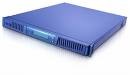
NAS 4100 Recovery Overview: The NAS 4100 comes with 4 separate hard drives. In the event of a hard drive failure you will be notified via an Email alert and/or Web UI. RAID regeneration can take up to 30 minutes depending on which drive has failed.

To check status of your NAS 4100 drives use Logical Disk Manager. To access the Disk Management utility:

    1. Open “MaxNeighborhood” and double-click on the NAS 4100 that you want to create the folder on.
    2. Login to NAS 4100 with the appropriate Administrator (or Administrator equivalent) username and password.
    3. Click on “Administer this server appliance”. Upon doing this, the NAS 4100 Home Page will appear in the Browser.NAS 4100 Recovery
    4. From the Home Page, click on the “Disks and Volumes”Link. At this point, the Disks and Volumes page will be displayed in the Browser.NAS 4100 Recovery

      NOTE: You may click on the Graphical Link OR the Java Text Link…either will suffice.

    5. Click on the “Disks and Volumes”link.NAS 4100 Recovery

      NOTE: You may click on the Graphical Link OR the Java Text Link…either will suffice.

    6. Click the “Yes”button in the VBScript: Disk Configuration Window.NAS 4100 Recovery
    7. The Windows 2000 Management Snap-In will be displayed in your browser.NAS 4100 Recovery

      The NAS 4100 hard drives are configured as; Disk 0, Disk 1, Disk 2 and Disk 3. Each one of these hard drives, if lost, exhibits slightly different behavior.

Disk Failure | Recovery Time

Disk 0 | 30 Minutes

Disk 1 | 06 Minutes

Disk 2 | 30 Minutes

Disk 3 | 15 Minutes
Read More

Harddisk Diagnostic & Harddrive repair tool: HRT 3.0

What is HRT 3.0?

HDD Repair Tool (HRT) HDD Repair Tool (short for “HRT”) is designed for HDD repair and data recovery by BVG Group.

Harddisk Supported:

  • IBM families DPTA, DJNA, DTLA5, DTLA7, AVER and AVVA.
  • IBM/HITACHI families AVV2, HDS7-VLAT (AVV3).
  • FUJITSU families MPG AT and MPG AH.
  • FUJITSU 2,5′ families MHK2xxxAT, MHL2xxxAT, MHM2xxxAT, MHN2xxxAT, MHR2xxxAT, MHS2xxxAT.
  • WESTERN DIGITAL families AA, BA, AB, BB, EB, DA, JB, и PB, on Marvell processor.
  • SAMSUNG families Voyager10, Voyager11, Voyager11+ и Victor40.
  • SEAGATE families U4, U5, U6, U7, U8, V8, U10, UX, Barracuda 2,3,4,5,7,8,9.
  • MAXTOR families Fireball3 (Ares), 541DX (Athena), 540X-4K (Romulus), DiamondMax Plus8 (N40P), DiamondMax Plus9 (Calypso), DiamondMax Plus16 (Falcon).
  • QUANTUM families LA, LB, LC, LM, AS, LD.
  • HITACHI 2,5′ families DK23xx: AA, BA, CA, DA, EA, EB, FB.
  • TOSHIBA 2,5′ families MKxxxxGAP, MKxxxxGAS, MKxxxxGAX.

HRT Data Recovery Edition

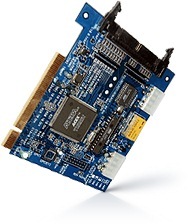
HRT Data Recovery Edition tool has been designed for recovering data from damaged hard drives. Full functionality can be achieved by using special interface, but it is possible to use the application alone without full functionality.

Main features:

1. The utility enables data copying from bad HDD to both a destination disk and image file.
2. During coping section having bad sectors can be skipped.
3. The utility enables to copy only sectors chains concerning to files which you are interested in without accessing to other sections of bad HDD.
4. In case of unstable read HDD data copying by means of statistic method is possible.
5. Data copying is based on the map. In this map only sections having data which you are interested in are marked.
6. The utility enables to stop and to start data copying. It means you can start copying from the breakpoint.
7. By any attempt of data reading from bad HDD this data will be copied to the destination.
fterwards, this data will be taken from the destination only once.
8. It is possible to copy data on every head taken separately.
9. 32-bit mode is embedded in controller card. This mode speeds up copying twice as it was.
10. Bad HDD mounting is possible in the system.
11. The utility enables to take into account offset for data sectors because of translator destroying.
12. The utility supports file systems FAT16, FAT32, NTFS (DOS/Windows), EXT2FS, HFS, HFS+ (Apple MAC).
13. You can edit partition tables manually.
14. If case of damaged references it is possible to find directories.
15. The utility functions both in complex HRT and separately. In complex the utility has got more abilities.

Related Links:

  • The complex history of HRT
  • Basic data recovery operations of HRT
  • HDD Repair Tool 1.0 for IBM
  • HRT Data Recovery Edition User Manual
Read More