August 12, 2010 – Seagate Technology and Samsung Electronics Co., Ltd., announced that they have entered into a joint development and licensing agreement.
Under the agreement, the two companies will jointly develop and cross-license related controller technologies for solid state drive (“SSD“) storage devices to attain the high levels of performance, reliability and endurance demanded by enterprise storage applications.
The joint development effort builds on the existing SSD capabilities of each company while combining Seagate’s leadership in enterprise storage technology with Samsung’s flash memory technology specific to 30 nanometer-class MLC NAND. The jointly developed controller will be utilized in Seagate’s enterprise-class SSDs.
“Seagate has long recognized that solid state technology has an important role to play in the comprehensive solutions the storage industry will deliver today and in the future, particularly in the enterprise market, today’s agreement with Samsung will help us bring a compelling set of SSD innovations to the enterprise storage market, with benefits that range from enhanced performance, endurance and reliability to cost and capacity improvements. Overall, this agreement with Samsung strengthens our SSD solutions strategy, and positions Seagate well as global demand for storage continues on its strong growth path.” – said Steve Luczo, Seagate chairman, president and CEO.
“We are pleased to be jointly developing a high-performance SSD controller with Seagate for the enterprise storage market, our green memory solution is designed to enable more energy-efficient server applications, which is expected to increase the use of NAND-based SSD storage in enterprise applications.” – said Dr. Changhyun Kim, senior vice president and Samsung Fellow, Memory product planning & application engineering, Semiconductor Business, Samsung Electronics.


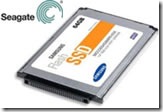 August 12, 2010 – Seagate Technology and Samsung Electronics Co., Ltd., announced that they have entered into a joint development and licensing agreement.