Firmware files that you can find on a site like this, contain a lot of files. First, there is the ‘loader’ file (*.LDR). This file is the ‘temporary’ firmware code, that’s being uploaded to the RAM (so, it’s not being written to disk). Then, there are a lot of ‘*.RPM’ files. These files represent the different modules, which can be written to the SA. The filenames consist of 8 numbers. The first 4 numbers specify the (hex) UBA and the second 4 numbers represent the hexadecimal module size in sectors (each sector normally contains 512 bytes, so for example, if a filename ends in 0002, then that module is 1024 bytes long). So, in short, after uploading the loader to RAM, the user can start replacing damaged modules by overwriting them with correct ones.BTW, please note that the term ‘firmware’ for the packages on this site is symantically not very well chosen, since these packages contain all needed modules to repair a HDD and not just the firmware (=code) module.
Anyway, if you’re looking for a specific firmware module, you can do 3 things:
1) rip the firmware modules from the SA of an identical HDD
2) get these modules from a friend (or for example, from the files section on this site)
3) use a firmware updater program from the vendor.
About this last option: firmware updates from vendors are pretty rare, since firmware code almost never needs to be replaced. However, Maxtor for example, had some problems with the firmware code on some Diamondmax HDD models. So, they issued a firmware update. This update consists of 2 files:
1) the executable file that issues the ATA ‘download microcode’ command to upload the firmware files to the HDD
2) The firmware code, consisting of the ‘main’ firmware code and ‘overlay’ code modules.
Firmware ‘overlay’ code are specific code functions. Why not just put all firmware code into one section ? Well, since the RAM in the drive is a limited resource, they’ve put some code into ‘overlay files’, so that this specific code can be swapped into RAM when that specific function is needed. When the fuction is not needed, it can be swapped out of ram and some other function can be swapped into it again.
The firmware update files from maxtor (I think the same goes for the other vendors) are not scrambled/encrypted/packed in anyway. In fact, you can find the exact same code in these files also in the ‘*.RPM’ files that PC3K produces for example.
Maxtor distributes their firmware file in a so called “.DMC” file. This DMC file is a package of 4 files, a ‘.Bxx’ file, a ‘.cxx’ file, a ‘.bbr’ file and a ‘.cbr’ file. Like I mentioned, this DMC container is not packed or scrambled in anyway. You can just cut the files out of it. The first 0x150 bytes of this file is the header. This header contains the four filenames, the offsets at which bytes in the package these files can be found, the length of the files and a checksum (not 100% sure about the checksum though). The ‘.bxx’ file is the biggest file and contains the overlay modules. You can find all code overlay modules by looking for ‘MO’ in the file. Right after this 2 byte string, you’ll find the hexadecimal overlay module ID. The ‘.bbr’ file contains the main firmware code. The last 2 files are very small, not sure what they contain, probably some checksums for the firmware and overlay modules.
Like said, the firmware code and overlay modules can also be found in the ‘*.RPM’ files of course, since this represents the firmware code on disk. So, you can look through these RPM files and scan for the ‘MO’ string to find any specific overlay module.
So, in short, if a vendor has released a firmware uploader tool (most vendors have), BUT haven’t released a firmware file for your specific drive type, you could create your firmware, if you have the dumped modules (for example, obtained from this site). You could rip the main code and overlay modules and paste them into an existing DMC package. However, since I don’t know the checksum calculation and the meaning of these .cxx and .cbr files (probably checksums), you’d have to do more research, but in theory, it would be possible to create your own firmware files and flash them with such standard Vendor program to disk, so you wouldn’t need to buy an expensive tool like PC3000 (at least not if your sole goal was to upload a new firmware).
Modern hard disks feature an area that contains information that the CPU on the HDD logic board uses to operate the drive. That area is called the “system area” SA. This area contains for example the drive ‘microcode’ (a.k.a. firmware), HDD Configuration Tables, Defect sector tables, SMART information, Security info (drive passwords etc), Disk ID info (serial nr etc) and more. These categories of information are called ‘modules’. So the SA contains a module for the firmware code, a module for the SMART info etc.The SA is stored on ‘negative cylinders’ of the HDD and therefore is not accessible by normal read commands. However, the area can be accessed with other ATA commands. An example of a (more or less) ‘standard’ ATA command that can access info on the SA is the ‘download microcode’ ATA command, which can be used to update information in the firmware code module. However, most of the commands that can be used to access the SA are vendor specific. Since vendors (obviously) don’t want users to mess around with the SA, these commands are generally not made public. However, these commands can be deduced by, for example, reverse engineering the firmware code itself.
This reverse engineering has been done and led to development of tools that can issue these (vendor specific) ATA commands and can read/write almost all sectors in the SA. One example of such tool is PC3000. A tool like this contains tables per HDD model, containing these vendor specific ATA commands and also tables with sector numbers on which the different modules are stored, also per HDD model. SA Sector numbers are counted in “UBA’s”. For example, one specific HDD might use UBA 4 to store the ‘DISK ID’ module, where another HDD model might use another sector for this module.
So in short, to create a tool that can read/write data in the SA, you need to:
A) know (and understand) the (vendor-) specific ATA commands that can be used to access this area and
B) know on which UBA sector the specific modules are stored.
If a drive has damaged data in the SA, for example in the firmware code module, it might become unusable. To repair these disks, the HDD can be switched to a so called ‘safe mode’, by setting specific jumpers on the drive. If the drive is operating in safe mode, it bypasses its own firmware. Instead, it wants the user to upload firmware to its ram. If the user uploads a correct ‘temporary’ firmware to RAM, it starts executing that firmware. If this uploaded RAM code (the ‘loader’) starts operating, the user can then start to issue ATA commands to the drive to modify the damaged modules.
Of course, you could also create your own flasher program, instead of using the one supplied by the vendor. However, since vendors use specific versions of the ‘download microcode’ ATA command, you’d have to do research into this.
Furthermore, you could create a program that does EVERYTHING that a tool like PC3000 does. However, like pointed out, you’ll need very detailed information on the vendor specific ATA commands and the structure of the SA for that specific drive type and since this info is not made public by anyone, this means a LOT of work. “But hey, the PC3000 tool features a special hardware PCI card!” Yes, but as you’ll understand by now, you can think of that card as nothing more than a copy protection. They could have perfectly created the tool without it, but I guess they would have sold quite some copies less. So you really can’t blame them for it, in fact, I think it’s quite a smart move to stop piracy.
So, in short, if you want to mess around with the SA, you have 2 options: invest a lot of time and energy into learning or simply empty your pockets and buy a tool like PC3000.


 The Aquino administration’s drive against corruption may need computer forensics to support the allegations against the Arroyo administration, a multinational risk consultancy said.
 It really depends if the motherboard on the system supports the transfer rate of the hard drive. For example, if the motherboard on the system only supports ATA 66 and the hard drive is ATA 133 the drive will downgrade the transfer rate limiting the transfer rate to ATA 66. Adding an Ultra ATA 133 PCI Adapter card will increase the performance of the drive because the drive in not limited to ATA 66 and can now operate at a ATA 133 rate. However, if you have a drive that is ATA 33 and put it on an ATA 133 PCI Adapter card, it will not increase disk performance because the drive is only capable of ATA 33.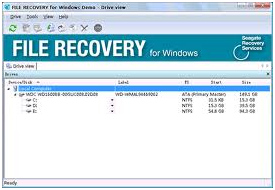
 All of our new Parallel ATA (PATA) hard drives and new Serial ATA (SATA) hard drives are optimized for performance, we do not have a utility that can quiet them down.