
Problem:
“NTLDR IS MISSING” error message encountered during Windows 2000/XP boot.
Cause:
The NTLDR is missing error can be caused by many different things. Generally, it is when a Windows 2000 or XP installation either fails or did not properly complete. This can also occur when the partition table on the drive has become corrupted.
If you are using Data Lifeguard Tools to install your drive, make sure your BIOS is setup to boot from your CD-ROM first, then the hard drive.
Resolution:
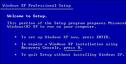
Windows 2000/XP will allow you to run the operating system installation process in order to fix a corrupted partition. There are two ways that you can boot your system to start this process:
- Boot to the floppies supplied by the operating system.
- Set your computer’s boot sequence so that you can boot from your operating system installation CD-ROM.
While performing the installation, choose to repair the partition instead of reinstalling the entire operating system. If using the operating system to repair the partition does not work, you may need to obtain specialized data recovery software.
