 What is native command queuing?
Native command queuing is arguably the most significant advancements in the Serial ATA II specification. NCQ allows the host to issue multiple commands to the device (up to 32 commands) without having to wait for the device to complete any commands. Queuing of commands allows the drive to look ahead at what data has been requested or needs to be written, thereby allowing the drive to optimize the order of the commands and maximize data throughput efficiency, providing significant performance improvement.
To enable Native Command Queuing, the Serial ATA II standard defines a method of allowing an HDD to control the order of command execution and data transfer. Using special SATA commands, READ FPDMA QUEUED or WRITE FPDMA QUEUED, the host will issue each command an identifier, or tag. The specification of Native Command Queuing allows for up to 32 tags (0 to 31). In order to avoid collisions and mishandled data, the HDD will only release a tag after the associated command is complete and the data has been returned to the host.
The concept of command queuing means that a drive does not need to return the data in the same order that the commands are requested (tags 0 to 31 can be executed in any order and data packets for those commands can be returned to the host in any order). For example, the commands may be issued in numerical order: 1, 2, 3, 4, and the data for those commands may be returned to the host in a different order: 4, 2, 1, 3 (or any other order). This allows a drive to use rotational position optimization to maximize the efficiency and overall performance of the drive.
Native command queuing FAQs:
1. What are the Native Command Queuing requirements?
In order to take full advantage of Native Command Queuing, you must have the following:
- NCQ supported hard drive
- Motherboards or PCI controllers with NCQ support
Verify NCQ support through your motherboard and host adapter manufacturer - Multi-threading software
2. What is multi-threading software?
Multi-threading is the ability of a program or an operating system process to manage its use by more than one user at a time and manage multiple requests by the same user without having to have multiple copies of the program running in the computer.
3. What are the advantages of using NCQ?
Some of the advantages of using NCQ supported hard drives are:
- Improved endurance of the hard drive due to less mechanical wear
- Higher performance when utilizing multiple command workloads
4. Will I notice a big performance increase when using a NCQ supported hard drive?
Each hard drive model will have its own product specification which you should use to determine performance. You will not see a big performance increase when using applications that do not utilize multi-threading technology. Performance increase is more noticeable when utilizing transactional workloads.
5. How do I enable NCQ?
Native Command Queuing is enabled at the firmware level of the hard drive and cannot be altered by the end user, which means you have support as long as all the other requirements are met. If all requirements are not met, NCQ will not be utilized.
6. Can I use my NCQ supported hard drive with a non NCQ supported controller or motherboard?
Yes. The NCQ supported hard drives will work just fine with non-NCQ supported controllers or motherboards. However you will not be able to take advantage of the NCQ features.
7. What Seagate model numbers support NCQ?
Since late 2004, most new SATA drive families have supported NCQ. The following Seagate model numbers drive familes support NCQ:
- Barracuda 7200.8, 7200.9, 7200.10, 7200.11 (SATA) and later
- Barracuda NL35, NL35.2, ES, ES+, ES.2 (SATA) and later
- Momentus 5400.2, 5400.3 (SATA) and later
- Momentus 7200.1, 7200.2 (SATA) and later
- Momentus 5400 PSD and later
- Momentus 5400 FDE.2 and later
The difference between Native Command Queuing & Tagged Command Queuing:
The difference between NCQ (Native Command Queuing) and TCQ (Tagged Command Queuing) for the SCSI-2 and later specification is that TCQ supports 3 modes of queuing:
Simple – specifies that the command is to be placed in the drive’s command task set (queue). If several commands are present, the drive may reorder them to increase overall throughput.
Head of queue – directs the drive to place the command at the beginning of the queue, to be executed next. Consecutive commands with Head of Queue specified are executed in last-in-first-out order. Queue is 64.
Ordered – specifies that commands in the drive’s task set are to be executed in the order received (FIFO).

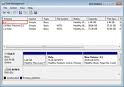 Why is my new drive recognized in the system BIOS but has no drive letter assigned to it in Windows?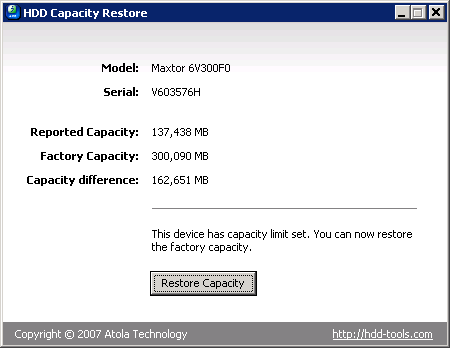
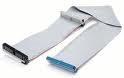 Why must I use this type of cable?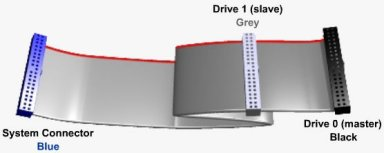
 The most popular CD Burning Softwares, detailing how to burn a disaster recovery CD from the image file saved by Retrospect.
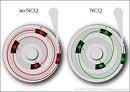 What is native command queuing?
 Blue Screen stop messages provide diagnostic information, such as Stop codes and driver names, that you can use to resolve the problem. However, this information disappears when you restart your computer. Therefore, it is important to record the information displayed for future reference.
 All of our new Parallel ATA (PATA) hard drives and new Serial ATA (SATA) hard drives are optimized for performance, we do not have a utility that can quiet them down.
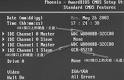 The BIOS limitation or BIOS capacity barrier is the computer’s inability to recognize hard drive capacities larger than allowed by the hard-coded programming contained in your system BIOS. For example, your system BIOS might only be capable of understanding a hard drive capacity of up to 32 GB. If you then attempt to install and auto-detect a 40 GB hard drive, the system will freeze because the BIOS is not capable of understanding the capacity reported by the hard drive. In short, that particular BIOS cannot count past 32 GB.
 To low-level format a hard drive using Drive Setup, follow these steps: