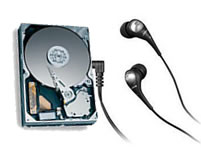
What should I do for a noisy seagate hard drive?

Hard Drive Noise All of seagate new Parallel ATA (PATA) hard drives and new Serial ATA (SATA) hard drives are optimized for performance, they do not have a utility that can quiet them down.

While modern drives are extremely quiet, every hard drive makes a certain amount of noise while running. Normally, the faster the drive motor spins, the higher pitched the resulting sound will be.

It is also normal for the hard drive to make sort of a “chattering” or “clicking” sound while it is reading and writing data.

However, if the sound coming from the area around your hard drive has recently changed or is an excessive grinding or clanking noise, this may indicate a physical problem with the hard drive.

Noise from the cooling fans in the power supply are often mistaken as hard drive noise.  To isolate whether the noise is coming from the drive or one of the fans, you can issue a “spin down” command through software.  The Seagate SeaTools for DOS diagnostic has an acoustical spin down test.

If the sound goes away, then the sound was produced by the hard drive.  If the sound remains, then the drive is not the cause of the sound.

Read More

Western Digital WD5000AADS hard drive can not recognize the opening data recovery

Case:Customer description unit’s desktop computer hard disk data cannot be accessed, we need to conduct on -site hard disk detection, judge the problem, and then finalize the data recovery plan Solution:The hard disk data recovery engineer briefly judged the user’s hard disk. The basic hard disk is the unstable magnetic head that causes the hard…

Read More

Comparison of Software RAID on Windows versus Linux

The basic idea of RAID (Redundant Arrays of Inexpensive Disks) is to combine multiple small, independent disk drives into an array of disk drives which yields performance and recoverability exceeding that of a Single Large Expensive Drive (SLED). Redundancy is also provided (unless RAID 0) which allows easy and often automatic recovery from hard disk crash. With the reduction in price of ATA and SATA drives it is often a good idea, even for desktop computers, to setup a RAID 1 system to allow you to function in the event of hard disk failures. In RAID 1 two hard disks (or portions of them) mirror each other. RAID 1 is essential for our environment. I have tested both Windows software RAID facility as well as Linux RAID capability. Linux RAID support is way superior to Windows and should by itself be the reason to switch to Linux. I have given 4 reasons to support my claim below.

Linux supports RAID on block devices. So you can setup RAID between two partitions on the same hard disk or even on two RAID 0 arrays, effectively creating RAID 10 array. Windows simply supports RAID 0 and GBOD (known as linear on Linux) only for non-server users. Linux support all RAID variants. Even Windows server doesn’t support the intermediate RAID variants.

In Linux as well as Windows you can create RAID arrays spanning machines.

In Windows you cannot install the operating system on RAID. In Linux you can even install the operating system on RAID file system. This means if one of the hard disk dies you can easily boot from the other hard disk (assuming you transferred the MBR earlier).

If you have spare hard disks, Linux will automatically configure it and add to the RAID array, should one of the RAID disks fail. This is to my knowledge not possible in Windows.

Linux RAID can be easily configured during installation. All the partitions (/, /opt and even swap) can and should be RAID enabled. Windows RAID is harder to configure and is done after installation of the OS, from disk management.

Comprehensive RAID support by itself (not to mention security) should be reason enough for SMB servers to switch to / use Linux.

Read More

Sustained Data Transfer Rates For SCSI Hard Drive

Data Transfer Rate Many factors contribute to disk drive performance. One useful measure is data throughput rate or sustained transfer rate. In general, higher data transfer rates from the disk to the computer lead to improved system performance. Data transfer rates are often quoted within the “Specifications” section of the product manuals. Yet it is important to realize that controller overhead, cable quality and termination issues (on older SCSI products) are major factors that affect sustained data transfer rates.

The following specifications are from an older SCSI hard drive. These numbers are used for example, but the same calculations apply to ATA drives. Notice that the internal data transfer rate is listed as sustained, while the external data transfer rate is listed as burst.

INTERNAL DATA TRANSFER RATE (Megabits/sec.)____194 to 340 (sustained)

EXTERNAL DATA TRANSFER RATE – Buffer to SCSI controller (Megabytes/Sec)___Ultra160/m 160 MB/Sec. (burst)

As there are 8 bits to a byte, and 8 Megabits (Mb) to a Megabyte (MB), we divide 194 Mb’s/sec. by 8 to get 24.25 Megabytes/sec. The drive should sustain a transfer rate of 24.25 MB/sec. from the drive platters to the read/write heads, even under the worst possible conditions. The lower number of the range measures data transfer from the inner diameter of the drive platters, where there are the least amount of sectors per track. The higher number of the range measures data transfer from the outer diameter of the drive platters, where the number of sectors is higher per track. Using the higher number of the range (340), the result is 42.5 MB/Sec.

We then have a data rate in Megabytes, of 24.25 to 42.5 MB/sec. Since this is an ‘internal’ data transfer rate, consider it as the raw data rate. Some of this internal rate is lost when translating to the user data rate, because this raw data includes coding overhead that adds length to the user’s data. Add a 25% allowance (more for some drives) for system overhead. In the case of this older SCSI drive, the overhead is approximately 30%. The sustained (user) data rates are actually listed at 17 to 29 MB/Sec. For drives where only the internal data rate is listed, the formula ([Internal rate in Mb/8] x .75 = Approx. data rate in MB ) is used to develop an approximate user data rate.

Most of the time you won’t be getting the lowest sustained transfer performance or the highest, so we should find an average. Using the average of the sustained transfer rates ([17+29]/2=23), you receive an expected average sustained data transfer rate of 23 Mbytes/sec.

It’s very important to realize how these numbers are presented. The internal data rate shown here is expressed in Megabits/sec, the user data rate is written in Megabytes/sec. Certainly, we can tell you, assuming your SCSI (or ATA) subsystem is configured correctly, what your expected sustained transfer rates should be. In this case, a sustained transfer rate of 17 MBytes/sec. to 29MBytes/sec. is acceptable. Your transfer rates may be higher–or lower.

If your sustained user data rates are lower than expected, this indicates a bottleneck in the system. A failing device, improper configuration, and termination issues are leading causes for poor performance. Be aware that transfer rates can be reduced by several issues–poor quality cables, improper cable routing (causes signal reflection), SCSI Single Ended devices on an LVD SCSI bus, host limitations and more.

While you might expect to see 320 MB/sec. transfer from your SCSI Ultra 320 devices, or 300 MB/sec. from a SATA drive, know that these specifications are the burst rate–what the drive’s cache memory buffer can process under the absolute perfect combination of drive, cable, and hard drive controller conditions. Even ambient temperature affects transfer rates. This is not the sustained transfer rate of the drive. It’s what the input/output subsystem is capable of handling. For hard drives, sustained transfer rates are an important benchmark. Only when combining several high-speed drives together (in a performance RAID array), does one approach ‘bus saturation’ speeds.

Read More

Database data recovery Meiping foot bath management software database recovery

Case:Re -installation of the computer system causes data loss Solution:Concentric data recovery engineers asked customers that they had recovered in other companies and failed to achieve fully recovery.After detecting Tongxin Data Recovery Engineers to extract and reorganize the database fragments. After 6 hours of difficult extraction and reorganization, the data was reproduced, and the customer…

Read More

RAID Array & Server Glossary of Computer Terms (Letter S)

SCSI
Small computer system interface (pronounced scuzzy). The fast, intelligent input/output parallel bus used by high-performance peripherals.

Software-based array
An array in which all management functions including parity calculation (XOR) are performed by the host server CPU. These products are low priced but have high CPU utilization and limited fault-tolerant features. High-performance, low-cost array adapters are quickly replacing these inferior software-based arrays.

System disk
The disk (or array) on which a system’s operating system is stored and from which it is initially loaded into system memory.

SAF-TE
SCSI Accessed Fault-Tolerant Enclosure, an “open” specification designed to provide a comprehensive standardized method to monitor and report status information on the condition of disk drives, power supplies, and cooling systems used in high availability LAN servers and storage subsystems. The specification is independent of hardware I/O cabling, operating systems, server platforms, and RAID implementation because the enclosure itself is treated as simply another device on the SCSI bus. Many other leading server, storage, and RAID controller manufacturers worldwide have endorsed the SAF-TE specification. Products compliant with the SAF-TE specification will reduce the cost of managing storage enclosures, making it easier for a LAN administrator to obtain base-level fault-tolerant alert notification and status information. All Mylex RAID controllers feature SAF-TE.

Sector
The unit in which data is physically stored and protected against errors on a fixed-block architecture disk.

Segment Size
See Cache Line Size

Sequential I/O
A type of read and write operation where entire blocks of data are accessed one after another in sequence, as opposed to randomly.

SES
SCSI Enclosure Services, a standard for SCSI access to services within an enclosure containing one or more SCSI devices. For disk drives, power supplies, cooling elements, and temperature sensors, the actions performed are the same as for SAF-TE monitoring. If a UPS is connected to any SES-monitored enclosures, and an AC failure or two minute warning is reported, conservative cache is enabled and all system drives are switched to write-through cache. Primarily used in fibre enclosures.

Session
The period of time between any two consecutive system shutdowns; system shutdown may be either a power off/on, or a hardware reset.

SMART
Self-Monitoring Analysis and Reporting Technology, the industry standard reliability prediction indicator for both the ATA/IDE (advanced technology attachment/integrated drive electronics) and SCSI hard disk drives. Hard disk drives with SMART offer early warning of some hard disk failures so critical data can be protected.

Spanning
A process that provides the ability to configure multiple drive packs or parts of multiple drive packs. In effect, spanning allows the volume used for data processing to be larger than a single drive. Spanning increases I/O speeds, however, the probability of drive failure increases as more drives are added to a drive pack. Spanned drive packs use striping for data processing. See also Striping and Drive Groups, Drive Packs.

Standard Disk Drive
This term refers to a hard disk drive with SCSI, IDE, or other interface, attached to the host system through a standard disk controller.

Standby Replacement of Disks
See also Hot Spare. One of the most important features the RAID controller provides to achieve automatic, non-stop service with a high degree of fault-tolerance. The controller automatically carries out the rebuild operation when a SCSI disk drive fails and both of the following conditions are true:

  • A “standby” SCSI disk drive of identical size is found attached to the same controller;
  • All of the system drives that are dependent on the failed disk are redundant system drives, e.g., RAID 1, RAID 3, RAID 5, and RAID 0+1.

Note: The standby rebuild will only happen on the same DAC960 controller, never across DAC960 controllers.

During the automatic rebuild process, system activity continues as normal. System performance may degrade slightly during the rebuild process.

To use the standby rebuild feature, you should always maintain a standby SCSI disk in your system. When a disk fails, the standby disk will automatically replace the failed drive and the data will be rebuilt. The system administrator can disconnect and remove the bad disk and replace it with a new disk. The administrator can then make this new disk a standby.

The standby replacement table has a limit of 8 automatic replacements in any session (from power-on/reset to the next power-off/reset). When the limit of 8 is reached and a disk failure occurs, the standby replacement will occur but will not be recorded in the replacement table.

To clear the “standby replacement” table, reboot the system from a DOS bootable floppy, run the configuration utility and select the option ‘view/update configuration’ from the main menu. A red box labeled ‘Drive Remap List’ will be displayed. Selecting the box will allow you to continue. You should save the configuration without making any changes, and exit the configuration utility. This will clear the replacement table. You may now proceed to boot your system and continue normal operations.

In normal use, the replacement table limit of 8 should not cause any problems. Assuming that a disk fails about once a year (drives we support generally come with a 5-year warranty), the system would run continuously for a minimum of 8 years before the table would need to be cleared.

Storage Device
A collective term for disks, tape transports, and other mechanisms capable of non-volatile data storage.

Stripe Order
The order in which SCSI disk drives appear within a drive group. This order must be maintained, and is critical to the controller’s ability to “rebuild” failed drives.

Stripe Size
The size, in kilobytes (1024 bytes) of a single I/O operation. A stripe of data (data residing in actual physical disk sectors, which are logically ordered first to last) is divided over all disks in the drive group.

Stripe Width
The number of striped SCSI drives within a drive group.

Striping
The storing of a sequential block of incoming data across multiple SCSI drives in a group. For example, if there are 3 SCSI drives in a group, the data will be separated into blocks. Block 1 of the data will be stored on SCSI drive 1, block 2 on SCSI drive 2, block 3 on SCSI drive 3, block 4 on SCSI drive 1, block 5 on SCSI drive 2, and so on. This storage method increases the disk system throughput by ensuring a balanced load among all drives.

Sub-System Storage
A collection of disks providing data storage space to a system user.

Read More