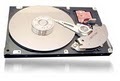
The Constellation family includes 2.5-inch nearline hard drive with lowest enterprise power consumption and record-setting 3.5-inch 7200-rpm 2TB hard drive for nearline Tier 2 enterprise applications
Seagate introduced its Constellation™ family ofnew enterprise storage solutions for Tier 2 nearline storage applications. The two new drive models, the 2.5-inch Constellation and the 3.5-inch Constellation ES hard drives, include a combination of features that enable high capacities, increased power efficiency, enterprise-class reliability, and data security. Both drives also include PowerChoice™ from Seagate, which decreases power consumption by up to 54% for record power savings in enterprise environments. John Monroe, a research vice president at Gartner said:
“The need for greater storage capacity will continue to expand in multiple directions and dimensions, but there will be an increasing scrutiny of all storage system purchases, with an eye to decreasing power consumption, footprint, and cost per GB in unprecedented ways, Performance will not be ignored, but a flexible balance of capacity, cost per GB, power and speed will become more crucial in fulfilling end-user storage demands at varied price points.”
Constellation
The Constellation 2.5-inch hard drive is offered in capacities of 160GB and 500GB with both 3 Gbps SATA and new SAS 2.0 interface running at 6Gb/s speeds. As the first SAS 2.0 nearline drive, the Constellation hard drive enables larger external storage topologies, 100% faster data throughput and higher signal strength over greater distances – dramatically increasing storage scalability. The Constellation family will begin shipping this quarter. Praveen Asthana, director of Dell Storage said:
“Dell recognizes that increased capacity and high-reliability are key to enabling further adoption of small form factor storage within the enterprise. With new capacities, small form factor drives afford customers performance and power gains within the same rack space, As an industry-leader in storage, Dell is pleased to partner with Seagate and be one of the first companies to offer the Constellation family of drives to our customers.”
Constellation ES
The 3.5-inch Constellation ES hard drive will be available in 500GB, 1TB and 2TB capacities, and with an enterprise-class SAS interface as well as a SATA version, and provides best-in-class capacity and performance. As the world’s only 7200-rpm 3.5-inch hard drive providing up to 2TB of storage, the record-setting capacity of Constellation ES hard drives are ideal for 3.5-inch based external storage architectures. With Constellation ES hard drives, customers don’t have to sacrifice performance in order to gain the highest capacities. The Constellation ES hard drive will ship in calendar Q3.
Todd Gresham, executive vice president and general manager of the Networked Storage Solutions Division for Xyratex said:
“Xyratex continues to work closely with Seagate to advance storage system innovation to meet both the performance and capacity-based market requirements, the new Constellation family of products complements Xyratex’s philosophy of delivering cost-effective enterprise-class, energy efficient storage solutions that help provide our customers the long-term investment protection they demand.”
With Seagate’s innovative PowerChoice technology, both Constellation hard drive models deliver the highest power-reduction savings ever offered in an enterprise-class HDD, and provide flexible, user-manageable options to deliver power savings without sacrificing performance, data integrity, or reliability. In addition, the Constellation family of drives are backed with field-proven, enterprise-grade reliability and rated at a full 1.2 million hours MTBF.
Delivering on Seagate’s commitment to add security features throughout its product portfolio, the Constellation family of drives are offered with optional self-encrypting drive (SED) technology and provide government-grade data security through the drive’s life cycle. SED technology makes drive retirement and disposal easy by eliminating the need for the numerous manual processes involved which are often incomplete, complex, expensive, or prone to error. For critical information that must remain secure, and because all systems are eventually retired, whether being relocated, re-purposed, or disposed of, the information on a Constellation SED hard drive remains AES-safe.
Seagate Unified Storage™ architecture delivers long-term business sustainability
Historically, the variety of drive interfaces, form factors and now, security solutions, can add complexity and increase costs for both IT professionals and OEMs. Making the wrong choice today creates storage islands in the data center with no easy path for upgrades – further complicating an already complex environment. The Seagate Unified Storage architecture converges best-of-breed technologies (Serial Attached SCSI, Small Form Factor and Self-Encrypting Drives) into a foundation for powerful yet simple storage that boosts business and operational efficiency while reducing cost and complexity.
The Seagate Unified Storage architecture delivers a storage foundation for companies that are proactively ensuring the long-term sustainability of their business through best-in-class IT practices. Companies will avoid the risk of impacting their own product quality, competitiveness, or profitability when their storage system infrastructure and data center footprint is optimized across power, cooling and performance density. Because the role of small form factor drives are important to the long-term efficiency and sustainability of any data center enterprise, Seagate will be extending this component into all tiers of its Unified Storage architecture in the future.
Sherman Black, senior vice president, Seagate Core Marketing and Strategy said:
“With tightening IT budgets, Seagate is committed to delivering enterprise-class nearline storage solutions that ensure business sustainability by optimizing resources, reducing environment, energy or social impact and satisfying customer requirements without compromising performance, these new Constellation HDDs provide business continuity in the data center by offering the highest capacities, the lowest power, and the latest in enterprise-class data integrity with SAS 2.0 and AES government-grade encryption.”
For more information about the Constellation family of drives, in addition to Seagate’s other enterprise storage solutions, visit www.seagate.com.


 1. Double-click the “Maxtor Manager” icon on your Windows Desktop. The Maxtor Manager will open.