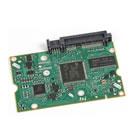
Install FreeAgent Mobile Recovery Software To Your FreeAgent Go drive

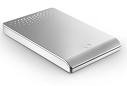
FreeAgent Go drive The following procedure will install the FreeAgent Mobile Recovery software to your FreeAgent Go drive. The FreeAgent Mobile Recovery is offered so that you can reload software to your Freeagent drive in the event that the original software becomes lost or corrupted. The procedure will return the software to its original, default state; it is recommended that you backup any/all critical data before continuing.

Procedure:

  1. Download/extract the mobile-recovery-efigs.zip to your Windows Desktop
  2. Double-click setup-mobile-recovery x.x.xx EFIGS.exe.
    Note: The “x” will be denoted by the current revision number
  3. You may see an Open File – Security Warning generated by your operating system; click Run to continue.
    Windows Vista Users – If prompted with an User Account Control window, click Continue. Otherwise, proceed to the next step.
  4. The Choose Setup Language window opens. Select your Language from the drop-down menu (e.g., English) and click OK. At this point, the FreeAgent Go Tools Setup prepares the InstallShield Wizard.
  5. From the Welcome to The InstallShield Wizard window, click Next.
  6. The Choose Destination Location window opens.
    If needed, click Change to choose a different location; select the Drive Letter associated with your FreeAgent Go drive and click OK.
  7. Click Next to continue.
  8. The Ready to Install the Program window opens. Click Install. At this point, the FreeAgent Go Tools installs to your FreeAgent Go Drive. When finished a Configuring Ceedo window opens…this may take awhile to complete.
  9. When finished, the InstallShield Wizard Complete window opens. Click Finish to close the program. Your FreeAgent Go’s software has been returned to its default original state. Please Safely Remove the drive from your computer and reconnect it to launch the AutoPlay Window.

Flash Video: Installing Mobile Recovery Software

Read More

Best Disk Image Softwares 2009

This is the list for the most popular Disk Image sharewares worldwide. And also you can find the Disk Image Freewares from another post in my blog.

1. Shareware: Acronis True Image
Version: 2009
Acronis True Image Home 2009 is an award-winning backup and recovery solution for a good reason: it protects your PC after just one click and allows you to recover from viruses, unstable software downloads, and failed hard drives. Create an exact copy of your PC and restore it from a major failure in minutes, or back up important files and recover them even faster.

2. Shareware: Drive Backup
Version: 9.0 Pro
Protect your hardware, undo software malfunctions or crashes, and safeguard your data with our latest Drive Backup 9.0 Personal Edition. This feature-rich software easily restores your system whenever disaster strikes, and optimizes storage utilization to keep your system running at top speed.

Along with reliable entire disk backup, this powerful application provides you with a new approach to file backup and enhanced recovery tools. Use its Smart Backup to free up disk space.  You can now recover/restore your PC or laptop with our handy bootable, portable rescue USB flash drive.

3. Shareware: OO DiskImage
Version: 3 Pro
Create images and restore entire systems quickly and easily. All the standard and professional features are combined into one single product. You can adjust all the functions to suit your requirements, with options that range from fully automatic to individually customized. Thanks to an improved user interface, it’s now possible to create and manage images even faster. Creating images on a regular basis is really the best way to protect your data from being lost unexpectedly – with O&O DiskImage 3 Professional Edition, you are fully equipped to face any emergency!

4. Shareware: Norton Ghost
Version: 14.0
Protects your computer with advanced backup and recovery. Full system backup (disk image)—Backs up everything on a hard drive or partition.

5. Shareware: R-Drive Image
Version: 4.4
A potent utility providing disk image files creation for backup or duplication purposes. A disk image file contains the exact, byte-by-byte copy of a hard drive, partition or logical disk and can be created with various compression levels on the fly without stopping Windows OS and therefore without interrupting your business. These drive image files can then be stored in a variety of places, including various removable media such as CD-R(W)/DVD, Iomega Zip or Jazz disks, etc.

6. Shareware: Image for Windows
Version: 2.25
An affordable, reliable drive image backup and restore solution that provides an easy and convenient way to completely backup all your hard drive’s data and operating systems. Your backups can be saved directly to external USB and FireWire™ drives, to internal or network drives, and even directly to CD or DVD. The Image for Windows package includes an easy-to-use MakeDisk wizard for creating a recovery boot disk. To restore your data and operating systems back to the way they were when the backup was created, simply boot the recovery disk and restore the partition(s) or drive(s) you need to recover. It’s that easy.

7. Shareware: Exact Image
Version: 2009
Protect your data from accidental loss and restore the whole system in case of OS crash with 7tools Exact Image 2009.

8. Shareware: DFSee
Version: 9.xx
This is a ZIP file with the latest ISO image for the bootable CDROM, plus a small program that is used to add your existing registration key to this image. Instructions to use this program and burn the CDR are included in the ZIP file as well.

The bare ISO image contains a temporary key, expiring about 60 days after release. If you have a registration, it is advised to burn the ISO to a CD after adding your own key with the supplied utility.

9. Shareware: Active@ Disk Image
Version: 3.2
Software that makes an exact copy of any PC disks (HDD,USB,CD,DVD,Blu-ray etc. . . ) and stores it into a folder. The disk images may be used for backups, PC upgrades or disk duplication purposes.


Read More

After switching master/slave roles, the drives still will not work together

After switching master/slave roles, the drives still will not work together… what else can can be done?

At this point, it is recommended that the user separate the hard drives and connect them individually to the different interface ports of the system. If the system does NOT have a Secondary IDE interface, it is recommended that the user install an Ultra ATA PCI Adapter card. By doing this, each drive would then be able to individually communicate with the system. Ultra ATA PCI cards benefit your system by adding support for large capacity drives and enhanced support for data transfer rates by Ultra ATA devices.

Read More

What Are You Lack To Be The Top Data Recovery Company?

There are lots of data recovery companies in the world. They have the best data recovery softwares, excellent engineers, first-class cleanroom, etc. However, these companies are difficult to become the top data recovery companies like Ontrack, CBL, SalvageData, etc.

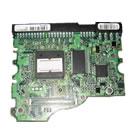
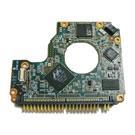
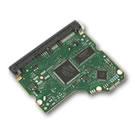
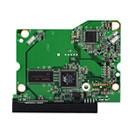
Most data recovery companies can exactly diagnose problems of the Hard Disk Drives. And definitely know how to get the data back. Sometimes the problems can be easily resolved by replacing the damaged parts, like exchange the damaged heads, exchange the damaged PCB, repair the firmware, etc. Sometimes the companies can’t finish the easy operations. Because they don’t have the matching HDD accessories in hand.

If you also encountered these problems, please don’t worry now. We can offer all of the matching HDD accessories which you want. You just need to contact us and issue your detailed requirements. We can send your required HDD accessories with best price to you in short time.

Excellent working condition PCB Logic Boards:
Maxtor, Western Digital, Seagate, IBM, Samsung, Fujitsu, Hitachi, Quantum and many more Manufacturers.

  • Usual sizes start from 10GB and up to 500GB.
  • Prices start from $8.00 for 20GB, 40GB Drives and up to $50.00 for Top of the line drives.
  • We cannot guarantee your drive to be repaired by replacing the board, but we do guarantee our boards in good working condition.
  • With your request, send us a details of your hard drive. Every info that you will provide about your drive will help us serve your needs better.
  • Min Order: 200 pieces

Please do not hesitate to contact us by Email: info@hddzone.com

Read More

Seagate7200.4500g opening data recovery

Case:Customers accidentally moved the hard disk to the ground when backup the data was backup.The customer immediately tried again that the hard disk did not respond.Customers immediately contact the company’s IT center technicians.Through inspections and attempts, the technicians were initially concluded as a physical magnetic head failure.Customers’ recommendation data recovery center through IT center personnel….

Read More