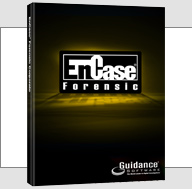
EnCase Forensic is for forensic practitioners who need to conduct efficient, forensically sounds data collection and investigations using a repeatable and defensible process. EnCase Forensic lets examiners acquire data from a wide variety of devices, unearth potential evidence with disk level forensic analysis, and craft comprehensive reports on their findings, all while maintaining the integrity of their evidence.
How EnCase® Forensic Works:
1) Obtain Forensically Sound Acquisitions
EnCase® Forensic produces an exact binary duplicate of the original drive or media, then verifies it by generating MD5 hash values for related image files and assigning CRC values to the data. These checks and balances reveal when evidence has been tampered with or altered, helping to keep all digital evidence forensically sound for use in court proceedings.
2) Save Valuable Time with Advanced Productivity Features
Examiners can preview data while drives or other media are being acquired. Once the image files are created, examiners can search and analyze multiple drives or other media simultaneously. EnCase Forensic also features a case indexer. This powerful tool builds a complete index in multiple languages, allowing for fast and easy queries. Indices can also be chained together to find keywords common to other investigations. This Unicode-supported index contains personal documents, deleted files, file system artifacts, file slack, swap files, unallocated space, emails and web pages. In addition, EnCase has extensive file system support, giving organizations the ability to analyze all types of data.
3) Customize EnCase® Forensic with EnScript® Programming
EnCase forensic features EnScript® programming capabilities. EnScript, an object-oriented
programming language similar to Java or C++, allows users create to custom programs to help
them automate time-consuming investigative tasks, such as searching and analyzing specific
document types or other labor-intensive processes and procedures. This power can be harnessed by any level of investigator by using one of Forensics tools, such as the “Case Developer” or one of the numerous built-in filters and conditions.
4) Provide Actionable Data, Report on it, and Move on to the Next Case
Once investigators have bookmarked relevant data, they can create a report suitable for
presentation in court, to management or to another legal authority. Data can also be exported in multiple file formats for review.
EnCase Forensic is trusted by corporations, law enforcement, and government. EnCase Forensic is fast, powerful, forensically sound, and proven in courts worldwide.
EnCase Forensic Related Links:
Website: http://www.guidancesoftware.com/forensic.htm
Resource: EnCase® Forensic for Law Enforcement (PDF)