Articles

Seagate Self-Encrypting Laptop Hard Drive First To Win Key U.S. Government Certification

Seagate Self-Encrypting Laptop Hard Drive Seagate’s Momentus Laptop Hard Drive Earns FIPS 140-2 Certification, Clearing Way for Deployment of Drives by All U.S. Government Agencies and Regulated Industries such as Healthcare, Defense and Finance.

September 14, 2010, seagate announced that its groundbreaking Momentus ® Self-Encrypting Drive, the world’s first laptop hard drive with built-in encryption to protect against unauthorized access to information on lost or stolen mobile computers, has secured FIPS 140-2 certification from the U.S. National Institute of Standards and Technology (NIST).

The key government certification clears the way for deployments of Momentus Self-Encrypting Drives (SEDs) by all U.S. and Canadian federal agencies, many state and local governments, and regulated industries such as healthcare, finance and defense required to use FIPS-certified gear to help protect sensitive data on PCs and computer networks. Many utility, education and transportation entities also have adopted the FIPS (Federal Information Processing Standard) 140-2 standard to lock down confidential information. Foreign governments in addition to Canada also recognize FIPS-validated products. The Momentus SED is the first hard drive with native encryption to earn the FIPS certification.

“The FIPS 140-2 certification exemplifies Seagate’s commitment to security standards that enable the widespread adoption of encrypting hard drives for laptops and other computers as the explosive growth of laptop PCs puts more sensitive personal and business information at risk, today’s NIST approval gives our system builder and end-user customers the peace of mind that Momentus ® Self-Encrypting Drives deliver the full power of government-grade security.” – said Dave Mosley, executive vice president of Sales, Marketing and Product Line Management at Seagate.

The FIPS 140-2 seal of approval comes three years after NIST, the federal agency focused on promoting product innovation by establishing technical standards for government and business, certified the Advanced Encryption Standard (AES) chip built into the Momentus drive. Seagate has shipped more than a million of its self-encrypting laptop drives since their introduction in 2006.

See Seagate’s FIPS 140-2 certificate here: http://csrc.nist.gov/groups/STM/cmvp/documents/140-1/140crt/140crt1388.pdf .

More information on NIST and FIPS 140-2 is available on the NIST website:
http://csrc.nist.gov/groups/STM/cmvp/index.html

Seagate® Momentus® hard drives deliver high capacity and performance along with innovative technology, such as self-encryption and free-fall sensors. If you require feature-rich, reliable, robust and secure laptop storage, Momentus drives are for you.

More details: Seagate’s self-encryption Momentus Laptop hard drive

Seagate Self-Encrypting Laptop Hard Drive First To Win Key U.S. Government Certification Read More »

Glossary of Western Digital Hard Disk Drive (Letter T)

TB
Terabyte. One trillion bytes (1000 GB) of data.

TCP/IP
Transmission Control Protocol/Internet Protocol. A set of protocols for communication over interconnected networks. The standard for data transmission over networks.

TCQ
Tagged command queuing. Type of command queuing in which random reads and writes are intelligently ordered to read/write to/from the nearest disk sectors. Intelligently ordered (queued) commands avoid additional revolutions of the hard drive and greatly improve performance.

TFI
Thin-film inductive. A head technology using a thin-film inductive element to read and write data bits on the magnetic surface of a disk.

thin client architecture
A computer system in which data is stored centrally, with only limited storage capacity at its various points of use.

thin film
A coating deposited on a flat surface through a photolithographic process. Thin film is used on disk platters and read/write heads, as well as on the write elements of MR heads.

TLER
Time-limited error recovery. Technology that improves error handling coordination with RAID adapters and prevents drive fallout caused by lengthy error-recovery processes.

TLS
Transport Layer Security. Successor to SSL. See also SSL.

TPI
Tracks per inch. Also known as track density. The number of tracks written within each inch of a disk surface, used to measure how closely tracks are packed on a disk surface.

track
A concentric magnetic circle pattern on a disk surface used for storing and reading data.

track-to-track seek time
The time for a read/write head to move from one track to an adjacent track.

transfer rate
The rate at which a hard drive sends and receives data from a controller. Processing, head switches, and seeks must all be included in the transfer rate to accurately portray drive performance. The burst mode transfer rate is different from the transfer rate, as it refers only to the transfer of data into RAM.

triple interface
An external storage device with three interfaces available for connection to the computer.

TuMR
Tunneling magneto resistive (TuMR) heads. Next-generation head design that provides greater signal output which translates into greater signal to noise ratio, enabling higher storage densities.

two mirror mode
Mode available when four drives are installed in a device. In this mode, two independent RAID 1 volumes are created.

Glossary of Western Digital Hard Disk Drive (Letter T) Read More »

Western Digital Data Recovery Partners (The Americas)

If you utilize the data recovery services offered by the service provider named above, Western Digital will not void the warranty associated with the disk drive you purchased from a Western Digital reseller or distributor.

Platinum Data Recovery Partners:

1. ESS Data Recovery

ESS Data Recovery Data Recovery, RAID and iPod Recovery Services

ESS provides a complete set of data recovery packages, ranging from single user desktop and notebook offerings through more advanced network storage, server and RAID system recovery packages, across multiple operating systems.

Call now at 1.800.237.4200 for more details or submit a case online.

2. DriveSavers Data Recovery

Data Recovery: All storage devices, all operating systems, all types of disk-asters

DriveSavers Data RecoveryDriveSavers has been a Western Digital preferred data recovery partner since 1998. Their superior customer service is known worldwide and they offer the fastest, most reliable and only certified secure data recovery service available today. DriveSavers is the only service provider that is SAS 70 Type II compliant, ensuring that the privacy and integrity of your data will not be compromised during the recovery process.

For a free estimate, call 800.440.1904 or visit: www.drivesavers.com/wd.

3. Ontrack® Data Recovery

Ontrack® Data Recovery Ontrack Data Recovery operates more than 30 Data Recovery offices, including 19 facilities that feature technically-advanced labs to meet every data recovery need. With offices in more than 20 countries, over 150 engineers worldwide, and support in 13 languages.

Lost data? We can help. Call 1 800 872 2599 (US & Canada)

Preferred Data Recovery Partners (The Americas)

Western Digital Data Recovery Partners Western Digital Data Recovery Partners Western Digital Data Recovery Partners

Western Digital Data Recovery Partners Western Digital Data Recovery Partners Western Digital Data Recovery Partners

Western Digital Data Recovery Partners

How to become an data recovery partner for Western Digital?

Western Digital periodically reviews and updates its data recovery partner list. In order to be considered for placement on this list, you can mail a corporate overview and fact sheet along with information on your data recovery services to the following address:

Western Digital Data Recovery Partner Program
1 Morgan
Irvine, CA 92618

Western Digital Data Recovery Partners (The Americas) Read More »

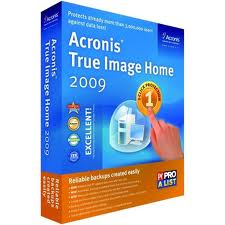
Acronis True Image WD Edition Software

Acronis True Image WD Edition Software

Acronis True Image WD Edition Software helps you to completely clone your current system hard drive onto your new WD hard drive. Cloning makes an exact copy of your operating system, applications, data, preferences, and email settings. Everything will be present and operate exactly as it did on your old hard drive. Acronis True Image WD Edition now supports WD Advanced Format Drives and ensures that all partitions are optimally aligned.

Acronis True Image WD Edition Software Key Features:

  • Drive Cloning – Copies the source drive to a new WD drive, leaving all data on the source drive.
  • Drive Migration – Erase the source drive after the new WD drive has been imaged.
  • Drive Image Backup – The long-term usage of the Drive Kit software will be to provide full drive image backups of a source drive at any time. Backup drive images will be stored as a file, which can be copied to any direct attached drive, network attached storage drive or optical media (CD/DVD).
  • Drive Deployment – Enables users to prepare a WD drive so that selected folders or partitions can be excluded from the destination image.
  • Drive Image Recovery – The Recovery Manager enables users to restore a drive image from a direct or network attached drive. The Recovery Manager can also either erase just a portion of the drive to be used for the restored drive image, or all of the previous OS.
  • Create a Bootable Standalone Recovery Manager – With the Drive Kit software, users can create a bootable ISO image file, which contains the WD Drive Kit Standalone Recovery Manager software.
  • Recover a Drive Image from the Bootable Recovery Manager Software – The bootable Standalone Recovery Manager enables users to recover a drive image from either a CD/DVD drive, a direct attached drive, or a network attached drive.

Related Links:

  • Download Acronis True Image WD Edition Software
  • Acronis True Image WD Edition Software User Manual
  • Acronis True Image 2010

Supported Operating Systems: Windows XP/Vista/7

Acronis True Image WD Edition Software Read More »

Glossary of Western Digital Hard Disk Drive (Letter S)

S.M.A.R.T.
Self-monitoring, analysis, and reporting technology. A technology to assist users in preventing system down time due to hard drive failure; it attempts to predict hard drive failure before it occurs.

Safe Shutdown™
A WD-exclusive feature that ensures all data is transferred before shutting down the drive.

SAS
Serial Attached SCSI. A point-to-point serial interface that links controllers directly to hard drives. Unlike traditional parallel SCSI, SAS allows up to 128 devices of different sizes and types to be connected simultaneously with longer, thinner cables. SAS drives can also be hot-plugged.

SATA
Serial advanced technology attachment. A standard for connecting hard drives to computer systems, based on serial signaling technology. Its practical advantages over PATA (also known as EIDE) are longer and thinner cables for more efficient airflow within a form factor, fewer pin conductors for reduced electromagnetic interference, and lower signal voltage to minimize noise margin.

SCA-2
(Single Connector Attach) interface incorporates a grounding contact, blindmate connector, direct plug misalignment tolerance, The number of errors of a given type that occur when reading a specified number of bits. Protection, hot swap capability, and backplane connector options for SCSI devices. SCA-2 is commonly called the 80-pin SCSI connector.

SCAM
SCSI configure automatically. Allows users to attach SCSI devices without worrying about configuration options.

SCSI
Small computer system interface. An interface between a computer and peripheral controllers, commonly used in enterprise computing and Macintosh systems. Pronounced scuzzy.

SCSI device
A host computer adapter, peripheral controller, or intelligent peripheral that can be attached to a SCSI bus.

sector
A 512-byte packet of data. This is the smallest amount of data that can be read from or written to a drive from a host interface.

sector slipping
A technique used to push down defective sector sites during a format or reassignment operation to maintain sequential order of the data. Spares are located throughout the disk for this purpose.

SecureConnect™
WD’s SATA cable connection system designed to provide a stable, secure attachment between a hard drive and a cable.

SecurePark™
Parks the recording heads off the disk surface during spin up, spin down and when the drive is off. This ensures the recording head never touches the disk surface resulting in improved long term reliability due to less head wear and improved shock tolerance.

seek
The movement of read/write heads to a specified location. The actuator moves heads to the cylinder containing the track and sector of stored data.

seek time
A measure (in milliseconds) of how fast a hard drive can move its read/write heads to a specific location.

sequential access
The reading or writing of data in a sequential order as opposed to random access. Magnetic tape drives store data in sequential blocks.

server
A computer used primarily to store data, providing access to shared resources. Usually contains a network operating system.

servo burst
Provides positioning information to the actuator arm, found at equal intervals on each disk surface (embedded servo) or on an entire surface (dedicated servo).

share
A folder that can be used to organize and store files on a network storage system. Shares can be shared with everyone (public) or with selected users on your network (private).

Shock Guard™
WD technology to protect the drive mechanics and delicate platter surface from shocks, both when it’s in use and when it’s not.

ShockShield™
WD packaging that provides double protection from rough handling and static damage. A protective wrapping that consists of a static protection envelope securely packed inside a plastic case.

SilkStream™
WD AV feature that provides for smooth, continuous digital video playback of multiple simultaneous hard drive streams.

single-ended SCSI
The standard electrical interface for SCSI. Single-ended means an interface with one signal and one corresponding ground line for each SCSI signal. Used primarily in applications requiring cable lengths under 19 feet (6 meters).

Slave
The secondary drive in a dual-drive configuration.

SmartPower™
Intelligent drive management system that automatically powers a device on and off with the computer.

SMB
Server Message Block. File-sharing protocol for Windows platform that allows users to access shares through My Network Places. Mac OS X or later also supports the SMB protocol.

SMTP
Simple Mail Transfer Protocol. Standard for transferring e-mail across the Internet.

soft error
An error that is not repeated when the same location is re-read.

soft reset
ATA reset type in which the drive resets the interface circuitry according to the Set Features command requirement.

soft sectored
A technique that allows a controller to determine the beginning of a sector by reading format information from a disk.

SoftSeek™
A WD algorithm used with WhisperDrive™ technology to deliver the quietest 2.5-inch hard drive on the market.

sound power
A value measured using 8-12 microphones which represents the sound level emitted from the entire hemispherical area surrounding the drive. Because sound power more closely corresponds to the sound level detected by the human ear, it is used as the industry standard for measuring hard drive acoustics.

sound pressure
A value representing the sound level emitted by a hard drive from a single point. Only one microphone is used to measure sound pressure.

spanned
Combination of drives in a linear fashion to create one large logical volume. A spanned drive is like a single, bigger drive, in that files written to the volume earlier go at the "beginning" of the volume, on the first physical drive. If one of the drives fails, all data is lost.

SPC
SCSI Primary Commands.

spindle
The center, rod-like axle on which disks are mounted.

spindle motor
A motor that rotates a spindle and ultimately the disks.

spindle speed
See RPM.

spindle synchronization
In multiple-drive systems, a feature that causes SCSI hard drives to rotate to the same address location at the same time.

SSA

SSC
Spread Spectrum Clocking. Feature that controls electromagnetic interference output in hard drives.

SSH
Secure Shell. A network protocol that uses encryption and authentication keys to enable two devices on the network to exchange data securely.

SSL
Secure Socket Layer. A protocol that provides authentication and encryption services between a web server and a web browser.

StableTrac™
The motor shaft of the hard drive is secured at both ends to reduce system-induced vibration and stabilize platters for accurate tracking during read and write operations.

storage capacity
The amount of data that can be stored on a hard drive.

streaming media
Media such as audio, video, and photos that are constantly received while being delivered by a streaming provider.

striping
The spread of data over multiple hard drives to improve performance. See also RAID 0.

structure-borne acoustics
When mounted in a digital device, the hard drive generates additional noise as a result of vibration. This type of noise, caused by the hard drive’s proximity to other system components, is referred to as structure-borne acoustics.

subsystem
A secondary or component part of a system, as a hard drive is a subsystem of a personal computer.

surface
The top or the bottom side of a platter coated with a magnetic material required to record data. A platter may use one or both surfaces to store data.

synchronous transmission
Transmission in which the sending and receiving devices operate continuously at the same frequency and are held in a desired phase relationship by a correction device.

system files
The files required to run an operating system.

system integrator
An independent professional who specifies and provides the necessary combinations of hardware and software in response to end user needs.


Glossary of Western Digital Hard Disk Drive (Letter S) Read More »

Samsung Hard Drive Format Utility

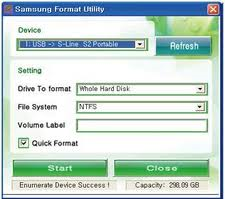
Samsung Format Utility

What is Samsung Format Utility?

The Samsung Format utility is a program specifically designed for formating Samsung External Hard Disk drives. It can be used to format the hard drive using either the FATS32 or NTFS file system.

How to use Samsung Format Utility?

1. Download the Samsung Format Utility program to you main system drive.
2. Run the executable to extract the utility to a location on your main system drive (not the external drive).
3. Ensure the Samsung External Disk Drive is attached to your system. Double click on the executable file, and follow the prompts.
 

You can refer to the Samsung Format Utility Manual for full instructions

  • Samsung_Format_Utility_V1.4
  • Samsung_Format_Utility_Manual

Caution

The Samsung Format Utility will erase all data on the external disk drive. Ensure you have backup copies of all data from the External Disk Drive before running this utility.

Samsung Hard Drive Format Utility Read More »

What is Samsung Auto Backup?

Samsung Auto Backup Samsung Auto Backup is Bundled software that performs a backup of the PC data to Samsung External Hard Drive. Through the Real-Time Backup or Scheduled Backup, the data can be backed up safely to Samsung External Hard Drive.

When the backed up data are damaged due to a system error or user’s mistake, they can be checked/recovered through the Integrity Check. Also the original data
that was stored in the PC can be conveniently recovered when damaged or lost.

※ Caution : The Samsung Auto Backup program operates only with a Samsung External Hard Drive.

What is Samsung Auto Backup? Read More »

Glossary of Western Digital Hard Disk Drive (Letter R)

radial path
A straight-line path from the center of a disk to the outer edge.

RAFF™
Rotary Acceleration Feed Forward. WD technology that maintains the highest possible data transfer performance in the high rotational vibration environments commonly found in servers and storage arrays.

RAID
Redundant array of independent disks. A grouping of hard drives in a single system to provide greater performance and data integrity.

RAID 0
RAID protocol in which data is striped across multiple hard drives, enabling the accelerated reading and recording of data by combining the work of two or more drives to increase performance. See also striping.

RAID 1
RAID protocol in which two copies of the data are instantaneously recorded – each on separate hard drives. RAID 1 ensures the protection of users’ data because in the event that one of the hard drives fails, the other hard drive(s) will continue to read and write data until the faulty hard drive is replaced and rebuilt to once again safely mirror the data. See also mirroring.

RAID 5
For systems with three or more drives, RAID 5 offers fast performance by striping data across all drives; data protection by dedicating a quarter of each drive to fault tolerance leaving three quarters of the system capacity available for data storage.

RAM
Random access memory. Memory that allows any storage location to be accessed randomly.

Ramp Load/Unload (LUL)
Ramp load parks the recording head off the media when the drive is idle and on spin up, maximizing available disk space and minimizing power usage, which results in lower heat and long-term drive reliability.

RE
RAID edition. A WD drive engineered to thrive in a high-intensity RAID system while still offering traditional desktop value.

read channel
The channel that performs data encoding and conversion that a drive requires to write computer generated information onto a magnetic medium and read back that information with a high degree of accuracy.

read verify
A data accuracy check performed by having a disk read data from a controller, which in turn checks for errors but does not pass data to the system.

read/write head
See head.

recoverable error
A read error that can be corrected by ECC or by re-reading data.

RLL
Run length limited. An encoding scheme used during write operations to facilitate reading that data.

RoHS
Restriction of Hazardous Substances. This compliance Directive 2002/95/EC of the European Parliament, which is effective in the EU beginning July 1, 2006, aims to protect human health and the environment by restricting the use of certain hazardous substances such as lead, mercury, hexavalent chromium, cadmium, polybrominated biphenyl flame retardants, and polybrominated diphenyl ether flame retardants in new equipment.

ROM
Read-only memory. An integrated circuit memory chip containing programs and data that the computer or host can read but cannot modify. A computer can read instructions from ROM but cannot store data in ROM.

rotational latency
The amount of delay in obtaining information from a disk due to disk rotation. For a disk rotating at 5400 RPM, the average rotational latency is 5.5 milliseconds. See also mechanical latency.

RPM
Rotations per minute. Also known as spindle speed. Rotational speed of a medium (disk). Hard drives typically spin at a constant speed. The lower the RPM, the higher the mechanical latency. Disk RPM is a critical component of drive performance, as it directly affects rotational latency.

RPS™
Reduced power spinup. The WD-optimized spinup feature specifically designed for the external hard drive and consumer electronics markets.

Glossary of Western Digital Hard Disk Drive (Letter R) Read More »

Glossary of Western Digital Hard Disk Drive (Letter O,P,Q)

Western Digital Hard Drive Glossary OEM
Original equipment manufacturer. In the case of WD, OEM customers are companies such as Dell and HP.

operating system
Software that allows users and programs installed on your system to communicate with computer hardware such as a hard drive.

partition
A logical division on a hard drive that the operating system treats as a separate hard drive. Each partition is assigned a unique drive letter.

passive termination
A termination architecture that matches impedance at the end of the SCSI bus by using a voltage divider network of passive resistors.

PATA
Parallel Advanced Technology Attachment. A technology in which interface controller electronics are incorporated into the design of the hard drive rather than into a separate controller. Also known as IDE.

PC
Personal computer.

PIO
Programmed I/O. In a hard drive with an AT interface, data transfers between a drive and a host using programmed I/O (PIO). A host uses PIO to write to command block registers (CBRs) when transmitting control information, such as the location of a read command.

platform
A basic design from which a series of products is engineered and produced.

platter
A metal (or other rigid material) disk mounted inside a fixed-disk drive. Many drives consist of multiple platters mounted on the spindle to provide more data storage surfaces. A platter may use one or both surfaces to store data.

PMR
Perpendicular Magnetic Recording. Hard drive recording method in which the magnetization of each data bit is aligned vertically to the spinning disk. PMR provides the ability to store more data on a given disk than the longitudinal recording method, enabling the manufacture of hard drives with higher capacities.

port
A specialized outlet on a device for connecting to other devices using a cable or a plug. Ethernet ports, power ports, and USB ports are examples. Also a connection or socket on the motherboard or controller card. A motherboard may have one or two ports (primary and secondary).

Preemptive Wear Leveling (PWL)
Mechanical feature in which the drive arm frequently sweeps across the disk to reduce uneven wear on the drive surface common to audio video streaming applications.

pre-fetch
The process of loading instructions into a queue when the processor’s external bus is otherwise idle.

primary partition
The partition where operating system files are stored. To start your operating system from a hard disk, it must have a primary partition and the primary partition must be active.

PRML
Partial response maximum likelihood. A read channel that uses sampled data, active equalization, and Viterbi detection to retrieve user data accurately from disk.

programmed I/O
In a hard drive with an AT interface, data transfers between a drive and a host using programmed I/O (PIO). A host uses PIO to write to command block registers (CBRs) when transmitting control information, such as the location of a read command.

protocol
A convention of data transmission that defines timing, control format, and data representation.

proximity recording
A technology that increases recording density by allowing a read/write head to come into close proximity to a disk surface.

PUIS
Power-up in Standby. Feature set that allows devices to be powered-up into the Standby power management state to minimize inrush current at power-up and to allow the host to sequence the spin-up of devices.

PVR
Personal video recorder.

PWL
Preemptive wear leveling. Mechanical feature in which the drive arm frequently sweeps across the disk to reduce uneven wear on the drive surface common to audio video streaming applications.

queue
A first-in-first-out (FIFO) data structure to sequence multiple demands for a resource such as a printer, processor, or communication channel. A host appends objects to the end of a queue and removes them from the front.

quota
Maximum storage capacity assigned by the administrator to each user on a computer network.

Glossary of Western Digital Hard Disk Drive (Letter O,P,Q) Read More »

Hard Drive PCB Replacement

Hard Drive PCB Recovery data from dead hard drives which do note that disassembling a hard drive is not recommended and can result to permanent data loss and further damage to your drive.  If your data is business critical, please seek professional help.

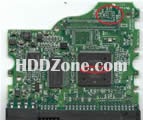
The green board on the bottom of the hard drive is known as Hard Drive Printed Circuit Board (HDD PCB).  The main function of the PCB is to supply power to the hard drive, maintain speed and rotation of the spindle, and control all internal operations through its firmware.  Essentially, PCB is the brains of the hard drive that all components are heavily dependent upon.  Hard drives that do not spin up after the power has been supplied can be diagnosed as PCB failure.

First, we should find the matching PCB:

Western Digital – same board number which is etched on the PCB, begin with 2060-
Seagate – same board number which is etched on the PCB, begin with 100…; If you can’t find the number on the PCB(Old Models), you should find the same Main Controller IC
Maxtor – same Main Controller IC
Hitachi – same information on the small white label.
Samsung – same board number which is etched on the PCB, begin with BF41-

Remove the PCB from both hard drives with star screwdriver. Replace the fautly PCB with replacement one. If you HDD spins up, but can’t be recognized, you should also exchange the BIOS on the PCB.

You should know the hard drive failures are not always caused by PCB failure. Swap PCB can not guaranteed to fix your hard drive.

Article by HDDZone.comSecond hand hard disk drive PCB supplier!

Hard Drive PCB Replacement Read More »

Scroll to Top