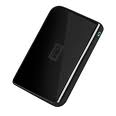
WD Introduced its New My Book and My Passport External Hard Drives with USB 3.0 Connectivity

Oct. 5, 2010 – WD today introduced its new My Passport® Essential™ portable hard drive, My Passport® Essential™ SE portable hard drive, and My Book® Essential external hard drive. All three drive families come in a variety of capacities and offer lightning-fast USB 3.0 connectivity. Highest industry capacity is another key feature for the My Book Essential drive, which is now available in 3 TB capacity, in addition to 1 and 2 TB capacities. Equipped with WD SmartWare™ visual backup software for automatic, continuous backup, these drives provide users the extra space they need to store or back up all of their digital memories, such as high-resolution photos and videos, along with music and other critical files, all in one place.

The drives not only take advantage of the latest blazing-fast USB 3.0 technology, but are also fully compatible with USB 2.0 connections for those who have yet to upgrade their computers to USB 3.0. When connected to a SuperSpeed USB 3.0 port, consumers can transfer data at speeds up to 5 Gb/s. At that rate, a two-hour HD video will transfer in as little as three minutes. The same two-hour video would take approximately 13 minutes to transfer on a USB 2.0 port.

My Passport Essential, still WD’s smallest portable drive, is available in a 500 GB capacity and comes in five fun colors – Midnight Black, Cool Silver, Real Red, Pacific Blue and Arctic White (Arctic White only available in EMEA and APAC). My Passport Essential SE portable hard drives are available in 750 GB and 1 TB capacities and come in stylish black, silver, metallic blue and metallic red colors. The pocket-sized My Passport portable hard drives are powered directly through the USB cable; no separate power supply is needed.

My Book Essential, the world’s number-one selling hard drive, also impresses with its small footprint, sleek design and high-capacity storage ranging from 1 TB up to a massive 3 TB3. The drive is compatible with both USB 2.0 and USB 3.0 ports, and uses WD SmartWare visual backup software.

“With more and more devices like the iPod touch®, iPhone®4 and other smartphones adding video-capable cameras, digital video is becoming ubiquitous. Most homes already have thousands of photos and music files, increasing the need for storage around the house. Having the extra capacity to store these files and move them around quickly is becoming a big issue for many consumers around the world, WD’s newest line of My Book and My Passport external hard drives features the latest USB 3.0 connection technology, which more than triples the speed to transfer media files, but still works with today’s USB 2.0 ports. In addition, consumers can take advantage of the highest capacity available on external hard drives with the new 3 TB My Book Essential drive.” – said Dale Pistilli, vice president of marketing for WD’s branded products group.

Features:
My Book Essential external hard drives, My Passport Essential and My Passport Essential SE portable hard drives feature:

  • Dual USB 3.0 and USB 2.0 interfaces;
  • Up to 3x faster transfer rates when compared to USB 2.0;
  • WD SmartWare software for automatic, continuous backup;
  • Password protection for privacy; and,
  • Planet-friendly packaging from recycled materials which can, in turn, also be recycled.

Capacity and Compatibility:
The My Passport Essential portable hard drive is available in 500 GB capacity. The My Passport Essential SE portable hard drive is available in 750 GB and 1 TB capacities. The My Book Essential external hard drive is available in 1 TB, 1.5 TB, 2 TB and 3 TB capacities. The drives are formatted NTFS for Windows® XP, Windows Vista®, or Windows 7. These drives require reformatting for Mac® OS® X Leopard® or Snow Leopard®.

Price and Availability
My Passport Essential portable hard drives and My Book Essential external hard drives offer a 2-year limited warranty in the U.S. and are now available at select U.S. retailers and online at wdstore.com.

MSRP for My Passport Essential portable is $99.99 USD. MSRP for My Passport Essential SE drives range from $129.99 USD to $169.99 USD. MSRP for My Book Essential drives range from $129.99 USD to $249.99 USD.

Read More

2060-001092-007 WD PCB Circuit Board

HDD Printed circuit board (PCB) with board number 2060-001092-007 is usually used on these Western Digital hard disk drives: WD400BB-53CAA0, DCM DSEHNA2CH, Western Digital 40GB IDE 3.5 Hard Drive; WD800BB-00CAA1, DCM DSEHNA2CA, Western Digital 80GB IDE 3.5 Hard Drive; WD800BB-75CAA0, DCM HSEHNA2AH, Western Digital 80GB IDE 3.5 Hard Drive; WD600AB-22CBA1, DCM DSEHCV2CA, Western Digital 60GB…

Read More

Tips For Choosing Hard Drive Backup Software

Hard Drive Backup Software Hard drives fail. Operating systems crash. And then there are all those spammers and hackers. As a computer user, you need backup software. Backup software is a kind of insurance policy for your important data. If you back up your files on a regular basis, you won’t have to worry about losing all of your hard work and precious data if your hard drive fails.

Data backup is more critical than ever before, especially for small businesses where data losses can damage the bottom line. The best backup software is both reliable and customizable, allowing you to customize and automate the data backup process.

Before You Buy Hard Drive Backup Software

1. Match the Software
Different users (home user, home office, small business, large business) have different needs. Backup software that’s a perfect fit for one user may be totally wrong for another. If it’s too difficult to use, you’ll find too many reasons not to use it.

Businesses may need to back up data from multiple operating systems, and from users and computers that are spread across a number of locations. Home and home office users usually only have one or a few computers to worry about, so they can choose backup software that has a fairly straightforward set of features.

2. Try It Before You Buy It
Many software developers offer trial versions of their software. In many cases, these are fully-functioning versions of the software that stop working after a specified period of time, usually 15 to 30 days.

When you find a program that sounds interesting, download the demo and put it through its paces. You should be able to install the program easily, create a simple backup, and restore from the backup, without spending a lot of time reading manuals or help files. Don’t overlook the manual or help files, though; they explain important features, such as backup types, schedules, compression, and restoration.

3. Backup Media
The three most popular types of backup media for home and home office users are hard drives, optical media (such as CDs or DVDs), and online file storage services. Hard drives have fallen so much in price in recent years that they have become both the easiest and the most economical method of storage.

Online file storage is an attractive option, because you can access your files from anywhere. But it can take a long time to back up data to or restore data from a remote location, and most services charge a monthly fee. In addition, you never know whether the service might suddenly go out of business.

4. Backup Types: Full and Incremental
The first time you back up your data you perform a full backup. Full backups can take a long time to perform, because of the amount of data being backed up.

Incremental backups only back up the data that is new or has changed since the last time you performed a backup of the same data. Incremental backups are faster to perform, but can be slower when it comes time to restore files, because you may need to restore the full backup and all subsequent incremental backups, before you get to the data you need. For this reason, it’s a good idea to perform a new, full backup once a week, and incremental backups daily.

5. Backup Types: Archival
An archival backup is different than a normal backup, because the data is permanent and doesn’t change. An archive is a snapshot of data at a specific moment in time. Optical media (CDs and DVDs) are the most popular media for archival backups, because they’re inexpensive, easy to use, and easy to catalog and store.

Home office users use optical media to store monthly or yearly backups of their business data, for easy retrieval at tax time. Home users might store family photos or other important files on optical media.

You can use backup software to archive data or archive the data manually, as needed.

6. Shopping Tips
If you plan to use backup software with optical media, make sure the software can handle it on its own. Some software requires other software to burn the data to a CD or DVD; this is fine if you already have that other software.

Most backup software can compress data while it writes to the backup media. This helps reduce the size of the backup, so it takes up less space. It’s best if the software uses a standard compression format (or no compression at all, if you don’t need it). If it uses a proprietary compression scheme, you may need to reinstall your OS and the backup software before you can restore your data.

Top Hard Drive Backup Software

  • 2BrightSparks SyncBackSE Backup Software
  • EMC Dantz Retrospect Professional Backup Software
  • Norton Ghost Backup Software
  • Acronis True Image Backup Software
  • BounceBack Professional Backup Software

These are selection of top backup softwares for small business users that meets the criteria and will give you the data backup protection you need.

Read More