Articles

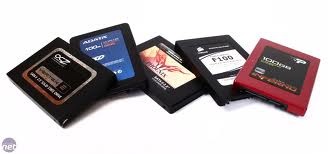
Popular SSD(Solid-State Drive) Brands

Why Buy Solid-State Drives?

ssdsThese solid state drives are more expensive and come in smaller data sizes. Well, for mobile users, SSD technology offers more benefits over traditional hard drives with spinning parts. These pluses come in the form of much more efficient power usage and battery life for the computer it’s being used in like laptops. Solid State Drives have no movements so they consume less power and allows SSD drives to be able to withstand large impact loads – like dropping your laptop. The US military has been using SSD technology for a while now where harsh conditions and frequent impacts are the norm.

Popular SSD Brands:

Intel® Solid-State Drives

intelThe Intel® SSD’s unique, innovative technology designs provide longer battery life, faster system responsiveness, and more durability, for a better user experience.

  • Intel® Solid-State Drive 510 Series
  • Intel® Solid-State Drive 320 Series
  • Intel® Solid-State Drive 311 Series
  • Intel® Solid-State Drive 310 Series
  • Intel® X25-E Extreme SATA Solid-State Drive
  • Intel® X25-M and X18-M Mainstream SATA Solid-State Drives
  • Intel® X25-V High Performance Value Solid-State Drive

Corsair Solid-State Drives

corsairMaximum performance for the ultimate system. The Corsair SSD product line offers the highest performance in Read/Write speeds of up to a maximum read speed of 285MB/s and write speed of 275MB/s. If speed is what you are looking for Corsair SSD’s are the perfect choice

  • Force Series GT
  • Force Series 3
  • Performance 3 Series
  • Force Series

Kingston SSDNow Solid-State Drives

kingstonWith the increasing need to stay connected, Kingston offers a new line of Solid-State drives
to improve your computer’s performance. Flash technology makes SSDNow drives faster,
more durable and reliable than standard mechanical hard disk drives.

CURRENT DRIVES

  • SSDNow S100
  • SSDNow V100
  • SSDNow V+100
  • SSDNow V+100E
  • SSDNow V+180

LEGACY DRIVES

  • SSDNow E-SERIE
  • SSSDNow M-SERIES
  • SSDNow V+ SERIES
  • SSDNow V-SERIES

OCZ Solid-State Drives

ocz

    Solid State Drivescategory, OCZ Technology Group, Inc. has built on its expertise in high-speed memory to become a dominant player in the manufacturing and distribution of solid state drives (SSDs), a disruptive, game-changing technology that is replacing traditional rotating magnetic hard disk drives (HDDs).
  • OCZ PCI-Express solid state drives
  • OCZ’s High Speed Data Link (HSDL)
  • SATA solid state drives
  • OCZ Serial Attached SCSI (SAS) Solid State Drives
  • OCZ USB 3.0 drives

Crucial Solid-State Drives

Solid-state drives are the rugged, reliable, battery-efficient alternative to traditional hard drives.

ADATA Solid-State Drives

ADATA is committed in developing cutting-edge SSD technology and offers complete SSD product lineup that brings extraordinary performance. SATA 6Gb/s,SATA 3GB/s.

Related Links:

Top 20 Most Popular Solid State Hard Drive on Amazon.com

Popular SSD(Solid-State Drive) Brands Read More »

Data Backup Glossary (Letter E)

Data Backup Glossary (Letter E)

Ecosystem
A cohesive, robust, interconnected whole. The EVault cloud-connected ecosystem is built on a shared technology platform, leveraged in every deployment—software, appliances, software as a service (SaaS), and managed services—that creates a seamlessly integrated, cloud-connected data protection ecosystem.

Edge computing
A topological paradigm in which applications, data, and computing power (services) are pushed away from centralized points to the logical extremes of a network. Edge computing replicates fragments of information across distributed networks of web servers, which may be vast and include many networks. Edge computing is also referred to as mesh computing, peer-to-peer computing, autonomic (self-healing) computing, grid computing, and other names implying non-centralized, nodeless availability.

Emergency power off
Also referred to as an EPO switch, emergency power off (EPO) is a button or switch that shuts down the power in a room or network of electrical circuits. Typically used in data centers with a large number of computers using large amounts of electricity, the EPO is meant to be activated by a human only in emergency situations when it is necessary to cut the power if human life is in jeopardy or if there is the potential for major damage to the building or equipment (for example, in the case of a fire or electrocution). The sudden loss of power will inevitably lead to the loss of some data, and the EPO is not meant to be used under normal circumstances.

Electron-trapping optical memory
A method of erasable optical storage. Information is written, or stored, by a low-power laser tuned to a specific frequency. The laser elevates the energy level of electrons to a trapped state. The data is read by a second laser that returns the elevated electrons to their ground state.

Encryption
The conversion of plaintext to encrypted text with the intent that it only be accessible to authorized users who have the appropriate decryption key.

Enhanced capacity cartridge system
In data storage technology, enhanced capacity cartridge system (ECCST) is a double length tape cartridge with a nominal uncompressed capacity of approximately 800 Mbytes.

Enterprise content management
Enterprise content management (ECM) describes the technologies used by organizations to capture, manage, store, and control enterprise-wide content, including documents, images, e-mail messages, instant messages, video, and more. ECM software is used to assist in content control associated with business processes, and can be used to assure compliance with regulations (such as Sarbanes-Oxley , HIPPA, and others). ECM has emerged from the convergence of many related technologies such as document management, web content management, and collaboration.

Equipment footprint
The physical area that is occupied only by data center equipment. This area does not include aisles between racks or any space left at end of equipment rows.

Enterprise storage
A centralized storage system used by a large business or organization to manage data. Enterprise storage also indicates processes for data sharing and connectivity. Enterprise storage is different from consumer or home computer storage in terms of the size of the storage system, the amount of data handled by the system, the number of users accessing the system, and also the technology used to create the storage system. Enterprise storage systems usually focus on providing the networking and management operations for data storage, backup, disaster recovery, and archiving.

In Information Technology, a backup or the process of backing up refers to making copies of data so that these additional copies may be used to restore the original after a data loss event. The verb form is back up in two words, whereas the noun is backup (often used like an adjective in compound nouns).

Data Backup Glossary (Letter E) Read More »

Cheapest Data Recovery Service

Cheapest Data Recovery ServiceWhen the computer is not operational it can cause a lot of direct and indirect problems. You can not work, browse the web, send emails, etc. Fortunately computer hardware is available in many online stores, you order it and the next day you will have it. Anything can fail and everything is replaceable except the data. If the hard drive fails you will also lose all the files. Many users never think of this possibility and therefore they do nothing to prevent data loss. Failed hard drives are then sent to some data recovery company to rescue valuable files. But data recovery service is expensive. Is there any cheaper alternative?

Data Backup Instead of Data Recovery
Of course, data recovery can be cheap if you understand basic principles of computers. The fact is that every computer component can fail, including the hard drive. This is the disk where the operating system is located and where you also store your files. Everything you use, create or share is stored there. Therefore it makes sense to create a copy of this data. And not just one copy-you should periodically back up the disk drive. This can be done in two different ways and both are needed to have peace of mind. If the hard drive data will be properly backed up, no computer malfunction will cause you headache, only a minor annoyance.

Disk or Partition Image
The first type of backup is the disk or partition image. This is a complete copy of all the data on the disk. The image is usually one file that contains the operating system and all your files. This image can be used to recreate the original disk in the case of failure. You simply install a new drive and restore the latest disk image. This method has disadvantage of being time consuming. But because it is mandatory to have a method to quickly restore the disk you should make one at least every few months. There many free disk imaging tools on the web. Simply choose one that fits your operating system and needs.

Regular Backup of Important Files
The second type is the real backup of your recent data. You should periodically (weekly or even daily) create a backup of all important files. The cheapest way to create backups is to use existing CD or DVD drive and free backup/restore software. And the easiest way is to create incremental backups. The first backup contains all files–the next backups only save new or modified files. This significantly speeds ups the backup process and saves a lot of time. You can create backups to CD/DVD, external hard drive, remote computer or any other suitable media. You can also few times a year create a complete archive of all your projects. This will further simplify data recovery process and you will also have a history overview of your work.

Your Own Cheapest Data Recovery Service
Having both disk images and recent backups is a guarantee for quick and painless data recovery process. If the hard drive fails you get a new one. When the computer hardware is working again you restore the last disk image and then you restore the missing or changed files from the latest backup. This is the cheapest data recovery service you could imagine. Anybody who uses computers should also take care for the data. Backups should become routine as it is sending emails or reading news. To prevent searching for a cheap data recovery service you better prevent data loss. With free backup software it is easy, cheap and fun.

Free Data Recovery Services:

  • Analysis is Free for Single Hard Drives
    Find out for FREE what can be recovered from your hard drive with FREE Data Recovery Analysis.
  • “No Data, No Charge”
    You only pay for recovery once you are 100% happy we have recovered the data you need.

It is important for customers to have a feel of data recovery pricing before they send their disks to recovery companies. Pricing comes down to Drive Size, Media Type (Hard Drive, RAID, SSD), and Issue with the Drive:

  1. Types of disk (interface, model and size)
  2. Failure modes
  3. Types of operating system
  4. User attempts before sending
  5. Any special user ‘s requirements

Related Link: Data Recovery Cost

Cheapest Data Recovery Service Read More »

Data Backup Glossary (Letter D)

Dark archive
A data archive that cannot be accessed by any user. Access to the data is either limited to a set of few individuals or completely restricted to all. The purpose of a dark archive is to function as a repository for information that can be used as a failsafe during disaster recovery.

Data at rest
All data in storage excluding any data that frequently traverses the network or that resides in temporary memory. Data at rest includes, but is not limited to, archived data; data which is not accessed or changed frequently; files stored on hard drives; USB thumb drives; files stored on backup tape and disks; and files stored offsite or on a storage area network (SAN).

Data at rest protection
Security protection measures such as password protection, data encryption, or a combination of both that protect data at rest from hackers and other malicious threats. The measures prevent this data from being accessed, modified, or stolen.

Database
A system intended to organize, store, and retrieve large amounts of data easily. It consists of an organized collection of data for one or more uses, typically in digital form.

Data center
A facility used to house computer systems and associated components, such as telecommunications and storage systems. It generally includes redundant or backup power supplies, redundant data communications connections, environmental controls (for example, air conditioning or fire suppression), and security devices.

Data center tiers
A four-tier system that provides a simple and effective means for identifying different data center site infrastructure design topologies. The Uptime Institute’s tiered classification system is an industry standard approach to site infrastructure functionality that addresses common benchmarking standard needs. The four tiers, as classified by The Uptime Institute, include the following:

  • Tier I: Composed of a single path for power and cooling distribution, without redundant components, providing 99.671 percent availability.
  • Tier II: Composed of a single path for power and cooling distribution, with redundant components, providing 99.741 percent availability.
  • Tier III: Composed of multiple active power and cooling distribution paths, but only one path active, has redundant components, and is concurrently maintainable, providing 99.982 percent availability.
  • Tier IV: Composed of multiple active power and cooling distribution paths, has redundant components, and is fault tolerant, providing 99.995 percent availability.

Data cleansing
Also referred to as data scrubbing, the act of detecting and removing and/or correcting a database’s dirty data (data that is incorrect, out-of-date, redundant, incomplete, or formatted incorrectly). The goal of data cleansing is not just to clean up the data in a database, but also to bring consistency to different sets of data that have been merged from separate databases. Sophisticated software applications are available to clean a database’s data using algorithms, rules, and look-up tables. This task was once done manually and was therefore still subject to human error.

  • In a RAID system, the act of correcting parity bit errors so that drives remain synchronized.

Data deduplication
The elimination of redundant data. In the deduplication process, duplicate data is deleted, leaving only one copy of the data to be stored. However, indexing of all data is still retained should that data ever be required. Deduplication reduces the required storage capacity since only the unique data is stored.

Data dictionary
In database management systems, a file that defines the basic organization of a database. A data dictionary contains a list of all files in the database, the number of records in each file, and the names and types of each field. Most database management systems keep the data dictionary hidden from users to prevent them from accidentally destroying its contents. Data dictionaries do not contain any actual data from the database, only book keeping information for managing it. Without a data dictionary, however, a database management system cannot access data from the database.

Data infrastructure hygiene
Practices that promote or preserve the shape of an entire data infrastructure (for example, network, servers, databases, storage, and software). These practices include any activity that reduces the stress of information growth on the data infrastructure and enables the efficient access, movement, and protection of data while reducing overall infrastructure and maintenance costs. Such practices include active archiving of relational databases, e-mail archiving, and document archiving.

Data mirroring
The act of copying data from one location to a storage device in real time. Because the data is copied in real time, the information stored from the original location is always an exact copy of the data from the production device. Data mirroring is useful in the speedy recovery of critical data after a disaster. Data mirroring can be implemented locally or offsite at a completely different location.

Data protection
Assurance that data is not corrupted, is accessible for authorized purposes only, and is in compliance with applicable requirements.

Data recovery
The salvaging of data stored on damaged media, such as magnetic disks and tapes. Many software products help recover data damaged by a disk crash or virus. In addition, many companies specialize in data recovery. Although not all data is recoverable, data recovery specialists can often restore a surprisingly high percentage of the data on damaged media.

Data retention policy
The policy of persistent data and records management for meeting legal and business data archival requirements. A data retention policy weighs legal and privacy concerns against economics and need to know concerns to determine retention time, archival rules, data formats, and the permissible means of storage, access, and encryption.

Data space transfer protocol
Data space transfer protocol (DSTP) is a protocol used to index and categorize data using an XML -based catalogue. Data, no matter how it is stored, has corresponding XML files which contain UCK (universal correlation key) tags that act as identification keys. Data is retrieved when a user connects to DSTP servers with a DSTP client and asks for specific information. Data is found and retrieved based on the labels contained in the UCK tags.

Data vaulting
The process of sending data from its primary source, where it can be protected from hardware failures, theft, and other threats. Several companies now provide web backup services that compress, encrypt, and periodically transmit a customer’s data to a remote vault. In most cases the vaults will feature auxiliary power supplies, powerful computers, and manned security.

DDP

  • Acronym for disk-based data protection, where a disk or RAID system is used as a data backup and archival system in place of tape.
  • Acronym for distributed data protection, a managed (or hosted) service that provides customers with online, scheduled, automated computer system data backup and self-serve restoration.
  • Acronym for development data platform, a web-based platform for data analysis, presentation, and dissemination. 
  • Acronym for distributed data processing, a data processing network in which some functions are performed in different places on different computers and are connected by transmission facilities.

Delta Backup
The backup of all data files that have been modified since the last incremental backup or archival backup. Also known as differential incremental backup.

DeltaPro
Patented EVault technology that performs delta backup and compresses the data before sending it over the wire.

Digital asset management
Digital asset management (DAM) is a system that creates a centralized repository for digital files that allows the content to be archived, searched, and retrieved. The digital content is stored in databases called asset repositories. Metadata—such as photo captions, article key words, advertiser names, contact names, file names, or low-resolution thumbnail images—is stored in separate databases called media catalogs and points to the original items. Digital asset management also is known as enterprise digital asset management, media asset management, or digital asset warehousing.

Digital footprint
The trail, traces, or "footprints" that people leave online. A digital footprint includes information transmitted online, such as forum registration, e-mails and attachments, uploaded videos or digital images, and any other form of transmission of information. All of this activity leaves traces of personal information about yourself that is available to others online.

Direct access file system
Direct access file system (DAFS) is a file-access sharing protocol that uses memory-to-memory interconnect architectures, such as VI and InfiniBand. DAFS is designed for storage area networks (SANs) to provide bulk data transfer directly between the application buffers of two machines without having to packetize the data. With DAFS, an application can transfer data to and from application buffers without using the operating system, which frees up the processor and operating system for other processes and allows files to be accessed by servers using several different operating systems.

Direct-attached storage
Direct-attached storage (DAS) is non-networked storage in which the hardware is connected to an individual server. Although more than one server can be present, storage for each server is managed separately and cannot be shared.

Disaster recovery
The process, policies, and procedures related to preparing for the recovery or continuation of a business-critical technology infrastructure after a natural or human-induced disaster. Disaster recovery is a subset of business continuity. While business continuity involves planning for keeping all aspects of a business functioning in the midst of disruptive events, disaster recovery focuses on the IT or technology systems that support business functions.

Disaster recovery plan
A plan for business continuity in the event of a disaster that destroys part or all of a business’s resources, including IT equipment, data records, and the physical space of an organization. The goal of a disaster recovery plan is to resume normal computing capabilities in as little time as possible. A typical disaster recovery plan has several stages:

  1. Understanding an organization’s activities and how all of its resources are interconnected
  2. Assessing an organization’s vulnerability in all areas, including operating procedures, physical space and equipment, data integrity, and contingency planning
  3. Understanding how all levels of the organization would be affected in the event of a disaster
  4. Developing a short-term recovery plan
  5. Developing a long-term recovery plan, including how to return to normal business operations and prioritizing the order of functions that are resumed
  6. Testing and consistently maintaining and updating the plan as the business changes A key to a successful disaster recovery plan is taking steps to prevent the likelihood of disasters from occurring, such as using a hot site or cold site to back up data archives.
  7. Disk array
    A linked group of one or more physical independent hard disk drives generally used to replace larger, single disk drive systems. The most common disk arrays are in daisy chain configuration or implement RAID (Redundant Array of Independent Disks) technology. A disk array may contain several disk drive trays and is structured to improve speed and increase protection against loss of data. Disk arrays organize their data storage into Logical Units (LUs), which appear as linear block paces to their clients. Disk arrays are an integral part of high-performance storage systems.

Disk-to-disk
Disk-to-disk (D2D) is a type of data storage backup in which the data is copied from one disk (typically a hard disk) to another disk (such as another hard disk or other disk storage medium). In a D2D system, the disk that the data is being copied from typically is referred to as the primary disk and the disk that the data is copied to typically is called the secondary or backup disk.

Disk-to-disk-to-tape
Disk-to-disk-to-tape (D2D2T) is a type of data storage backup in which data is first backed up on a disk system, but then is spooled to a tape or an optical storage system. A D2D2T backup system can help eliminate data loss issues due to tape drive or tape failure. In a D2D2T system, a copy of the data is kept onsite for faster retrieval and tape copies are kept offsite for disaster recovery purposes. D2D2T devices may be appliances, virtual tape, or disk libraries.

Disk-to-tape
Disk-to-tape (D2T) is a type of data storage backup in which the data is copied from a disk (typically a hard disk) to a magnetic tape. D2T systems are used widely in enterprises that require the safe storage of vital information in the case of disaster recovery.

Data Backup Glossary (Letter D) Read More »

Data Backup! Data Disasters Happen Every Day

databackupEarthquakes, tornadoes, floods, and tsunamis. While recent natural disasters may remind business leaders about the importance of continuity plans, most CEOs may not realize that data disasters occur every day, and the repercussions can be devastating.

Data backup is easily one of the most critical elements of a complete disaster recovery plan. For example, a 2009 study by MetaGroup cited that just 6% of businesses survive catastrophic data loss.

A 2007 MetaGroup study found that only 3% of data losses occur due to natural disasters; 97% are due to mechanical failure or human error, both of which are far more common. Fortunately, the preparation for both types of disasters is much the same.

In planning for disaster recovery, CEOs should consider five important questions:

What systems and information are absolutely critical to running your business day-to-day? Emails? Accounting data? Customer records? All of the above?

Understanding what data is mission-critical may just save your business in a disaster. Evaluating the importance of your data will help determine what needs to be quickly accessible and what isn’t as critical, which will help you control data storage costs.

How long could you operate without that data before your business suffered? A few hours? A day? Several days?

Data backed up to tape rather than a cloud-based platform could take several days to be restored. There’s no reason to wait that long today with solutions that allow you to recover data within minutes.

When is your data backed up? Multiple times a day? Every day?

Understand approximately how many hours’ worth of data you risk losing.

Where and how is your backup data stored? On site? Off site? Out of market?

Data should be backed up in multiple locations, including somewhere out of the area. If your city were flooded, tapes stored at your office or even elsewhere in your same city might prove worthless. The best bet for many business owners is a solution that allows you to back up your encrypted data via the cloud, safely, to locations off-site and out of the area.

Who will retrieve your data in the event of a loss?

In a natural disaster, your key personnel may be wearing several hats. Have a specific person designated for data recovery. Even better, choose a company that will manage your data recovery for you, lifting that burden from your shoulders.

Bottom line: Businesses with continuity plans outlining where they will go and what equipment they will use may be ahead of the game, but if they don’t know how they will recover their data, those plans won’t really matter.

Gayle Rose is founder and CEO of Electronic Vaulting Services, a cloud backup and recovery company.

Data Backup! Data Disasters Happen Every Day Read More »

Which Solid State Hard Drive should I buy?

Which Solid State Hard Drive should I buy?Not all SSDs(Solid State Drives) give the same performance so here are some good and bad, listed by controller chip used plus drives that use the controller.

Best SSDs to buy
These are all known good SSDs that give reasonably high performance and are resilient to performance degradation. The most popular ones are listed first.

DISCLAIMER: This is just a list for performance. If you want a problem free drive the best choice would probably be the older generation Intel G2 (purchased new). New Intel 320 has a firmware bug. New SandForce drives ALWAYS have firmware bugs. Heck, older SandForce still have firmware bugs (AFAIK occasional wake from S3 bug was not 100% fixed). And of course OCZ drives should always make the buyer wary, due to the volume of complaints. Also, most (but not necessarily all) problems are discovered and fixed within the first 6 months of the release of a drive model. If you don’t want to pay to be a beta tester, don’t buy a drive that is brand new on the market.

SandForce SF2200/SF2500 series controller based drives
OCZ Vertex 3, Vertex 3 Pro, Agility 3, Solid 3
OWC Mercury Extreme Pro 6G
Corsair Force Series 3, Force GT
Marvell controller based drives
Micron C400
Crucial m4
Micron C300
Crucial RealSSD
Intel 510
Plextor PX-M2
Corsair Performance 3
Intel controller based drives (oldest G1 doesn’t have Trim support)
Intel 320
Intel 311 (Larsen Creek, AKA the 20GB SLC for SSD caching)
Intel 310 (mSATA form factor)
Intel X18-M, X25-V and X25-M (look for “G2” after capacity in part number)
A-Data ASINTS series (Intel G2)
Kingston 40GB V Series (pseudo G2, no Trim firmware from Kingston but may be capable of cross-flashing Intel firmware with Trim)
Intel X18-M, X25-M and X25-E (look for “G1″ after capacity in part number)
Kingston SSDNow M series and E series (straight rebrands of Intel G1 drives?)
Dane Elec SSD kits (uses Intel X18-M and X25-M G1 drives)
SandForce SF1200/SF1222/SF1500 controller based drives
(Currently one of the top controllers to get, yes Trim is supported, very good on compressible data)
OCZ Vertex 2, Agility 2, Vertex LE, Vertex 2 Pro, Colossus 2
Corsair Force
OWC Mercury Extreme
Mushkin Enhanced Callisto Deluxe
Mushkin Enhanced Callisto DX2 (uncapped IOPS version?)
G.Skill Phoenix, Phoenix Evo, Phoenix Pro, Sniper Gaming
Patriot Inferno
A-DATA S599
Micro Center G2 Series (A-DATA S599 rebrand)
Indilinx Martini controller
OCZ Vertex Plus
Samsung 2nd gen controller based drives
Samsung 470 series
Corsair P256
Toshiba T6UG1XBG controller
(Trim is supported, very aggressive garbage collection so works well with OS or controllers that don’t support Trim)
Kingston SSDNow V+100 series (note the + in name, different controller than V 100, newer firmware than older V+)
Kingston SSDNow V+180 (1.8” version)
Kingston SSDNow V+100E (full disk encryption)

Best SSDs to buy for operating systems that do not have Trim support –
This means YOU with the WinXP/OSX/etc
(Trim currently requires Windows 7 and a SATA controller that supports AHCI mode)
Kingston SSDNow V+100 (Toshiba T6UG1XBG, same as Macbook Air)
Intel SSDs
Sandforce controller SSDs

Not as good SSDs to buy
Not as good as the best, but still better than spindle drives and decent choices if price is right. Translation: If it is significantly cheaper than the “good” SSDs.
Indilinx Barefoot controller (DEMOTED – was good except newer controllers got better)
OCZ Vertex, Agility, Solid 2, Vertex Turbo, Agility EX, Vertex EX, Vertex Mac Edition, Colossus, Z-Drive, Colossus LT
Patriot Torqx
Super Talent UltraDrive ME, GX, LE
Corsair Nova, Extreme
Crucial M225
G.Skill Falcon, Falcon II
Imation M-Class
A-Data Nobility
newer Jmicron controller (JMF618/612)
WD Silicon Blue
A-DATA S596 Turbo
Patriot TorqX TRB (JMF616, 32MB version half channels/writes)
Kingston SSDNow V series (JMF618, except 30GB model)
Kingston SSDNow V 100 series (JMF618, no + in name)
Toshiba T6UG1XBG controller (maybe a rebranded “new” Jmicron)
Kingston SSDNow V+ series
Kingston SSDNow V series 30GB (only this size)
newer Samsung RBB controller
(mediocre performance, hit/miss on Trim support)
Samsung PM800, SS805
OCZ Summit
Super Talent MasterDrive SX
Kingston SSDNow V+ series (older ones)
Corsair P series
Phison
Patriot TorqX 2
Patriot PS-100

Do not buy
Indilinx Amigo controller
(slow/crippled version of Indilinx Barefoot controller, meant to be really inexpensive not really fast, regular Indilinx got demoted so Amigo gets demoted too)
OCZ Onyx
older Jmicron controller (JMF602, JMF602B, JMF602B x2)
(huge performance problems, no Trim, terrible random writes)
OCZ Core, Apex, Solid, Core V2
Super Talent MasterDrive RX, PX, OX
G.Skill Titan
Kingston SSDNow V series (older ones)
older Samsung controller
(just bad performance all-around, no Trim)
many OEM SSDs found in name brand notebook computers in years past
Samsung FlashSSD
Corsair S series
G.Skill FlashSSD
Plextor (except latest PX-M2)

PCIe card SSDs
These get their own section for now. They come with some caveats that they are incompatible with some motherboards, and of course can’t be used in a notebook. However, if you are looking for huge capacities with huge performance and have the huge wallet to afford them, these are the ones to get.

OCZ RevoDrive (PCIe x4, twin SandForce 1200 in internal RAID)
OCZ RevoDrive 2 (PCIe x4, quad SandForce 1200 in internal RAID)
OCZ Z-Drive (PCIe x8, quad Indilinx Barefoot in internal RAID)
OCZ Z-Drive R2 (PCIe x8, eight Indilinx? Barefoot? in internal RAID, using removable NAND modules that look like SODIMMs)
OCZ IBIS (PCIe x4-to-HSDL controller, basically HSDL is like a PCIe x4 connector using a cable, the “drive” is a quad SandForce 1200 in internal RAID that looks like a normal 3.5″ HDD with an HSDL connector)

Related Links: Top 20 Most Popular Solid State Hard Drive on Amazon.com

Which Solid State Hard Drive should I buy? Read More »

Hard Drive Data Recovery in Melbourne

Hard Drive Data Recovery in MelbourneData recovery companies near Melbourne VIC, Australia.

1. Payam Data Recovery Pty Ltd
7/606 St Kilda Road, Melbourne VIC 3004, Australia
+61 3 9510 5753
www.payam.com.au

Service: Computer Service, Data Recovery Service, Services – Computer Repair

Review: Great Service, Best Price. My external hard drive stoped working which I was using to back up my work and family photos for years! I searched google for data recovery companies and Payam’s website was by far the most helpful, their services were the best priced and the location was perfect. So I rang Craig and he said to bring in the drive for assessmest. After bringing it in I got a mail from Craig the same day to say what the damage was and to confim the quote. Now that’s service, I was really impressed. Payam recovered all my data within the agreed time. You can’t ask for more than that. I would highly recommend Payam to anyone. Thanks again.

2. Toba Data Recovery
Ground Floor, 566 St Kilda Road, Melbourne VIC 3004, Australia
+61 3 9020 1294
www.toba.com.au

Service: Computer Repair Service, data recovery Melbourne, hard drive data recovery

Review: I lost important data on an internal hard drive. I was referred to Toba by Westpac IT department. They had prior experience with them and sent me their contact details. I received prompt and kind service. I was listened to carefully, given realistic expectations of the recovery outcome and experienced a highly professional service. Strongly recommend.

3. Re-Source Hardware
Suite 101, 19-29 Milton Pde, Malvern VIC 3144, Australia
+61 3 9832 0999
www.recoverdata.com.au

Service: Data recovery Melbourne. Specialising in RAID recovery and hard drive repair.

Review: I gave Re-Source hardware a professional Sony video card which had been formatted accidentally after an important shoot. Damien was unfortunately unable to retrieve useable clips as the video files were badly damaged but issued a prompt and full refund of money paid. I would absolutely recommend this company for its service and integrity.

Related searches: data recovery melbourne,data recovery Australia.

Hard Drive Data Recovery in Melbourne Read More »

Data Backup Glossary (Letter C)

CE-ATA
An interface standard for the connection of storage devices and hosts in consumer electronic devices such as mobile and handheld devices. One of the primary goals of the standard is to standardize connections for small form factor hard disk drives such as one-inch microdrives. The standard is maintained by CE-ATA Workgroup.

Chiller
Also called a data center chiller, a chiller is a cooling infrastructure used in a data centers and industrial facilities. A chiller cooling system removes heat from one element and deposits it into another element. In large data centers, the chiller is used to cool the water used in heating, ventilation, and air-conditioning units. Due to the amount of heat produced by many servers and systems in a data center, chiller cooling systems are operational around-the-clock. As such, a large percentage of the electricity consumed in a data center is used by the chiller.

Cloud storage
The delivery over a network of appropriately configured virtual storage and related data services. Typically, cloud storage hides limits to scalability, is either self-provisioned or provisionless, and is billed based on consumption.

Cloud-connected storage solutions
Next-generation data protection deployed in seamless combination—on-premise and cloud, licensed software and hosted services—to optimize performance, availability, and affordability.

COLD
Acronym for computer output to laser disk. The storage of data on optical disk, such as CD-ROMs. Storing large volumes of data on laser disk, as opposed to microfiche or microfilm, lets the user access and search for this information on a computer, avoid the duplication and security costs of protecting physical documents or film, and more readily distribute information.

Cold standby
A method of redundancy in which the secondary (backup) system is only called upon when the primary system fails. The system on cold standby receives scheduled data backups, but less frequently than a warm standby. Cold standby systems are used for non-critical applications or in cases where data is changed infrequently.

CompactFlash (CF)
Often referred to as a CompactFlash or CF card, CompactFlash is a very small removable mass storage device that relies on flash memory technology, a storage technology that does not require a battery to retain data indefinitely. CompactFlash cards can support 3.3V and 5V operation and can switch between the two, in contrast to other small-form factor flash memory cards that can only operate at one voltage. CompactFlash applications include PDAs, cellular phones, digital cameras, and photo printers.

Compliance
The state of being in accordance with a standard, specification, or clearly defined requirements, including legal requirements. In IT, the "compliance market" is centered around storage and systems that support the retention and discovery of data as required by law or regulation.

Compound document
An electronic document comprising more than one type of file. For example, a text file and image file.

Compressed sensing
An alternative theory to Nyquist’s Law that indicates signals and images can be reconstructed from fewer measurements than what is usually considered necessary. In contrast, Nyquist’s Law states that a signal must be sampled at least twice its highest analog frequency in order to extract all of the information. Also called compressive sampling.

Compression
The process of encoding data to reduce its size. Lossy compression (compression using a technique in which a portion of the original information is lost) is acceptable for some forms of data (for example, digital images) in some applications. However, for most IT applications, lossless compression (compression using a technique that preserves the entire content of the original data, and from which the original data can be reconstructed exactly) is required.

Compressed footprint
Amount of space consumed after compression has been applied to the data set. In a backup solution, compressed footprint refers to the amount of space being utilized by the backed-up data.

Content-addressed storage
Content-addressed storage (CAS) is an object-oriented system for storing data that is not intended to be changed once it is stored (for example, medical images, sales invoices, and archived e-mail). CAS assigns a unique identifying logical address to the data record when it is stored. That address is neither duplicated nor changed in order to ensure that the record always contains the exact same data that was originally stored. CAS relies on disk storage instead of removable media, such as tape.

Continuous data protection
Also called continuous backup, continuous data protection (CDP) refers to backing up computer data by saving as an automated function a copy every time changes are made to that data. It allows users to restore files that are corrupted or that have been accidentally deleted back to any point in time before they were lost.

Cumulative incremental backup
The backup of all data files that have been modified since the last backup.

Data Backup Glossary (Letter C) Read More »

Data Backup Glossary (Letter B)

Data Backup Glossary (Letter B)Back up(v)
To make a copy of data so that the additional copy may be used to restore the original in case of data loss.

Backup(n)
A collection of data stored on (usually remote) non-volatile storage media for purposes of recovery in case the original copy of data is lost or becomes inaccessible; also called a backup copy. To be useful for recovery, a backup must be made by copying the source data image when it is in a consistent state.

Backup window
An interval of time during which a set of data can be backed up without seriously affecting applications that use the data.

BRTP
Backup and recovery transfer protocol used by the EVault® Agent.

Bare-metal restore
A bare-metal restore (BMR) is a restore in which the backed up data is available in a form which allows one to restore a computer system from “bare metal”—meaning without any requirements as to previously installed software or operating system.

Buffer credits
Formally called buffer-to-buffer credit (BBC) spoofing, and also called buffer-to-buffer credits, this technology effectively removes limitations on data throughput for long-distance transmissions in a Fibre Channel storage area network (SAN). Fibre Channel protocols usually limit the distance between the source and the destination network to within a few kilometers. Using buffer-to-buffer credits makes it possible to use offsite storage hundreds of kilometers away.

Business continuity
The ability of an organization to continue to function even after a disastrous event. Business continuity is accomplished through the deployment of redundant hardware and software, the use of fault tolerant systems, as well as a solid backup and recovery strategy.

Business continuity planning
Business continuity planning (BCP) covers both disaster recovery planning and business resumption planning. BCP is the preparation and testing of measures that protect business operations and also provide the means for the recovery of technologies in the event of any loss, damage, or failure of facilities

Business recovery team
A group of individuals responsible for maintaining the business recovery procedures and coordinating the recovery of business functions and processes. Also called a disaster recovery team.

Business recovery timeline
The chronological sequence of recovery activities, or critical path, that must be followed to resume an acceptable level of operations following a business interruption or outage. This timeline may range from minutes to weeks, depending upon the recovery requirements and methodology.

Data Backup Glossary (Letter B) Read More »

Fiscal Fourth Quarter and Year-End 2011 Financial Results

Seagate Technology
seagateDemand for disk drive storage continues to grow as quarterly shipments reach a record 52 million units and fiscal year shipments increase to a record 199 million units.

Seagate Technology reported financial results for the quarter ended July 1, 2011. Seagate shipped 52 million hard disk drives and reported revenue of $2.9 billion, gross margin of 19.3%, net income of $119 million and diluted earnings per share of $0.27. On a non-GAAP basis, which excludes the net impact of restructuring, write-down of an equity investment, gain on the sale of one of its facilities, and expenses related to the previously announced transaction with Samsung, Seagate reported net income of $126 million and diluted earnings per share of $0.28 for the quarter ended July 1, 2011.

For the fiscal year ended July 1, 2011, the company reported revenue of $11.0 billion, gross margin of 19.6%, net income of $511 million and diluted earnings per share of $1.09. On a non-GAAP basis, which excludes the net impact of loss on redemption of debt, purchased intangibles amortization, restructuring, write-down of an equity investment, gain on the sale of one of its facilities, expenses related to the previously announced transaction with Samsung and tax adjustments related to prior fiscal years, Seagate reported net income of $578 million and diluted earnings per share of $1.24. Additionally, Seagate returned $77 million to shareholders in the form of a dividend and repurchased $822 million of Seagate ordinary shares.

“Seagate and the industry are benefitting from the significant demand for storage related to new applications and architectures associated with mobile and connected devices, Because hard disk drive storage is a fundamental technology for cloud service providers, data centers and all other network-based content providers, total industry demand grew almost 40% in fiscal year 2011 to 330 million terabytes. For the June quarter, Seagate’s average capacity per drive shipped grew to approximately 590 GB an increase of 39% year-over-year. As more online content and services become available to billions of connected mobile devices, we expect demand for storage capacity to continue to grow and Seagate to benefit from this growth.” said Steve Luczo, Seagate chairman, president and CEO.

Related Link: Seagate Q4 FY2011 Financial Statements

Western Digital Corp
wdQ4 REVENUE OF $2.4 BILLION AND NET INCOME OF $158 MILLION, OR $0.67 PER SHARE

For the quarter, revenue totaled $2.4 billion, net income was $158 million, or $0.67 per share, and hard-drive unit shipments were 54 million. The quarterly results included total expenses of $35 million associated with the planned acquisition of Hitachi Global Storage Technologies (Hitachi GST) announced Mar. 7, 2011, and for unrelated litigation accruals. Excluding these expenses, non-GAAP net income was $193 million or $0.81 per share.1

In the year-ago quarter, the company reported revenue of $2.38 billion, net income of $265 million, or $1.13 per share, and shipped 50 million hard drives. The 2010 results included $27 million of expenses related to litigation accruals. Excluding these expenses, the year-ago quarter non-GAAP net income was $292 million, or $1.24 per share.2

The company generated $447 million in cash from operations during the June quarter, ending with total cash and cash equivalents of $3.5 billion.

For fiscal year 2011, the company posted revenue of $9.53 billion and net income of $726 million, or $3.09 per share, compared to fiscal 2010 revenue of $9.85 billion and net income of $1.38 billion, or $5.93 per share. The 2011 net income included total expenses of $44 million associated with the planned acquisition of Hitachi GST and unrelated litigation accruals. Excluding these expenses, fiscal 2011 non-GAAP net income was $770 million or $3.28 per share.1 The 2010 net income included $27 million of expenses related to litigation accruals. Excluding these expenses, fiscal 2010 non-GAAP net income was $1.41 billion, or $6.05 per share.2

“In the June quarter, we were able to meet stronger than anticipated demand, especially from our OEM customers, We believe the stronger demand was driven by increased use of sea freight in advance of the second half of the calendar year as well as supply continuity concerns in the aftermath of the Japan earthquake.

In a challenging HDD market environment in fiscal 2011, the industry saw unit volume growth of four percent while WD achieved growth of six percent as customers demonstrated a continued preference for the WD value proposition.

We remain focused on completing our strategic acquisition of Hitachi GST. We are continuing to engage in the approval process with all the appropriate regulatory agencies and thus far we have received clearance from Brazil, Taiwan and Turkey. We continue to work closely with the remaining agencies which are reviewing our transaction. As previously announced, we now expect that the transaction will close in the fourth calendar quarter of 2011, and our integration planning activities continue on schedule.” – said John Coyne, president and chief executive officer.

Related Link: Western Digital Fourth Quarter Fiscal 2011 Investor Information Summary

Fiscal Fourth Quarter and Year-End 2011 Financial Results Read More »

Scroll to Top